21 Hidden Canva Keywords to Find Aesthetic Elements Fast
Introduction
If you use Canva regularly, you’ve probably experienced this problem:
you know the design you want, but you can’t find the right elements—icons, shapes, textures, or backgrounds—fast enough.
Most users type basic words like flower, background, or frame and scroll endlessly. What many people don’t realize is that Canva’s search works best when you use specific internal keywords. These “hidden” keywords unlock entire collections of aesthetic elements that don’t appear with normal searches.
In this article, you’ll learn 21 hidden Canva keywords that help you find aesthetic elements quickly—perfect for social media posts, presentations, ebooks, planners, and digital products. No design experience is required.
Why Canva Keywords Matter
Canva’s element library contains millions of assets. The platform categorizes many of these under internal naming systems. When you use the right keyword, Canva shows:
- Cleaner, more aesthetic results
- Consistent design styles
- Less clutter and fewer irrelevant elements
- Faster workflow and better creativity
These keywords are especially helpful for:
- Instagram posts and stories
- Pinterest pins
- YouTube thumbnails
- Ebook and KDP covers
- Printable designs
21 Hidden Canva Keywords to Find Aesthetic Elements Fast
Below are proven keywords designers use daily. Type them exactly into Canva’s Elements → Search bar.
1. Blob
Best for: Modern, abstract backgrounds
Blobs are soft, organic shapes perfect for minimalist and aesthetic designs.
Use case: Instagram quotes, website headers, presentations
2. Gradient Mesh
Best for: Premium, soft color backgrounds
These elements add depth without overpowering your design.
3. Line Art
Best for: Minimal illustrations
Line art works beautifully for fashion, lifestyle, and modern branding.
4. Organic Shape
Best for: Natural, flowy designs
Perfect when you want something less geometric and more artistic.
5. Aesthetic Frame
Best for: Photos, reels covers, Pinterest pins
These frames are cleaner than regular frames.
6. Minimal Icon
Best for: Clean UI-style designs
Great for presentations, ebooks, and professional graphics.
7. Paper Texture
Best for: Vintage or handmade looks
Adds subtle depth without distraction.
8. Grain Overlay
Best for: Film-style and aesthetic posts
Use lightly for a premium feel.
9. Abstract Face
Best for: Art, psychology, lifestyle themes
Often hidden under illustration-style collections.

10. Doodle Line
Best for: Fun, casual designs
Adds personality without clutter.
11. Neutral Aesthetic
Best for: Beige, cream, muted-tone designs
Very popular for Instagram branding.
12. Hand Drawn Arrow
Best for: Callouts and highlights
Feels more human and less corporate.
13. Soft Shadow
Best for: Depth and realism
Ideal for product mockups and text emphasis.
14. Highlight Stroke
Best for: Emphasizing words or numbers
Works great in educational posts.
15. Minimal Pattern
Best for: Backgrounds without distraction
Use at low opacity.
16. Brush Stroke
Best for: Artistic and bold designs
Great for headers and quote posts.
17. Floral Line Art
Best for: Feminine and elegant designs
Popular in planners and printables.
18. Abstract Wave
Best for: Motion and flow
Excellent for modern presentations.
19. Torn Paper
Best for: Scrapbook and collage styles
Very effective for Instagram reels covers.
20. Glow Effect
Best for: Trendy, modern designs
Use sparingly for a premium look.
21. Aesthetic Divider
Best for: Separating content sections
Useful in ebooks and long posts.
Pro Tips to Use These Keywords Effectively
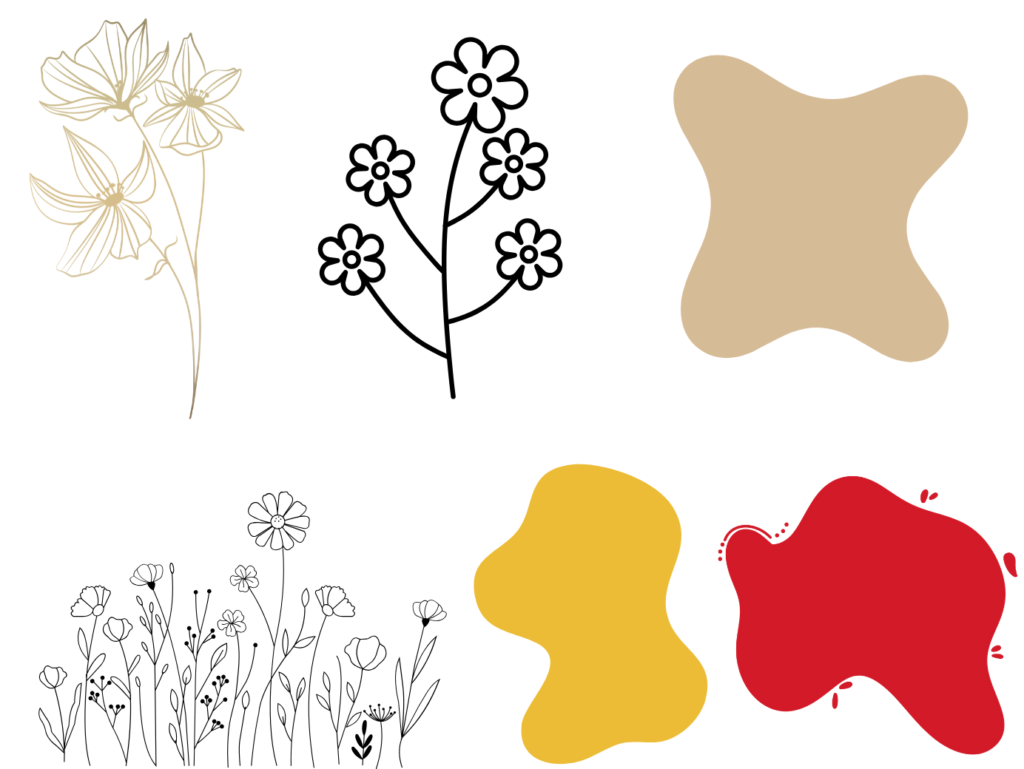
- Combine keywords:
Example:line art flower,neutral aesthetic blob - Switch between Graphics, Photos, and Elements
- Save frequently used elements to Folders
- Adjust opacity for a softer look
- Stick to one style per design
Frequently Asked Questions (FAQ)
1. Are these Canva keywords free to use?
Yes. Some elements may be Pro-only, but the keywords work for both free and Pro users.
2. Do these keywords work on mobile?
Yes, Canva’s search works the same on mobile and desktop.
3. Will Canva remove these keywords in the future?
Canva occasionally updates libraries, but these keywords are widely used and stable.
4. Can I use these elements for commercial projects?
Yes, as long as you follow Canva’s licensing rules for free or Pro assets.
5. Are these keywords useful for KDP covers?
Absolutely. Many authors use them for clean, modern ebook covers.
6. How many keywords should I combine at once?
Start with one or two. Too many keywords reduce results.
Conclusion
Finding the right elements in Canva doesn’t require endless scrolling—it requires knowing the right keywords. These 21 hidden Canva keywords help you design faster, stay consistent, and create professional-looking visuals even as a beginner.
Save this list, experiment with combinations, and build your own favorites. Over time, you’ll design smarter—not harder.