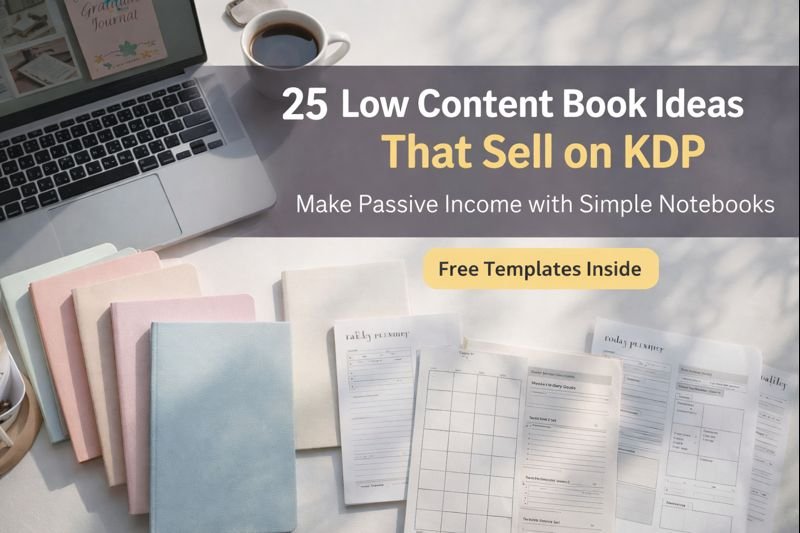
25 Low Content Book Ideas That Actually Sell on KDP
Stop Thinking You Need to Be a Novelist to Be an Author
The biggest lie new self-publishers believe is that they need to write 50,000 words to make money on Amazon. They think they need to be the next Stephen King or J.K. Rowling to build a publishing business.
Here is the truth: Some of the highest-earning books on Amazon contain little to no text at all.
These are called Low-Content Books (LCBs). They are easy to create, faster to publish, and solve immediate problems for buyers. Instead of selling a story, you are selling a tool—a place for people to organize their lives, track their progress, or express their creativity.
This is the ultimate path to passive income. Once you design the interior and a great cover, that file can sell hundreds of copies indefinitely without you writing another word.
Ready to start building your library? Here are 25 proven ideas that actually sell, plus details on how to get started.
Category 1: Organization & Productivity
These are high-utility books. People buy them because they need to solve a specific problem in their daily lives.
- Daily Planners (Undated): Undated versions allow customers to start using them at any time of the year, reducing waste and increasing value.
- Password Trackers: In the digital age, everyone forgets their logins. An offline, secure backup is a perennial bestseller.
- Bill Trackers & Budget Planners: Help people manage debt, savings, and monthly expenses. Niche down to “Wedding Budget” or “College Student Budget” for better results.
- Meal Planners: Combine a weekly menu grid with a tear-off (or cut-out) grocery list section.
- Project Planners: Designed for makers, contractors, or crafters to sketch ideas and list required materials.
Category 2: Health & Wellness
The self-care industry is booming. These books offer emotional support and physical tracking.
- Gratitude Journals: Simple layouts prompting users to list 3 things they are thankful for daily.
- Workout Logs: Track sets, reps, and weights. Focus on specific niches like “Powerlifting Log” or “Couch to 5k Tracker.”
- Food & Symptom Trackers: Vital for people figuring out allergies or managing autoimmune conditions (e.g., FODMAP trackers).
- Meditation & Mindfulness Logs: Spaces to record session duration, mantras, and post-meditation feelings.
- Sleep Logs: For tracking sleep cycles, dream quality, and waking moods.
Category 3: Hobbies & Interests
Targeting specific passions is the best way to lower your competition and find eager buyers.
- Fishing Log Books: Track weather, water depth, lure used, and catch size.
- Gardening Journals: Track planting dates, sunlight requirements, watering schedules, and harvest yields.
- Recipe Books (Blank): A place for families to record secret recipes passed down through generations.
- Wine Tasting Journals: Sections for the label, vintage, tasting notes, and star ratings.
- Music Manuscript Paper: Blank sheet music for composers and students.
Category 4: Specialized & Business
These are “boring” but essential books that businesses and professionals buy in bulk.
- Mileage Logs: Essential for freelancers and gig workers (Uber/DoorDash) to claim tax deductions.
- Guest Books: Niche down specifically for Airbnb/Vacation Rentals or Funeral Homes.
- Notary Journals: Requires specific columns (Date, Name, ID Type, Signature). Note: Check legal requirements for column headers.
- Appointment Books: Used by hair salons, nail techs, and therapists.
- Inventory Logs: For small business owners or resellers to track stock.
Category 5: Educational & Kids
Parents are always looking for non-screen activities for their children.
- Handwriting Practice Paper: The classic “dotted midline” paper for kids learning to write letters.
- Scissor Skills Books: Pages designed to be cut out to help toddlers develop fine motor skills.
- Composition Notebooks: The interior is standard, but the cover is where you win. Target specific aesthetics (e.g., “Kawaii Axolotl” or “Retro 90s”).
- Graph Paper Notebooks: Target engineering students, math majors, or RPG gamers (for map drawing).
- Sketchbooks: High-quality blank pages with a distinct border, targeted at artists or anime fans.
How to Get Started (Free Templates)
You don’t need expensive software like InDesign to make these. You can start today using free tools like Canva or Amazon’s own KDP tools.
- Step 1: Pick one idea from the list above.
- Step 2: Search Amazon to see what covers are selling (but don’t copy!).
- Step 3: Create your interior (or download a ready-made template).
> Pro Tip: Don’t just make a “Journal.” Make a “Left-Handed Guitar Tab Journal” or a “Beekeeper’s Hive Log.” Specificity sells.
Here is the next section of your content, formatted to flow seamlessly from the introduction.
What Are Low-Content Books?
If the idea of writing a 300-page novel feels overwhelming, you can relax. Low-content publishing is an entirely different business model.
Definition
In simple terms, a Low-Content Book (LCB) is a paperback or hardcover book that has very little to no internal text. The value of the book doesn’t come from a story you read, but from the structure you provide.
Instead of chapters and paragraphs, the interior pages are usually:
- Minimal: Containing simple lines, grids, or prompts.
- Repetitive: The same page design is often repeated 100+ times (e.g., a lined notebook).
- Interactive: These books are designed to be filled in by the customer. They are for writing, planning, sketching, or coloring.
Essentially, you provide the framework, and the customer provides the content.
Examples
You likely use these books in your daily life without realizing they are a massive industry on Amazon. Common types include:
- Journals & Notebooks: Lined paper, dot grid paper, or blank sketchbooks.
- Planners: Daily, weekly, or monthly organizers for personal or business use.
- Coloring & Activity Books: Mandalas, puzzles (Sudoku/Word Search), or educational tracing books for kids.
- Logbooks & Trackers: Niche-specific books for tracking data, like mileage logs for drivers, temperature logs for chefs, or workout logs for gym-goers.
Why They’re Perfect for Beginners
Low-content publishing is widely considered the best entry point for new entrepreneurs on KDP (Kindle Direct Publishing) for four key reasons:
- No Writing Skills Required: You don’t need to worry about grammar, plot holes, or writer’s block. If you can draw a line or create a box, you can “write” a book.
- Fast Creation Speed: While a novel might take a year to write, a low-content interior can be designed in less than an hour. You can publish multiple books in a single weekend.
- Cheap (or Free) to Design: You don’t need to hire expensive ghostwriters or editors. You can use free software like Canva or Google Slides to create professional-quality interiors.
- Highly Scalable: Once you create one great interior (e.g., a “Daily Planner”), you can use that same file with 50 different covers to target different aesthetics (e.g., floral, minimalist, retro, masculine). This allows you to build a massive portfolio of assets quickly.
Here is the next section, written to explain the market mechanics and keep the reader motivated.
Why Low-Content Books Sell So Well on KDP
You might wonder: In a world of iPads and productivity apps, why would anyone buy a paper notebook?
The answer lies in psychology and utility. Despite the digital age, the demand for physical writing tools has actually increased. People crave a break from screens, and there is a unique satisfaction in checking a box or writing a goal down by hand that an app simply cannot replicate.
Here is why this business model works so well for creators:
Evergreen Demand
Unlike a trendy diet book or a news-related biography that might spike and then crash, low-content books have evergreen longevity.
- People will always need to organize their schedules.
- Students will always need composition notebooks.
- Artists will always need sketchbooks.These are functional necessities, not just entertainment. A well-designed logbook can sell steadily for years without you ever needing to update it.
Easy Impulse Purchase ($5–$10)
Price resistance is one of the biggest hurdles in sales. Asking someone to pay $25 for a new hardcover novel requires them to trust the author.
However, low-content books usually sit in the “impulse buy” sweet spot of $5.99 to $9.99.
At this price point—roughly the cost of a fancy coffee—customers don’t overthink the decision. If the cover is attractive and the interior looks useful, they click “Buy Now” without hesitation.
Low Competition vs. Novels
If you write a thriller novel, you are directly competing with giants like Stephen King and James Patterson. That is a losing battle for a beginner.
In the low-content world, the playing field is much more level. If you create a niche book—like a “Mileage Log for Uber Drivers” or a “Left-Handed Guitar Tab Notebook”—you aren’t competing with famous authors. You are only competing with other independent publishers. If your cover is better or your interior is more practical, you win the sale.
Faster Publishing (1–2 Days)
Traditional publishing takes years. Writing a novel takes months.
With low-content books, speed is your superpower.
- You can spot a trend (e.g., a specific aesthetic like “Cottagecore”) on a Monday.
- Design a cover and upload the book on a Tuesday.
- Have it live and for sale on Amazon by Wednesday.This agility allows you to test ideas rapidly without wasting months of work.
Passive Income Potential
This is the ultimate goal. KDP is a “Print on Demand” service, meaning Amazon handles printing, shipping, and customer service. You upload the digital file once, and it sits in their catalog forever.
The Math of Motivation:
Imagine you create one simple logbook that makes just $20 profit per month (that’s only about 10 sales).
- That doesn’t sound like much.
- But if you spend a few months building a library of 50 books?
- 50 books x $20/month = $1,000/month in completely passive income.
You do the work once, and the royalties can continue to roll in for years.
Here is the list of ideas formatted clearly for your readers to scan and absorb quickly.
25 Low Content Book Ideas That Actually Sell
Here is a curated list of proven bestsellers categorized by niche. You don’t need to reinvent the wheel—just put your unique spin on these formats.
Journals
- Gratitude Journal: Simple daily spreads prompting users to list three to five things they are thankful for each morning or night.
- Daily Planner (Undated): A flexible organization tool that allows users to plan their schedule without wasting pages on missed days.
- Self-Care Journal: Dedicated space for tracking mood, sleep, water intake, and daily affirmations for mental wellness.
- Fitness Tracker: A log for recording workouts, sets, reps, and body measurements to track physical progress over time.
- Habit Tracker: Visual grids (like 30-day challenges) that help users build consistency with new routines.
Planners
- Student Planner: Essential for tracking homework assignments, exam dates, class schedules, and semester goals.
- Budget Planner: A practical financial tool for tracking monthly income, fixed expenses, debt repayment, and savings goals.
- Wedding Planner: A comprehensive timeline, vendor contact list, and checklist for brides and grooms planning their big day.
- Meal Planner: Weekly menu grids paired with tear-off grocery lists to save time and reduce food waste.
- Teacher Planner: A robust organizer for lesson plans, attendance records, grade tracking, and academic calendars.
Logbooks
- Password Logbook: An offline, secure alphabetical directory for storing website logins, usernames, and passwords.
- Vehicle Maintenance Log: A glovebox essential for tracking oil changes, repairs, mileage, and service history.
- Gardening Log: Tracks planting dates, sunlight requirements, watering schedules, and harvest results for green thumbs.
- Reading Log: A journal for book lovers to rate, review, and list books they have read or want to read next.
- Expense Tracker: Simple ledgers for small business owners or freelancers to record daily spending for tax purposes.
Kids / Fun
- Coloring Book: High-demand books featuring mandalas, animals, or motivational quotes for stress relief and creativity.
- Activity Workbook: A mix of games, mazes, and logic puzzles designed to keep children entertained without screens.
- Dot-to-Dot Book: A fun activity that helps children improve counting skills and hand-eye coordination while drawing.
- Handwriting Practice: Lined paper with dotted midlines to help young children practice letter formation and penmanship.
- Puzzle Book: Collections of Sudoku, Word Search, or Crosswords for adults or seniors to keep their minds sharp.
Niche Specific
- Prayer Journal: A spiritual tool for writing down scripture, prayer requests, and daily reflections.
- Travel Planner: An itinerary organizer including packing lists, flight details, and reservation information for trips.
- Pregnancy Journal: A keepsake for expecting mothers to track symptoms, doctor appointments, and baby milestones.
- Pet Care Logbook: Useful for tracking vet visits, vaccination records, medication schedules, and feeding habits.
- Small Business Planner: A specialized organizer for tracking orders, inventory, profit margins, and quarterly goals.
Here is the next section on market research and niche selection, designed to be actionable and easy to understand.
Best Niches for Low Competition & High Sales
Finding a profitable book idea isn’t about guessing; it is about research. The goal is to find a “sweet spot” where customers are searching for a book, but there aren’t thousands of competitors already selling it.
How to Find Niches
You don’t need expensive software to find winning ideas. You can start with free tools right on Amazon.
1. The Amazon Search Bar (Autosuggest)
Amazon tells you exactly what people are buying. When you start typing in the search bar, Amazon suggests completions based on popular customer searches.
- The Strategy: Type a broad keyword like “Journal for” and wait.
- What you see: Amazon might suggest “Journal for… nurses,” “Journal for… grief,” or “Journal for… traveling.”
- Go Deeper: Type each letter of the alphabet after your keyword (e.g., “Planner for a…”, “Planner for b…”) to uncover hidden sub-niches.
[Insert Screenshot: Amazon search bar showing dropdown suggestions for “Journal for…”]
2. Best Seller Rank (BSR)
Every book on Amazon has a “Best Seller Rank” listed in the Product Details section. This number tells you how well a book is selling compared to others.
- The Rule: The lower the number, the more sales it is getting.
- The Target: Look for books with a BSR between 10,000 and 100,000.
- BSR < 1,000: Selling huge volume, but competition is too fierce for beginners.
- BSR > 500,000: Likely not selling often enough to be worth your time.
3. Reviews Analysis
Read the 3-star and 4-star reviews of existing bestsellers. Customers often leave clues about what is missing.
- “I wish this planner had a pocket.”
- “The lines are too faint to see.”
- “I love the layout, but I wish it was geared toward teachers.”Your Job: Create a book that fixes these complaints. That is your competitive advantage.
Top Profitable Niches List
While trends come and go, these specific audiences are consistent buyers because they have specific needs that require organization.
- Students: They need Composition Notebooks, Academic Planners, and Graph Paper. Tip: Target specific subjects like “Organic Chemistry Hexagon Notebooks.”
- Moms: A massive market for Meal Planners, Family Organizers, and Baby Memory Books. Tip: “Busy Mom” or “Homeschool Mom” are great sub-niches.
- Teachers: They buy Lesson Planners and Attendance Logs annually. Tip: Teachers often buy in July/August before school starts.
- Fitness Lovers: Weightlifting Logs, Running Journals, and Diet Trackers. Tip: Crossfit or Yoga-specific journals have less competition than general “Fitness” journals.
- Kids: Handwriting Practice, Scissor Skills, and Draw & Write journals. Tip: This is a high-volume niche; you need cute, eye-catching covers to win.
- Small Businesses: Order Logs, Mileage Trackers, and Inventory Ledgers. Tip: These are utilitarian; keep the interiors clean and professional.
- Mental Health: Anxiety Journals, Mood Trackers, and CBT (Cognitive Behavioral Therapy) Worksheets. Tip: Use calming colors and supportive language.
- Pets: Puppy Training Logs, Vet Visit Trackers, and Horse Riding Journals. Tip: Pet owners are very passionate and willing to spend money on their hobbies.
Here is the section on creation tools, designed to guide beginners toward the easiest options—especially Canva, which aligns with your focus.
Tools to Create Low Content Books Fast
You don’t need to be a graphic designer to create professional-looking books. In fact, you probably already have access to the tools you need.
Canva (Best for Beginners)
Canva is the gold standard for most KDP creators, especially if you are just starting out. It’s intuitive, drag-and-drop, and free to use.
- Why use it: It has thousands of pre-made elements, fonts, and graphics. You can create a stunning cover or a custom interior planner in minutes.
- Pro Tip: Use the “Print Quality” (PDF Print) setting when exporting to ensure your lines stay crisp and sharp.
Book Bolt
This is a specialized software built specifically for KDP creators.
- Why use it: It includes a massive library of pre-made interiors (like puzzles and mazes) that are hard to make from scratch. It also has built-in keyword research tools to help you find profitable niches.
PowerPoint / Google Slides
Believe it or not, many professional publishers use these slide-deck tools to design books.
- Why use it: They are excellent for handling “Master Slides.” If you need to change a header on all 100 pages of a journal, you can do it once on the Master Slide, and it instantly updates the entire book.
Free Interior Generators
There are several free websites (like BookFixed or Tangent Templates free tools) that generate basic PDF interiors.
- Why use it: If you just need standard lined paper, graph paper, or dot grids, these tools will generate a perfectly sized PDF file for you in seconds without any design work.
Your 4-Step Quick Workflow
Don’t overcomplicate the process. Here is the exact path to getting your first book published:
- Idea: Pick one niche (e.g., “Daily Gratitude Journal for Nurses”).
- Template: Open Canva and use a pre-made template (or one of the free ones I’m offering below). Customize the fonts to match your style.
- Export: Download your file as a “PDF Print”. This is the format Amazon requires for the interior.
- Upload: Go to KDP.amazon.com, upload your PDF, create a cover, and hit publish!
Here is the actionable step-by-step guide, written to make the process feel fast and achievable for your readers.
Step-by-Step: Create Your First Book in 1 Hour
You have the ideas, and you know the tools. Now, let’s put it all together. You can genuinely go from “zero” to “published author” in about 60 minutes if you follow this rapid workflow.
1. Choose Your Idea (5 Minutes)
Don’t get stuck in analysis paralysis. For your first book, pick something simple and proven.
- Action: Choose the “Lined Notebook” or “Daily Planner.” These are the easiest to make and impossible to mess up.
2. Design the Interior (15 Minutes)
The interior is just a PDF file. You don’t need to draw every line yourself.
- Action: Open Canva (or use a free generator). Create a page with lines or a grid.
- The Trick: Make one perfect page, then just click “Duplicate Page” until you have 100 to 120 pages.
- Format: Save the file as “PDF Print”.
3. Create the Cover (30 Minutes)
This is where you should spend most of your time. The cover is the only reason a customer clicks on your book.
- Action: Use the KDP Cover Calculator to get the exact dimensions for your 100-page book.
- Design: Go to Canva and create a custom design using those dimensions.
- Rule of Thumb: Keep the title big and readable. Use high-contrast colors (e.g., yellow text on a dark blue background).
4. Upload to KDP (10 Minutes)
- Action: Log in to KDP.amazon.com and click “+ Create”.
- Details: Enter your book title and subtitle (e.g., “Daily Planner for Students: 2026 Academic Agenda”).
- Files: Upload your Interior PDF and your Cover PDF.
- Preview: Use the “Launch Previewer” to make sure everything fits within the margins.
5. Price Properly (Final Step)
- Action: Set your price.
- The Sweet Spot: For a standard notebook, $5.99 to $6.99 is the magic number. It’s cheap enough for an impulse buy but high enough to leave you with a royalty (profit) after printing costs.
Hit “Publish,” and you are done. Amazon will review your book, and it will usually be live for sale within 72 hours.
Get Your Free Starter Kit
Here is the “Mistakes to Avoid” section. This is a crucial section to include because it builds trust with your readers—you aren’t just telling them the “easy” parts, you are protecting them from failure.
(You should place this section right before the “Step-by-Step” or before the “Conclusion”).
Mistakes Beginners Should Avoid
KDP is simple, but it is not “easy” if you rush. Many beginners get excited, upload 20 books in a week, and then wonder why they have zero sales—or worse, why their account got suspended.
Avoid these five common traps to ensure your publishing business survives the long haul.
1. Copying Copyrighted Content (The “Account Killer”)
This is the most dangerous mistake. Never, ever use trademarked characters, logos, or phrases.
- The Mistake: Putting Mickey Mouse on a cover, using the word “Harry Potter” in your title, or using song lyrics inside the book.
- The Consequence: Amazon will ban your account for life.
- The Fix: Stick to original designs or public domain images. If you didn’t create it and you don’t have a license for it, don’t use it.
2. Too Many “Blank” Pages
Amazon distinguishes between “Low Content” and “Stationery.”
- The Mistake: Uploading a PDF that is just 100 pages of completely empty white space (no lines, no page numbers).
- The Issue: Amazon often blocks these because they look like printing errors. Plus, customers get angry when they pay for a “book” and get a pad of paper.
- The Fix: Always add value. Even a sketchpad should have a border, a small icon in the corner, or page numbers.
3. Bad Covers (The Sales Killer)
“Don’t judge a book by its cover” is a lie in the publishing world. It is the only thing people judge.
- The Mistake: Using blurry images, hard-to-read fonts, or clashing colors.
- The Fix: Look at the Top 10 bestsellers in your niche. What colors do they use? What fonts? Your cover needs to look like it belongs on the shelf next to them. If you aren’t a designer, use a simple Canva template—don’t try to wing it.
4. Ignoring Keywords (The “Invisible Book” Syndrome)
You can have the best planner in the world, but if no one can find it, it won’t sell.
- The Mistake: Leaving the 7 keyword boxes in KDP setup empty, or using generic words like “book” or “paper.”
- The Fix: Be specific. Instead of just “Journal,” use phrases like “Gratitude journal for busy moms,” “Pink floral notebook,” or “Gift for nurses.” Tell Amazon exactly who the book is for.
5. Wrong Trim Size
Form must follow function.
- The Mistake: Creating a “Pocket Planner” that is 8.5 x 11 inches (the size of a textbook), or a “Coloring Book” that is 5 x 8 inches (too small to color).
- The Fix: Stick to industry standards:
- 6 x 9 inches: The gold standard for journals and novels.
- 8.5 x 11 inches: Best for workbooks, coloring books, and large planners.
- 5 x 8 inches: Good for small notepads or password logs.
Here is the FAQ section, designed to target specific high-volume keywords and provide honest, trust-building answers.
FAQ: Common Questions About KDP Low Content Books
You probably have a few questions before you dive in. Here are the honest answers most “gurus” won’t tell you.
1. Are low-content books still profitable in 2026?
Yes, but the game has changed. You can no longer upload 1,000 junk books and expect to get rich. The profit now is in quality and specificity. A generic “Notebook” will fail, but a “Nurse’s Shift Planner with Midnight Floral Cover” can still sell hundreds of copies a month.
2. How many pages should my book have?
For most standard journals and planners, 100 to 120 pages is the sweet spot.
- Why? It feels substantial enough to be a “real book” in the customer’s hands, but it keeps your printing costs low (maximizing your royalty).
- Note: Amazon requires a minimum of 24 pages for standard paperbacks, but 24 pages feels too thin for a journal.
3. Do I need professional design skills?
Absolutely not. You do not need to know Photoshop or InDesign. Tools like Canva are drag-and-drop. If you can move a text box and change a font, you have all the skills you need. Simple, clean designs often sell better than cluttered, complex ones.
4. Can I use Canva for KDP?
Yes, you can. However, you must follow one golden rule: Be Original.
- Allowed: Using Canva’s free fonts and shapes to create your own unique design.
- Not Allowed: Taking a pre-made Canva template and selling it exactly as is without changing anything. You must edit the colors, fonts, or layout to make it yours.
5. How much money can a beginner earn?
It varies, but here is a realistic timeline:
- Month 1-2: $0 – $50 (Learning the ropes, first few sales).
- Month 3-6: $100 – $500 (As you build a library of 20+ books).
- Year 1+: $1,000+ per month (Once you have a solid portfolio of bestsellers).
- Key Takeaway: This is a volume game. The more quality books you have on your “virtual shelf,” the more passive income you generate.