AI Tools Comparison and Reviews: A Comprehensive Guide for 2026
The landscape of Artificial Intelligence has evolved rapidly, and as we move through 2026, AI is no longer a futuristic concept—it is a daily companion. From students and small business owners to creative hobbyists, almost everyone is looking for the right tool to simplify their lives. However, with thousands of new apps launching every month, the “AI fatigue” is real. How do you know which tool actually delivers value and which is just hype?

In this guide, we provide an honest, expert comparison of the leading AI tools in 2026. We’ve broken them down by category—Writing, Image Generation, and Productivity—to help you find exactly what you need without the technical jargon.
General Disclaimer: This article provides educational reviews of various software tools. Subscription prices and features may change over time. Always check the official website of each provider for the most current information. We do not provide financial advice regarding software investments.
1. AI Writing Tools: Beyond Simple Text Generation
Writing was the first area where AI truly made a mark. In 2026, the best writing tools don’t just “fill space”; they help refine your voice, ensure SEO compliance, and maintain brand consistency.

ChatGPT (OpenAI) – The Versatile All-Rounder
ChatGPT remains the most recognized name in AI. In 2026, with its latest updates, it has moved from being a simple chatbot to a sophisticated reasoning engine.
- Best For: Brainstorming, general content drafting, and quick research.
- Pros: Highly conversational, supports 50+ languages, and features “Custom Instructions” to remember your style.
- Cons: Can still produce “hallucinations” (confident-sounding false facts) if not checked against sources.
Claude (Anthropic) – The Natural Stylist
Claude has gained a massive following among writers who find ChatGPT too “robotic.” Claude is designed with “Constitutional AI,” making it safer and more nuanced.
- Best For: Long-form creative writing, deep analysis of large documents, and natural-sounding prose.
- Pros: Excels at mimicking specific human tones; has a very large “context window” (can read an entire book in one go).
- Cons: Slightly more restrictive safety filters compared to others.
Jasper AI – The Marketing Specialist
Unlike general bots, Jasper is built specifically for business teams. It includes templates for Facebook ads, YouTube scripts, and blog outlines.
- Best For: Professional marketers and businesses needing consistent brand voice.
- Pros: Integrates directly with SEO tools like SurferSEO; offers a “Brand Voice” feature that scans your website to learn how you talk.
- Cons: Higher price point than general AI tools.
2. AI Image Generators: Visualizing Your Ideas
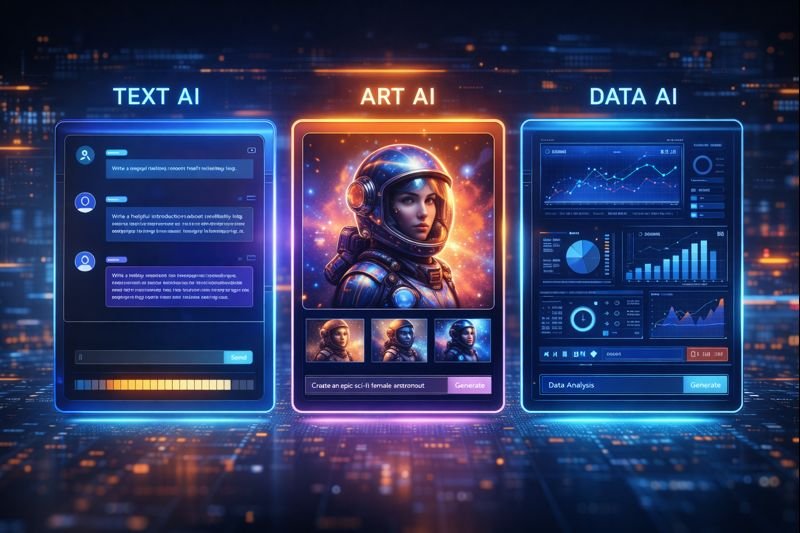
In 2026, the quality of AI-generated art is nearly indistinguishable from professional photography or digital illustration. The “secret sauce” lies in which tool best understands your specific prompts.
Midjourney – The Artistic Powerhouse
Midjourney continues to dominate the high-end creative space. While it used to be difficult to use (requiring Discord), it now features a sleek web interface.
- Best For: High-quality artistic visuals, photorealistic portraits, and unique textures.
- Pros: Unmatched aesthetic quality; the community feed provides endless inspiration.
- Cons: No free tier; can be a steeper learning curve to master specific “parameters.”
DALL-E 3 (via ChatGPT) – The User-Friendly Creator
Built directly into ChatGPT, DALL-E 3 is the easiest tool for beginners. You don’t need to know complex technical terms; you just talk to it.
- Best For: Social media posts, simple illustrations, and people who want to edit images through conversation.
- Pros: Incredible prompt adherence (it does exactly what you ask); allows for easy “in-painting” (changing just one part of an image).
- Cons: Images often have a distinct “AI look” that is less varied than Midjourney.
Adobe Firefly – The Professional’s Choice
Firefly is unique because it is trained on Adobe Stock images, making it “commercially safe.” It is built directly into Photoshop.
- Best For: Designers who need to edit existing photos or create brand-safe assets.
- Pros: Generative Fill allows you to expand or change parts of a photo instantly; legal peace of mind for businesses.
- Cons: Less “creative” or experimental than Midjourney.
3. Productivity & Personal Assistants: Saving Your Time
This category has seen the most growth in 2026. These tools don’t just create content; they manage your schedule and organize your knowledge.
Google Gemini – The Ecosystem King
Gemini is deeply integrated into Google Workspace (Docs, Gmail, Drive). It can summarize your emails, draft replies based on your calendar, and even pull data from your spreadsheets.
- Best For: Users who already live in the Google ecosystem.
- Pros: “Live” access to your personal data (with permission); incredibly fast at processing information.
- Cons: Can sometimes be intrusive if you don’t configure the settings properly.
Notion AI – The Knowledge Manager
If you use Notion for notes or project management, their built-in AI is a game-changer. It can turn messy meeting notes into a clean table or summarize a 20-page project plan in seconds.
- Best For: Students, project managers, and organized note-takers.
- Pros: You don’t have to switch apps; it understands the context of all your other notes.
- Cons: Best features are locked behind a monthly add-on fee.
Perplexity AI – The Modern Search Engine
Perplexity is what happens when you combine a search engine with a chatbot. Instead of a list of links, it gives you a written answer with cited sources.
- Best For: Research, fact-checking, and staying updated on current events.
- Pros: Transparency (you can see where the info came from); much faster than traditional Googling.
- Cons: Not great for creative writing or purely “generative” tasks.
4. Comparative Breakdown: Which Tool Should You Choose?
Selecting the right tool depends on your primary goal. Use the table below for a quick reference:
| Your Goal | Recommended Tool | Why? |
| Writing a Novel | Claude | Best narrative flow and emotional intelligence. |
| Running a Business | Jasper AI | Focuses on ROI and marketing effectiveness. |
| Quick Research | Perplexity AI | Provides real-time links and verified facts. |
| Making a Logo | Midjourney | Highest resolution and stylistic variety. |
| Managing Tasks | Notion AI | Keeps all your work in one searchable place. |
5. Staying Compliant: Ethics and Safety
When using AI tools, especially for professional work or on a blog monetized by Google AdSense, transparency is vital.
- Fact-Check Everything: AI can hallucinate. Never publish “facts” provided by an AI without verifying them.
- Add the “Human Touch”: Google rewards content that shows E-E-A-T (Experience, Expertise, Authoritativeness, and Trustworthiness). Purely AI-generated content often lacks the personal anecdotes and unique insights that readers love.
- Respect Privacy: Never upload sensitive personal or corporate data into a public AI tool unless you have checked their data privacy policy.
Frequently Asked Questions (FAQ)
1. Is there one “best” AI tool overall?
No. The best tool depends on your needs. For general help, ChatGPT is great. For research, Perplexity is better. For professional design, Adobe Firefly or Midjourney leads the pack.
2. Are these AI tools free to use?
Most offer a “Freemium” model. You can use basic features for free, but advanced models (like GPT-5 or high-resolution art) usually require a monthly subscription, typically around $20/month.
3. Will using AI content hurt my Google rankings?
Not if the content is helpful. Google’s policy focuses on quality. If your content provides value and is well-edited by a human, it can rank well. Avoid “mass-producing” low-quality AI text.
4. Can I use AI-generated images for my business?
Generally, yes, but copyright laws are still evolving. Tools like Adobe Firefly are specifically designed to be commercially safe. Always check the “Terms of Service” of the tool you are using.
5. Do I need to learn how to “prompt” like an expert?
In 2026, tools have become much better at understanding natural language. You don’t need “magic keywords” anymore—just describe what you want as if you were talking to a helpful assistant.
Conclusion: Emphasizing the “Assistant” in AI
The most successful people in 2026 aren’t those who let AI do all the work, but those who use AI as a high-powered assistant. Whether you choose ChatGPT for your emails or Midjourney for your website graphics, the key is to stay involved in the process.
AI tools are meant to remove the “blank page” problem and speed up repetitive tasks. By choosing the right stack of tools, you can focus more on your unique ideas and less on the “busy work.”
Which AI tool are you most curious about?
Let me know in the comments, and I can provide a more detailed walkthrough for that specific app.