Complete Guide to Google Gemini AI Image Prompts (2026)
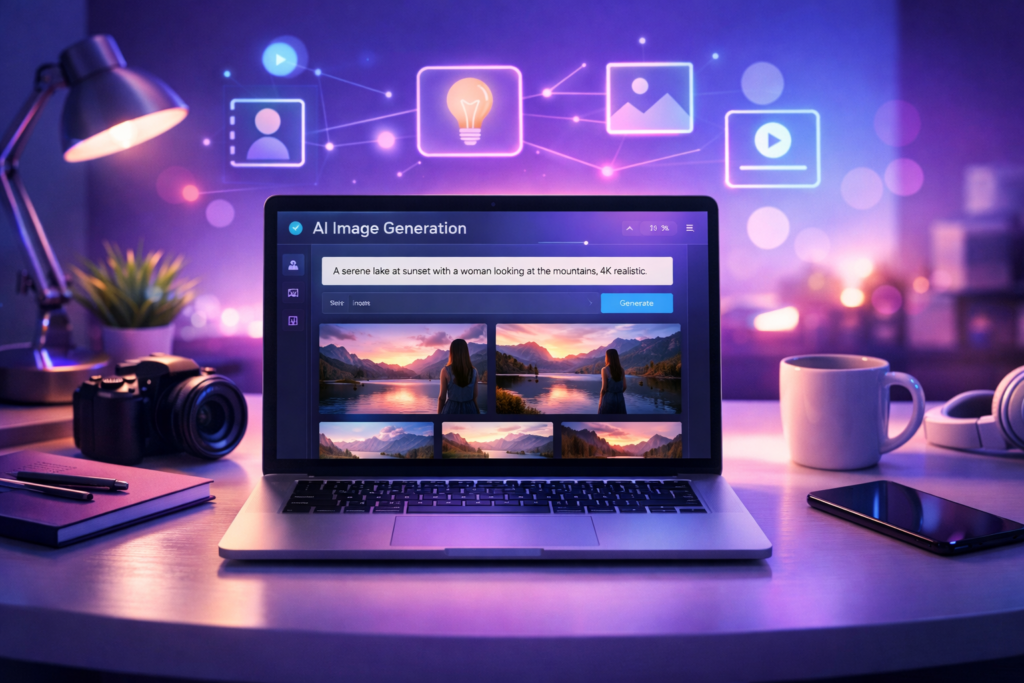
Artificial Intelligence has completely transformed the way we create images, designs, and visual content. What once required professional photography equipment, graphic design skills, or expensive software can now be done in seconds using AI tools.
One of the most powerful tools leading this revolution is Google Gemini AI.
Whether you are a blogger, content creator, designer, entrepreneur, or someone who simply loves creativity, Gemini AI allows you to generate stunning images just by typing a description — known as a prompt.
In this complete guide, you will learn everything you need to know about Google Gemini AI image prompts in 2026 — including how they work, how to write better prompts, advanced tips, mistakes to avoid, and even how to make money using AI-generated images.
Let’s dive in.
What is Google Gemini AI Image Generation?
Google Gemini is an advanced AI system developed by Google that can understand text, images, and creative instructions. One of its most exciting features is the ability to create images from text prompts.
This process is called text-to-image generation.
You simply describe what you want to see, and Gemini creates it for you.
For example:
A cozy coffee shop interior with warm lighting, aesthetic decor, cinematic photography, shallow depth of field, ultra realistic
Within seconds, Gemini generates an image based on your description.
But Gemini doesn’t stop there.
You can also:
- Edit existing images
- Change backgrounds
- Improve quality
- Transform styles
- Add or remove objects
This makes it incredibly powerful for creators and businesses.
Why Use Gemini for AI Images?
There are many AI image tools available today, but Gemini offers several unique advantages.
1. Beginner Friendly
You don’t need technical skills or design experience. If you can describe something, you can create it.
2. High Realism
Gemini produces realistic images with accurate lighting, textures, and depth.
3. Fast Results
Images are generated in seconds, saving hours of work.
4. Free Access
Many features are available without expensive subscriptions compared to other tools.
5. Multiple Styles
Gemini supports:
- Photography
- Illustration
- Cartoon
- 3D art
- Painting styles
- Cinematic scenes
6. Google Ecosystem Integration
Because it’s a Google product, Gemini integrates smoothly with other Google tools.
How Gemini Image Prompts Work
A prompt is simply a description of the image you want to create.
However, the quality of your prompt directly affects the quality of your result.
The best prompts follow a structure like this:
Subject + Details + Style + Lighting + Camera + Mood + Quality
Example:

A confident businesswoman working on a laptop in a modern office, natural window lighting, professional photography, shallow depth of field, 85mm lens, ultra realistic, 4K quality
The more descriptive and clear your prompt is, the better the image will be.
Types of Images You Can Create with Gemini
The possibilities are almost endless, but here are the most popular categories.
Portrait Photography
You can create:
- Professional headshots
- Instagram profile photos
- Lifestyle portraits
- Fashion photography
- Studio portraits
This is especially useful for personal branding and social media.
Art and Illustration
Gemini can generate:
- Watercolor paintings
- Digital illustrations
- Cartoon characters
- Anime art
- Fantasy scenes
Perfect for books, posters, and creative projects.
Product and Business Images
Entrepreneurs can create:
- Product mockups
- Branding visuals
- Marketing images
- Advertisement graphics
- Website banners
This can save thousands in photography costs.
Social Media Content
Content creators can produce:
- Instagram posts
- Pinterest graphics
- Blog images
- YouTube thumbnails
- Story backgrounds
Fantasy and Creative Scenes
You can explore imagination with:
- Sci-fi worlds
- Mythical characters
- Cinematic movie scenes
- Dream landscapes
How to Write Perfect Gemini Prompts (Step-by-Step)
Here’s a simple process beginners can follow.
Step 1 — Choose a Clear Subject
Bad example:
A person in an office
Better:
A young entrepreneur working on a laptop in a modern office
Clarity improves results dramatically.
Step 2 — Add Descriptive Details
Include:
- Clothing
- Environment
- Colors
- Objects
- Actions
Example:
Wearing a formal blazer, sitting at a wooden desk with a coffee cup
Step 3 — Select a Style
You can specify:
- Photography
- Illustration
- Painting
- 3D render
- Cartoon
Example:
Professional photography style
Step 4 — Define Lighting
Lighting creates mood.
Examples:
- Soft lighting
- Golden hour
- Studio lighting
- Cinematic lighting
- Neon lighting
Step 5 — Add Camera or Perspective
Photography terms improve realism.
Examples:
- 85mm lens
- DSLR camera
- Shallow depth of field
- Portrait shot
- Wide angle
Step 6 — Add Quality Keywords
These enhance output.
Examples:
- Ultra realistic
- 4K resolution
- Highly detailed
- HDR
- Sharp focus
25 Ready-to-Use Gemini AI Image Prompts
Here are some prompts you can try immediately.
Portrait Prompts
- A confident businesswoman in a modern office, natural lighting, professional photography, shallow depth of field, ultra realistic

- smiling young man walking in a city street, cinematic lighting, lifestyle photography, 4K
- A fashion model posing in a studio with dramatic lighting, high-end photography
Aesthetic Prompts

- A cozy bedroom with warm fairy lights, aesthetic decor, soft lighting, Instagram style
- A minimalist workspace with laptop and coffee, natural sunlight, clean aesthetic
Business Prompts
- A freelancer working on a laptop at home, modern interior, professional photography
- A creative entrepreneur desk setup with notebook, phone, and coffee, top view
Fantasy Prompts
- A magical forest with glowing lights and mist, fantasy art, cinematic atmosphere
- A futuristic cyberpunk city at night, neon lights, ultra detailed
Social Media Prompts
- A stylish influencer taking a mirror selfie, modern fashion, realistic photography
(You can expand this section on your blog for more SEO value.)
Pro Prompt Keywords That Improve Results
Using the right keywords can significantly enhance your images.
Lighting Keywords
- Golden hour lighting
- Cinematic lighting
- Soft studio lighting
- Natural window light
- Dramatic shadows
Quality Keywords
- Ultra realistic
- 8K resolution
- HDR
- Highly detailed
- Sharp focus
Camera Keywords
- DSLR photography
- 85mm lens
- Portrait lens
- Bokeh background
- Depth of field
Common Mistakes Beginners Make
1. Writing Very Short Prompts
Short prompts create generic images.
Fix: Add more details.
2. Too Many Subjects
Too much information confuses AI.
Fix: Focus on one main subject.
3. No Lighting Description
Lighting is crucial for realism.
Fix: Always include lighting keywords.
4. Unrealistic Expectations
AI may need multiple attempts.
Fix: Experiment and refine prompts.
5. Ignoring Style Keywords
Without style, results look random.
Fix: Specify photography, illustration, etc.
Advanced Gemini Prompt Tips (Pro Level)
If you want professional results, try these techniques.
Use Photography Language
AI understands camera terminology.
Example:
Shot on DSLR, 85mm lens, shallow depth of field
Add Mood and Emotion
Example:
Moody atmosphere, dramatic lighting, emotional expression
Generate Variations
Try multiple versions of the same prompt.
Edit Instead of Regenerate
Sometimes editing works better than starting from scratch.
How to Make Money Using Gemini AI Images
This is where things get exciting.
You can turn AI images into income.
1. Sell Digital Products
Create:
- Wall art
- Posters
- Printables
- Templates
Sell on Etsy or Gumroad.
2. Amazon KDP
Use images for:
- Coloring books
- Children’s books
- Journals
- Covers
3. Blogging and Content Creation
Create unique blog images and Pinterest pins.
More traffic = more income.
4. Social Media Services
Offer content creation services to businesses.
5. Stock Images
Sell AI images on stock platforms.
Gemini vs Other AI Image Tools
Here’s a quick comparison.
Gemini is best for:
- Beginners
- Free users
- Fast results
- Realistic images
- Google integration
Other tools like Midjourney may offer artistic control, but Gemini is easier to use.
Frequently Asked Questions
Is Google Gemini free?
Yes, many features are free, though premium options may exist.
Can I use Gemini images commercially?
Usually yes, but always check Google’s latest usage policy.
Why are my images blurry?
Your prompt may lack detail or quality keywords.
How many images can I create?
Limits depend on your account type.
The Future of AI Image Creation
AI is evolving rapidly.
In the future we may see:
- Real-time AI video creation
- Personalized avatars
- Fully automated design tools
- AI marketing content generation
Creators who learn AI early will have a huge advantage.
Conclusion
Google Gemini AI is one of the most powerful and accessible image creation tools available today. With the right prompts, you can generate professional-quality visuals in seconds — without expensive equipment or advanced skills.
Remember:
Better prompts = better results.
Start experimenting, refine your descriptions, and explore different styles.
Whether you want to create content, grow a business, or simply have fun, Gemini AI opens endless creative possibilities.
Bonus Idea
You can offer your readers a free resource like:
50 Google Gemini Prompts PDF
Your free PDF lead magnet is ready ✅
You can download it here:
Download the 50 Ge
This helps grow your email list and audience.
If you found this guide helpful, share it with other creators and start creating amazing AI images today.