How to Make Money with Canva in 2026: 8 Realistic Ways for Beginners (Complete Guide)
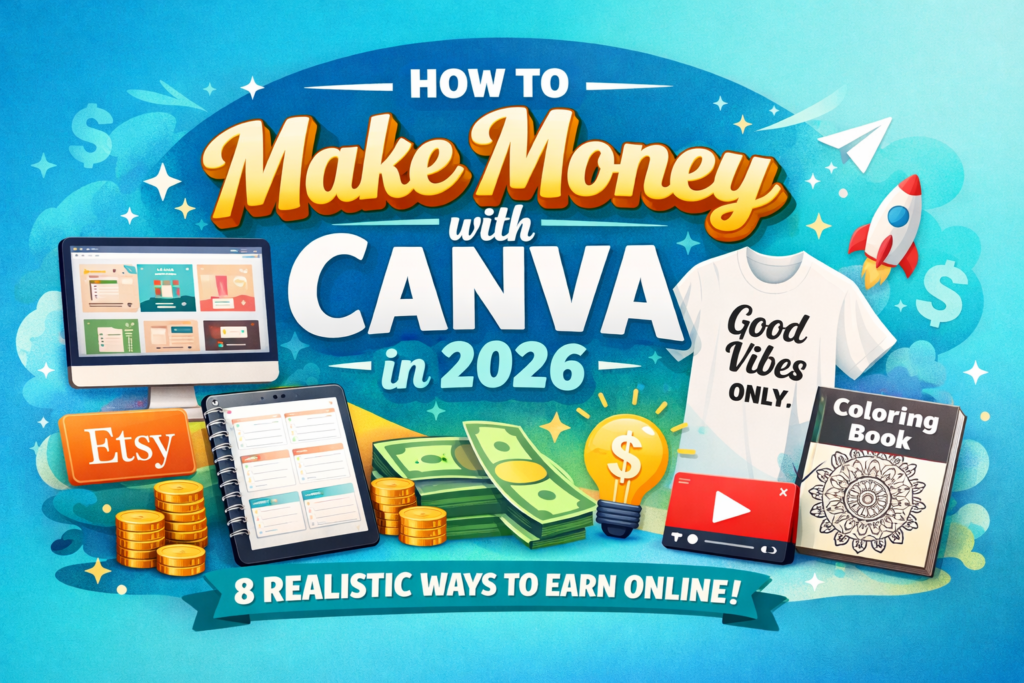
Introduction: Is Making Money with Canva Still Worth It in 2026?
If you’ve been scrolling online, you’ve probably seen people claiming they’re making money using Canva — sometimes even thousands per month.
But let’s be real.
👉 Is it actually possible for a beginner with zero design skills?
Yes — but only if you approach it the right way.
In 2026, Canva is more powerful than ever. With built-in AI tools, templates, and drag-and-drop simplicity, it has lowered the barrier for anyone to start a digital income stream.
However, the truth most people won’t tell you is this:
Canva itself doesn’t make you money.
Your strategy + consistency + niche selection does.
In this guide, you’ll discover 8 realistic ways to earn money with Canva — including step-by-step instructions, tools, timelines, and honest earning potential.
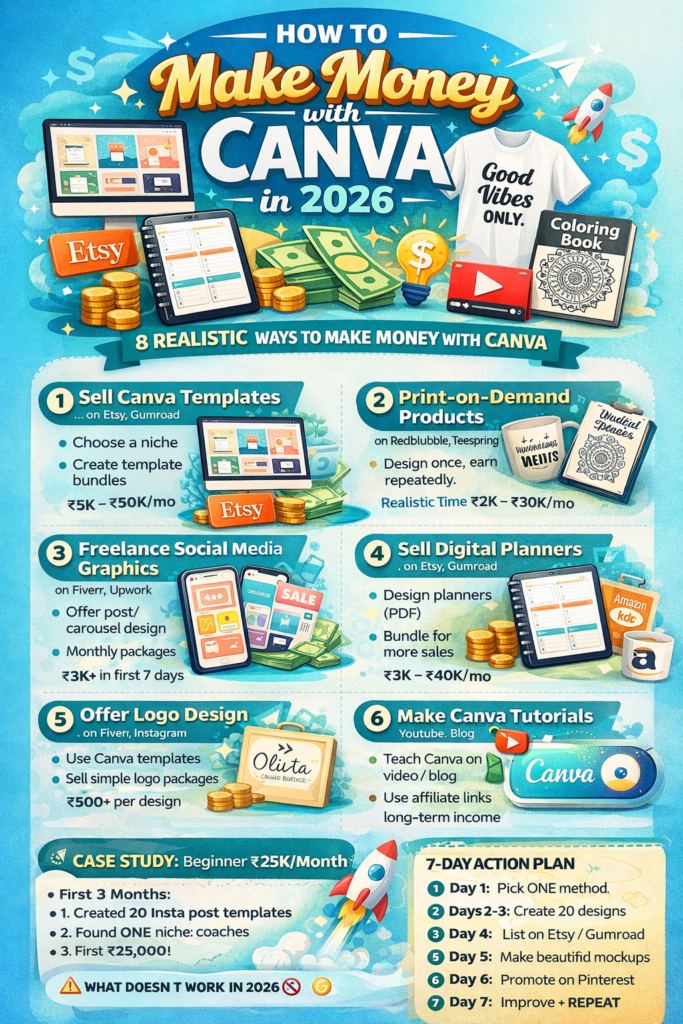
1. Sell Canva Templates (Beginner-Friendly & Scalable)
Why this works:
People don’t want to design from scratch — they want done-for-you solutions.
What you can sell:
- Instagram post templates
- Resume templates
- Pinterest pin templates
- Business planners
Step-by-step:
- Choose a niche (coaches, real estate, fitness)
- Create 15–30 templates in Canva
- Bundle them into a product
- Upload to Etsy or Gumroad
- Use keywords like: editable Canva template
Tools needed:
- Canva (Free/Pro)
- Mockups (Canva or Smartmockups)
Realistic timeline:
- First sale: 1–3 weeks
- Scaling: 1–3 months
Earnings:
₹5,000 → ₹50,000+/month (depending on volume)
Beginner mistake to avoid:
❌ Copying generic templates
✔ Create niche-specific designs
2. Print-on-Demand (Passive Income Model)
What is it?
You design once → platform prints & ships → you earn commission.
Platforms:
- Redbubble
- Teespring
Steps:
- Create simple quote designs in Canva
- Upload to POD platforms
- Add SEO titles & tags
- Repeat (volume matters)
What works best:
- Funny quotes
- Trending phrases
- Niche humor (gym, pets, introverts)
Timeline:
Slow at first (1–2 months)
Earnings:
₹2,000 → ₹30,000/month
Reality check:
👉 This is a numbers game, not instant success
3. Freelance Social Media Design (Fastest Way to Earn)

Why this is powerful:
Businesses need daily content — and most don’t have time to design.
Services you can offer:
- Instagram posts
- Carousels
- Story designs
- Ad creatives
Where to find clients:
- Fiverr
- Upwork
- Instagram outreach
Step-by-step:
- Create 5–10 sample designs
- Build a simple portfolio
- Offer packages (monthly plans work best)
- Reach out to small businesses
Pricing:
- Starter: ₹3,000/month
- Advanced: ₹15,000–₹30,000/month
Timeline:
👉 First client possible within 7 days
Pro tip:
Focus on one niche (e.g., coaches or cafes)
4. Sell Digital Planners & Printables
Why it works:
People love productivity tools — especially digital ones.
Products:
- Daily planners
- Habit trackers
- Budget planners
- Study planners
Steps:
- Design clean layouts in Canva
- Export as PDF
- Upload to Etsy/Gumroad
Bonus strategy:
Bundle multiple planners into one product (higher value)
Earnings:
₹3,000 → ₹40,000/month
5. Create Coloring Books (Amazon KDP Income Stream)


Platform:
- Amazon KDP
Steps:
- Create black & white designs in Canva
- Compile 30–50 pages
- Upload to KDP
- Optimize title & keywords
Best niches:
- Kids coloring books
- Mandalas
- Relaxation/stress relief
Earnings:
₹5,000 → ₹40,000/month
Smart move:
👉 Link your books in your blog for extra sales
6. Offer Simple Logo Design Services

Truth:
You don’t need to be a pro designer to start.
What works:
- Minimal logos
- Text-based branding
- Simple icons
Steps:
- Use Canva templates
- Customize fonts/colors
- Sell beginner-friendly packages
Pricing:
₹500 → ₹5,000/logo
Upsell idea:
Add branding kits (₹10,000+)
7. Teach Canva (Content + Affiliate Income)

Platforms:
- YouTube
- Blog (your website)
How you earn:
- Affiliate links
- Ad revenue
- Selling your own templates
Content ideas:
- Canva tutorials
- Design hacks
- “Make money with Canva” guides
Timeline:
Slow start → big long-term growth
8. Canva Creator Program (Passive Royalties)
What it is:
Upload templates → users use them → you earn money
Requirements:
- High-quality designs
- Consistency
Reality:
👉 Competitive, but scalable
Case Study: Beginner to ₹25,000/Month
Let’s break this down clearly.
A beginner started with:
- 20 Instagram templates
- Focused niche: coaches
Month 1:
- 0–2 sales
- Learning phase
Month 2:
- ₹12,000 revenue
- Improved SEO titles
Month 3:
- ₹25,000 revenue
- Added more products
Key lessons:
✔ Niche focus wins
✔ Consistency beats perfection
✔ SEO matters more than design
Tools & Resources You Should Use
- Canva (design)
- ChatGPT (content + ideas)
- Pinterest (traffic)
- Etsy (marketplace)
👉 Bonus:
Use your Amazon KDP coloring books as:
- Income stream
- Portfolio
- Marketing funnel
What Doesn’t Work Well in 2026 (Important)
❌ Copy-paste templates
❌ Saturated niches without differentiation
❌ Uploading few products and quitting
❌ Ignoring SEO
👉 The biggest mistake:
Expecting fast money without effort
FAQs (SEO Boost Section)
1. Can beginners really make money with Canva?
Yes. Many start with zero skills and earn within weeks — especially through freelancing or templates.
2. Do I need Canva Pro?
Not mandatory, but it helps with:
- Premium elements
- Faster workflow
3. Which method is best for beginners?
👉 Freelancing (fastest money)
👉 Templates (best long-term income)
4. How long does it take to earn?
- Freelancing: 1 week
- Templates: 2–4 weeks
- Passive income: 1–3 months
7-Day Action Plan (Start Now)
Day 1:
Pick ONE method (don’t overthink)
Day 2–3:
Create 10–20 designs
Day 4:
Upload your product
Day 5:
Create mockups
Day 6:
Promote on Pinterest
Day 7:
Analyze + improveFinal Thoughts: Your First ₹10,000 is the Hardest
Making money with Canva in 2026 is not about luck.
It’s about:
- Picking one path
- Staying consistent
- Improving every week
👉 Your first ₹1,000 will feel slow
👉 Your first ₹10,000 will feel possible
👉 After that, it becomes scalable
Don’t try all 8 methods. Pick ONE and start today.