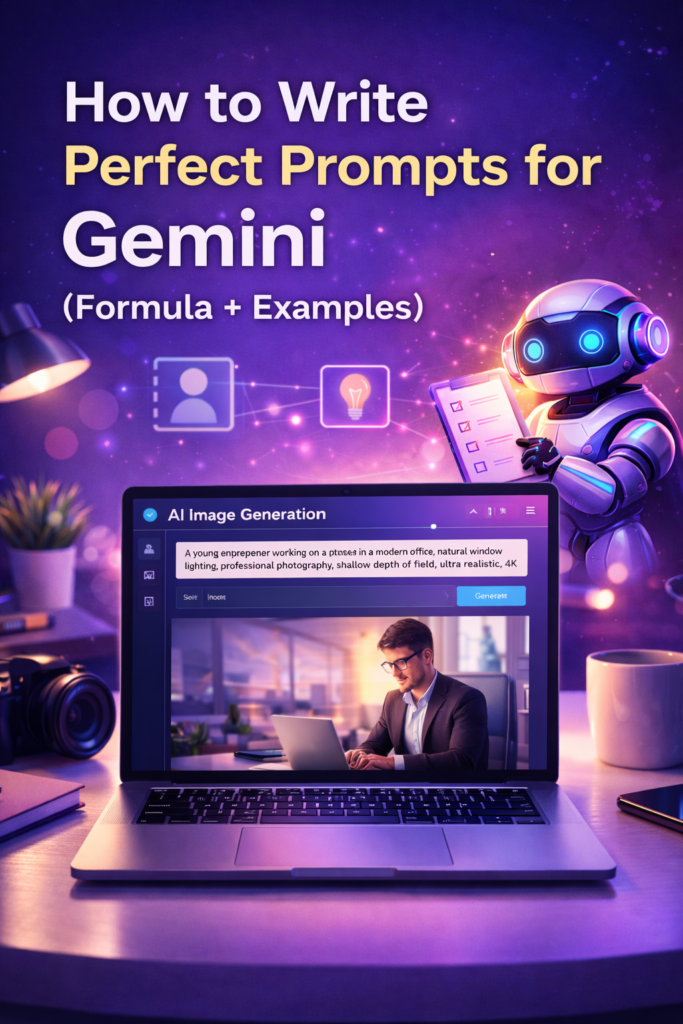
How to Write Perfect Prompts for Gemini (Formula + Examples)
Artificial intelligence has made it possible for anyone to create stunning images in seconds. With tools like Google Gemini, you don’t need professional photography skills, expensive equipment, or advanced design knowledge. All you need is a good prompt.
But here’s the truth most beginners don’t realize:
The quality of your prompt determines the quality of your result.
A vague prompt produces generic images, while a well-structured prompt can create professional, realistic visuals instantly.
In this guide, you’ll learn exactly how to write perfect prompts for Gemini using a simple formula, step-by-step instructions, and real examples you can copy and use today.
Whether you are a blogger, designer, content creator, or entrepreneur, mastering prompts will save you time and dramatically improve your results.
Let’s begin.
What is a Gemini Prompt?
A Gemini prompt is simply a text description that tells the AI what image you want to create.
You describe:
- The subject
- The environment
- The style
- The lighting
- The mood
- The quality
Then Gemini generates the image based on your instructions.
For example:
Basic prompt:
A girl in a park
Detailed prompt:
A young woman walking in a green park during sunset, cinematic lighting, shallow depth of field, realistic photography, 4K quality
The second prompt produces a much better image because it contains more useful information.
Gemini works best when instructions are clear and descriptive.
Why Writing Good Prompts Matters
Many people think AI does everything automatically. But AI still needs direction.
A strong prompt gives you:
Better realism
More accurate details
Professional quality images
Faster results
Less editing required
More control over style
If you learn prompt writing once, you can create unlimited content forever.
That’s why prompt engineering is becoming one of the most valuable digital skills.

- Transformative Exfoliation: QRxLabs Glycolic Acid Resurfacing Pads blend nature and science for effective skin resurfaci…
- Nourishing Antioxidant Blend: Enriched with Vitamins B5, C, and E, these glycolic acid face pads hydrate while protectin…
- Soothing Botanical Ingredients: Green tea and calendula extracts, along with allantoin, deliver calming benefits to sens…
The Perfect Gemini Prompt Formula
Here is the most important part of this article.
The perfect prompt formula:
Subject + Details + Environment + Style + Lighting + Camera + Mood + Quality
This structure works for almost any image you want to create.
Let’s break it down step-by-step.
Step 1 — Subject (Main Focus)
The subject is the main thing in your image.
Ask yourself:
Who or what is the star of this scene?
Examples:
- A businesswoman
- A cozy bedroom
- A futuristic robot
- A fitness trainer
- A travel blogger
Be specific whenever possible.
Instead of:
A man
Use:
A young entrepreneur
Clarity improves results immediately.
Step 2 — Details (Appearance & Action)
Now describe the subject.
Include:
- Clothing
- Colors
- Objects
- Pose
- Expression
- Activity
Example:
Wearing a black blazer and glasses, smiling confidently while working on a laptop
The more descriptive you are, the more realistic the output becomes.
Step 3 — Environment / Background
Where is the scene happening?
Environment creates context and storytelling.
Examples:
- Modern office
- Beach at sunset
- Cozy cafe
- Mountain landscape
- Luxury apartment
- Fantasy forest
Example:
Sitting in a modern office with large windows and city view
Step 4 — Style
Style tells Gemini how the image should look visually.
Common styles:
- Photography
- Cinematic
- Illustration
- Cartoon
- Anime
- Oil painting
- Watercolor
- 3D render
- Digital art
Example:
Professional photography style
Step 5 — Lighting
Lighting is one of the most powerful elements in prompt writing.
It affects mood, realism, and atmosphere.
Popular lighting keywords:
- Natural window light
- Golden hour
- Studio lighting
- Soft lighting
- Cinematic lighting
- Neon lighting
- Dramatic shadows
Example:
Soft natural window lighting
Step 6 — Camera / Perspective
This is a secret weapon for realism.
Photography terms help AI create professional results.
Examples:
- DSLR photography
- 85mm lens
- Portrait shot
- Wide angle
- Top view
- Depth of field
- Bokeh background
Example:
Shot on DSLR camera, 85mm lens, shallow depth of field
Step 7 — Mood / Emotion
Mood adds storytelling and emotion.
Examples:
- Happy
- Romantic
- Professional
- Dramatic
- Calm
- Motivational
- Cozy
Example:
Calm and peaceful atmosphere
Step 8 — Quality Keywords
Finally, add quality enhancers.
These improve sharpness and realism.
Examples:
- Ultra realistic
- 4K resolution
- 8K
- HDR
- Highly detailed
- Sharp focus
- Photorealistic
Example:
Ultra realistic, 4K resolution, highly detailed
Prompt Formula Examples (Before vs After)
Let’s see the power of the formula.
Example 1:
Before:
A man working on laptop
After:
A young entrepreneur working on a laptop in a modern office, natural window lighting, professional photography, shallow depth of field, ultra realistic, 4K
Example 2:
Before:
A bedroom
After:
A cozy bedroom with warm fairy lights, aesthetic decor, soft lighting, Instagram style photography, highly detailed, 4K
Example 3:
Before:
A girl taking selfie
After:

A stylish young woman taking a mirror selfie in a modern bedroom, trendy outfit, natural lighting, realistic photography, shallow depth of field, ultra detailed
The difference is dramatic.
15 Ready-to-Use Prompt Examples
Here are prompts you can copy and use.
Portrait Prompts
- A confident businesswoman standing in a modern office, professional photography, studio lighting, ultra realistic, 4K
- A smiling young man walking in city street, cinematic lighting, lifestyle photography, DSLR quality
- A fashion model posing in studio with dramatic lighting, editorial photography style
Lifestyle Prompts
- A cozy morning coffee scene near a window, warm sunlight, aesthetic photography
- A woman journaling at a wooden desk with plants, natural light, calm mood
- A cozy bedroom with fairy lights and soft blankets, Instagram aesthetic
Business Prompts
- A freelancer working on laptop at home office, modern setup, realistic photography
- A creative entrepreneur desk with planner, phone, and coffee, top view flat lay
- A professional team meeting in glass office, corporate photography
Fantasy Prompts
- A magical forest with glowing lights and mist, cinematic fantasy art, ultra detailed
- A futuristic cyberpunk city at night with neon lights, sci-fi realism
- A warrior standing on mountain cliff with dramatic sky, epic fantasy
Social Media Prompts
- A fashion influencer walking in city with shopping bags, urban photography
- A beauty blogger applying makeup in front of mirror with lights, realistic detail
- A travel blogger standing near mountain viewpoint, cinematic landscape
Pro Tips to Improve Gemini Results
If you want professional-level outputs, follow these tips.
Use Photography Language
AI understands camera terminology very well.
Be Specific, Not Vague
More details = better results.
Add Emotion
Emotion creates storytelling.
Generate Variations
Try multiple versions of the same prompt.
Refine Instead of Restart
Small changes can fix problems.
Experiment with Styles
Different styles produce unique results.
Common Prompt Mistakes to Avoid
1. Very Short Prompts
Too little information leads to generic images.
Fix: Add details.
2. Too Many Subjects
AI gets confused.
Fix: Focus on one main subject.
3. Missing Lighting
Lighting creates realism.
Fix: Always include lighting keywords.
4. Confusing Instructions
Contradictions reduce quality.
Fix: Keep descriptions clear.
5. Unrealistic Expectations
AI may need multiple attempts.
Fix: Experiment and adjust.
Advanced Prompt Techniques (Pro Level)
Once you understand basics, try advanced methods.
Cinematic Storytelling Prompts
Add narrative elements.
Example:
A detective walking alone in rainy street at night, cinematic lighting, dramatic shadows, film noir style
Character Consistency
Repeat details across prompts.
Background Replacement
Ask Gemini to change environments.
Style Transformation
Example:
Turn this photo into watercolor painting style
How Creators Can Use Perfect Prompts
Prompt skills are valuable for many industries.
You can create:
- Blog graphics
- Pinterest pins
- Social media posts
- Digital products
- Book covers
- Marketing visuals
- Website images
- Thumbnails
This saves money and increases creativity.
Frequently Asked Questions
How long should a Gemini prompt be?
Usually 1–3 sentences with clear details works best.
Why does AI ignore some details?
The prompt may be unclear or too complex.
Can I copy prompts from others?
Yes, and you can modify them for better results.
Does Gemini support realistic images?
Yes, especially when using photography keywords.
Conclusion
Writing perfect prompts for Gemini is not complicated once you understand the formula.
Remember the structure:
Subject + Details + Environment + Style + Lighting + Camera + Mood + Quality
The more you practice, the better your results will become.
AI is a powerful tool, but your creativity and instructions guide the outcome.
Start experimenting today, refine your prompts, and unlock endless possibilities.
Bonus Idea
You can create your own prompt library or download free prompt packs to save time and improve your workflow.
Master prompts once — and you can create anything.
If you found this guide helpful, share it with other creators and start creating amazing AI images today.