10 Canva AI Hacks to Create Viral Social Media Posts in 5 Minutes
Introduction: The Secret to Viral Content (Without Spending Hours)
Let’s be honest—creating social media posts that actually get likes, shares, and saves is hard.
You spend hours designing, tweaking fonts, picking colors… and then?
Barely any engagement.
Meanwhile, some creators are pumping out viral content daily.
So what’s their secret?
👉 They’re using Canva AI.
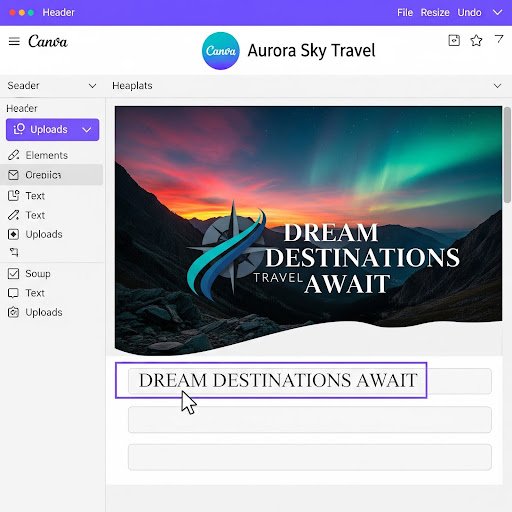
With Canva’s powerful AI tools, you can now create stunning, scroll-stopping posts in just 5 minutes—even if you have zero design skills.
In this guide, you’ll discover 10 Canva AI hacks that will completely transform how you create content—and help you go viral faster.
What Makes a Social Media Post Go Viral?
Before we jump into the hacks, let’s quickly understand what actually makes content go viral.
1. Scroll-Stopping Visuals
Your post needs to grab attention in the first 1–2 seconds.
2. Strong Hook
The first line should create curiosity or emotion.
Examples:
- “Nobody tells you this…”
- “This changed everything for me…”
3. Emotional Connection
Posts that trigger:
- Curiosity
- Surprise
- Inspiration
- Relatability
perform much better.
4. Simplicity Wins
Overdesigned posts confuse people. Clean, bold, and simple works best.
Hack #1: Use Magic Design for Instant Layouts
Canva’s Magic Design is like having a professional designer built into your laptop.
How it works:
- Upload an image or type an idea
- Canva instantly generates multiple post designs
Why it’s powerful:
- Saves hours of designing from scratch
- Gives you multiple viral-ready options
Pro Tip:
Pick the cleanest design, not the most complex one.
Hack #2: Use AI Text Generator for Viral Captions
Struggling with captions?
Canva’s Magic Write (AI text generator) can create:
- Hooks
- Captions
- Calls-to-action
Example Prompt:
“Write a viral Instagram caption about productivity tips”
Output:
You’ll get ready-to-use content in seconds.
Pro Tip:
Always tweak the first line to make it more personal and bold.
Hack #3: Remove Backgrounds in One Click
Messy backgrounds kill engagement.
With Canva AI:
👉 You can remove backgrounds instantly
Best for:
- Product photos
- Personal branding posts
- Thumbnails
Result:
Clean, professional, high-converting visuals
Hack #4: Turn Ideas into Images with Text-to-Image AI
Don’t have photos?
No problem.
Use Canva’s Text-to-Image AI.
Example Prompt:
“Minimalist workspace with laptop, coffee, and soft lighting”
Why this works:
- Creates unique content (no stock image overuse)
- Helps your posts stand out
Pro Tip:
Use “minimal”, “aesthetic”, “soft lighting” keywords for viral visuals.
Hack #5: Maintain Consistency with Brand Kit AI
Consistency = Trust = Growth
Canva lets you create a Brand Kit with:
- Fonts
- Colors
- Logos
Why it matters:
Your audience starts recognizing your posts instantly.
Pro Tip:
Stick to:
- 2 fonts
- 2–3 colors
- One consistent style
Hack #6: Resize Content for All Platforms in One Click
Creating separate designs for each platform is a waste of time.
Use Canva’s Magic Resize.
Instantly convert:
- Instagram → LinkedIn
- YouTube → Pinterest
- Stories → Posts
Benefit:
Multiply your content without extra effort.Hack #7: Use Viral Templates (Don’t Start from Scratch)
Here’s a truth most people ignore:
👉 You don’t need to be original—you need to be effective.
Search in Canva:
- “Viral post”
- “Instagram carousel”
- “Motivation post”
Then:
Customize the template with your content.
Pro Tip:
Look for templates with:
- Bold text
- High contrast
- Clean layout
Hack #8: Add Auto Animations for More Engagement
Static posts are good.
Animated posts? Even better.
Canva AI suggests animations automatically.
Use for:
- Reels
- Stories
- YouTube Shorts
Popular effects:
- Fade
- Pop
- Slide
Pro Tip:
Keep animations subtle—not distracting.
Hack #9: Combine ChatGPT + Canva for Viral Hooks
This is a power combo.
Step 1:
Use ChatGPT to generate hooks:
- “Give me 10 viral hooks for social media”
Step 2:
Paste into Canva design
Result:
High-performing posts in minutes
Hack #10: Batch Create Content Using AI
Stop creating one post at a time.
Instead:
👉 Create 10–20 posts in one session
Workflow:
- Generate 10 ideas using AI
- Use Magic Design
- Apply templates
- Add captions
Result:
You save hours every week.
5-Minute Viral Post Workflow (Step-by-Step)
Here’s your exact system:
Step 1: Idea
Use AI or trends
Step 2: Design
Use Magic Design
Step 3: Content
Generate caption with AI
Step 4: Customize
Apply brand colors + fonts
Step 5: Publish
Post or schedule
Common Mistakes to Avoid
❌ Overdesigning
Too many elements = confusion
❌ Too Much Text
Keep it short and punchy
❌ Ignoring Trends
Stay updated with what’s working
❌ Inconsistent Branding
Random styles hurt growth
Pro Tips to Go Viral Faster
- Use bold headlines
- Keep designs minimal
- Follow trending formats
- Post consistently
- Analyze what works
Conclusion: Start Creating Viral Content Today
You don’t need:
- Expensive tools
- Design skills
- Hours of time
All you need is:
👉 Canva AI + the right strategy
Start with just 2–3 hacks from this guide, and you’ll already see a difference in your content performance.
Bonus: Monetize Your Canva Skills
If you want to take this further:
💰 Sell on Gumroad:
- Canva templates
- Social media kits
- Content bundles
💰 Offer Services:
- Post design
- Branding kits
- Content creation
💰 Build a Personal Brand:
Grow an audience → sell digital products