25 Canva Digital Products You Can Create and Sell in 2026
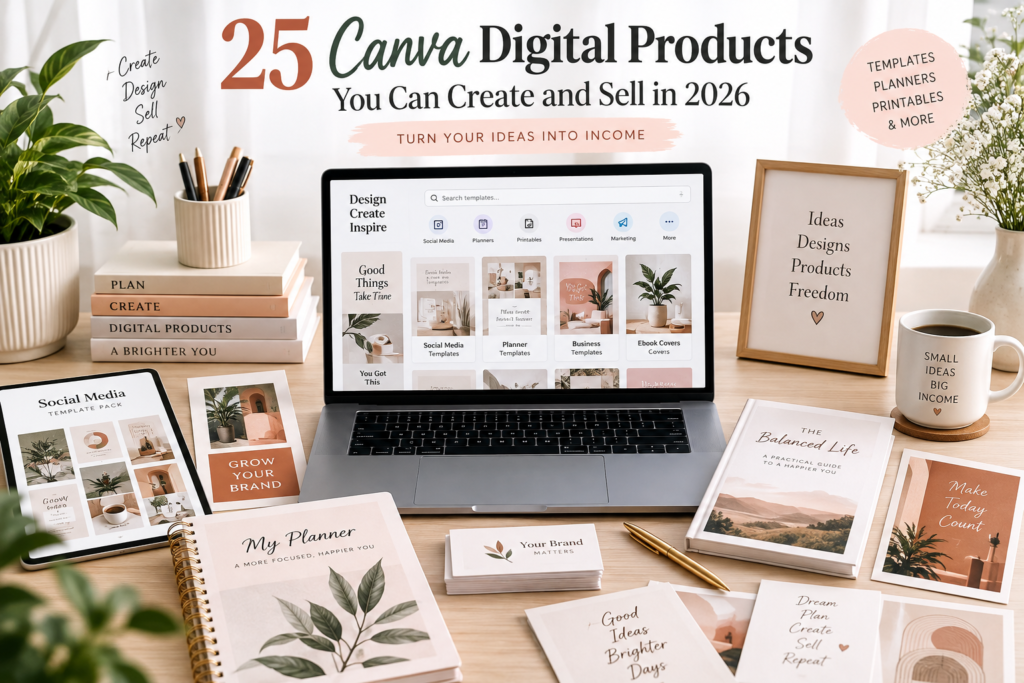
Every week, someone discovers that the templates, planners, and social media graphics filling their Pinterest feed were made in Canva — and starts wondering if they could make and sell something similar. Then the doubt creeps in: I’m not a designer. I don’t know where to start. Would anyone actually pay for this?
Here’s the honest answer: Canva has genuinely lowered the skill barrier for creating professional-looking digital products. You no longer need Photoshop expertise or a design degree to put together a polished planner, template pack, or social media kit. But a good digital product is never just “a nice-looking Canva file.” It needs a clear audience, a real problem it solves, thoughtful positioning, and consistent marketing to actually sell.
This guide walks through 25 Canva digital product ideas you can realistically create in 2026, who tends to buy each one, how difficult they are to build, and where to sell them. You’ll also get a step-by-step creation process, pricing guidance, marketing strategies, common mistakes to avoid, and a practical first-week action plan — so you can move from “idea” to “published product” without guessing.
25 Canva Digital Products You Can Create and Sell
Here’s a quick overview before we go deeper into each one:
- Social Media Template Packs – Reusable branded post designs for multiple platforms.
- Instagram Carousel Templates – Swipeable, multi-slide posts for tips, stories, or promotions.
- Instagram Story Templates – Vertical, tappable templates for daily story content.
- Pinterest Pin Templates – Click-worthy vertical graphics designed to drive blog or shop traffic.
- YouTube Thumbnail Templates – Bold, click-optimized thumbnail designs for video creators.
- Media Kits – Professional one-pagers influencers use to pitch brand partnerships.
- Brand Kits – A cohesive set of logos, colors, and fonts for small business owners.
- Business Card Templates – Editable, print-ready cards for freelancers and local businesses.
- Resume/CV Templates – Clean, ATS-friendly layouts for job seekers.
- Invoice Templates – Editable billing documents for freelancers and small service businesses.
- Business Proposal Templates – Persuasive documents for pitching services or partnerships.
- Content Calendars – Planning grids for organizing social media or blog content.
- Social Media Planners – Broader planning systems covering strategy, captions, and analytics.
- Digital Planners – Interactive, hyperlinked PDF planners for tablets and note apps.
- Printable Planners – Print-at-home planning pages for daily, weekly, or monthly use.
- Budget Planners – Templates for tracking income, expenses, debt, and savings goals.
- Habit Trackers – Simple pages for building routines and tracking consistency.
- Meal Planners – Weekly meal planning pages paired with grocery lists.
- Wedding Planner Templates – Comprehensive planning sets for couples and wedding planners.
- Ebook Templates – Pre-formatted layouts for turning ideas into polished digital books.
- Lead Magnet Templates – Freebie templates coaches and bloggers use to build email lists.
- Workbook Templates – Interactive, exercise-based PDFs for courses and coaching programs.
- Presentation Templates – Professional slide decks for pitches, courses, or client work.
- Small Business Marketing Kits – Bundled promotional assets for local and online businesses.
- Printable Wall Art / Quote Prints – Downloadable art files customers print and frame at home.
Now let’s break each one down in detail.
25 Canva Digital Products You Can Create and Sell in 2026
1. Social Media Template Packs
What it is: A set of pre-designed, editable post templates covering multiple content types (quotes, promotions, announcements, testimonials) for one or more platforms.
Who can buy it: Small business owners, coaches, social media managers, solopreneurs.
What to include: 20–30 post designs, a mix of promotional and educational layouts, matching color palettes, a font pairing guide, and instructions for customizing in Canva.
Why people might buy it: It saves hours of design time and instantly makes their feed look more cohesive and professional.
Difficulty: Beginner
Selling potential: Medium
Where to sell it: Etsy, Creative Market, Payhip
Example product idea: “30 Instagram Templates for Coaches” in a soft, editorial color palette.
Pro tip: Niche the pack down (e.g., “for real estate agents” instead of “for everyone”) to make it easier to market and price higher.
2. Instagram Carousel Templates
What it is: Multi-slide, swipeable templates designed to teach, list, or tell a story across several Instagram slides.
Who can buy it: Coaches, educators, personal brands, content creators.
What to include: Cover slide, 5–8 content slides, a call-to-action slide, consistent typography, and swipe-indicator graphics.
Why people might buy it: Carousels are engagement-friendly, but designing them from scratch is time-consuming.
Difficulty: Beginner
Selling potential: Medium-High
Where to sell it: Etsy, Gumroad, Payhip
Example product idea: “10 Carousel Templates for Sharing Tips and Listicles.”
Pro tip: Include a version with placeholder text already filled in with example content, so buyers can see exactly how to use it.
3. Instagram Story Templates
What it is: Vertical templates optimized for Instagram or Facebook Stories, often featuring interactive elements like polls or countdowns.
Who can buy it: Small business owners, influencers, event planners.
What to include: Templates for polls, countdowns, behind-the-scenes posts, promotions, and “swipe up” style prompts.
Why people might buy it: Stories disappear quickly, so creators need a fast, repeatable design system.
Difficulty: Beginner
Selling potential: Medium
Where to sell it: Etsy, Gumroad
Example product idea: “Boho Story Template Bundle for Wellness Brands.”
Pro tip: Group templates by content purpose (sell, engage, educate) so buyers know exactly when to use each one.
4. Pinterest Pin Templates
What it is: Vertical graphic templates designed to drive clicks from Pinterest to a blog, shop, or website.
Who can buy it: Bloggers, Etsy sellers, content creators, online store owners.
What to include: Multiple pin layouts, text-overlay styles, seasonal variations, and a guide to Pinterest sizing best practices.
Why people might buy it: A strong pin design directly affects click-through rate and traffic.
Difficulty: Beginner
Selling potential: High
Where to sell it: Etsy, Creative Market
Example product idea: “15 Pinterest Templates for Food Bloggers.”
Pro tip: Test a few of your own pin designs on your blog or portfolio first — proof that a style performs well is a strong selling point.
5. YouTube Thumbnail Templates
What it is: Editable thumbnail layouts designed to be bold, readable, and clickable at small sizes.
Who can buy it: YouTubers, video editors, course creators.
What to include: Multiple layout styles, bold text treatments, arrow/highlight graphic elements, and guidance on thumbnail contrast and readability.
Why people might buy it: Thumbnails strongly influence click-through rate, and creators often struggle to design ones that stand out.
Difficulty: Intermediate
Selling potential: Medium
Where to sell it: Etsy, Gumroad
Example product idea: “Bold Thumbnail Pack for Tech and Gaming Channels.”
Pro tip: Design with mobile screens in mind — most viewers see thumbnails on small phone screens, not desktop.
6. Media Kits
What it is: A polished one- or two-page document influencers and creators send to brands to pitch partnerships.
Who can buy it: Influencers, bloggers, podcasters, content creators.
What to include: Sections for bio, audience demographics, engagement stats, past collaborations, and contact/pricing information.
Why people might buy it: A professional media kit builds credibility and saves creators from designing one from scratch.
Difficulty: Intermediate
Selling potential: Medium
Where to sell it: Etsy, Payhip, personal website
Example product idea: “Editable Media Kit Template for Micro-Influencers.”
Pro tip: Offer both a light and dark color variation so it fits different personal brand styles.
7. Brand Kits
What it is: A cohesive set of brand assets — logo variations, color palette, font pairings, and simple brand guidelines.
Who can buy it: New small business owners and solopreneurs who need a professional look without hiring a designer.
What to include: 2–3 logo variations, submark/icon, color palette with hex codes, font recommendations, and basic usage guidelines.
Why people might buy it: Many new business owners want to look established immediately but can’t afford custom branding.
Difficulty: Intermediate
Selling potential: Medium
Where to sell it: Etsy, Creative Market
Example product idea: “Minimalist Brand Kit Template for Wellness Coaches.”
Pro tip: Be transparent that this is a semi-custom template, not a fully custom logo design — set expectations clearly in the listing.
8. Business Card Templates
What it is: Print-ready, editable business card designs.
Who can buy it: Freelancers, local business owners, real estate agents, consultants.
What to include: Front and back layouts, QR code placement, multiple color variations, and print-specification notes (bleed, size, resolution).
Why people might buy it: A professional card is still useful for networking, and many people don’t want to design one from scratch.
Difficulty: Beginner
Selling potential: Low-Medium
Where to sell it: Etsy, Creative Market
Example product idea: “Modern Minimalist Business Card Template Set.”
Pro tip: Clearly label print-ready specs so customers don’t run into printing issues — this reduces refund requests and bad reviews.
9. Resume/CV Templates
What it is: Editable, professionally formatted resume and cover letter layouts.
Who can buy it: Job seekers, students, career changers.
What to include: Resume template, matching cover letter, references page, and an ATS-friendly (simple formatting) version.
Why people might buy it: A well-designed resume can help candidates stand out, and many people don’t feel confident designing one themselves.
Difficulty: Beginner
Selling potential: High
Where to sell it: Etsy, Creative Market
Example product idea: “Clean Two-Page Resume Template with Matching Cover Letter.”
Pro tip: Include an ATS-friendly plain version alongside the designed version, since some employers use automated resume scanners.
10. Invoice Templates
What it is: Editable, branded invoice layouts for billing clients.
Who can buy it: Freelancers, consultants, small service-based businesses.
What to include: Itemized line items, tax/subtotal fields, payment terms section, and branding placeholders (logo, colors).
Why people might buy it: A polished invoice looks more professional than a generic spreadsheet template.
Difficulty: Beginner
Selling potential: Medium
Where to sell it: Etsy, Gumroad
Example product idea: “Editable Invoice Template Set for Freelance Designers.”
Pro tip: Provide both a Canva-editable version and a PDF-fillable version for customers who don’t want to use Canva at all.
11. Business Proposal Templates
What it is: A structured, persuasive document template for pitching services, packages, or partnerships.
Who can buy it: Freelancers, agencies, consultants.
What to include: Cover page, about-us section, service breakdown, pricing table, timeline, and a signature/next-steps page.
Why people might buy it: A well-structured proposal helps close deals and looks more credible than a plain email pitch.
Difficulty: Intermediate
Selling potential: Medium
Where to sell it: Etsy, Payhip
Example product idea: “Client Proposal Template for Marketing Freelancers.”
Pro tip: Include a short guide on how to customize the pricing section for different service tiers.
12. Content Calendars
What it is: A planning grid for mapping out content themes, posting dates, and platforms in advance.
Who can buy it: Bloggers, social media managers, small business owners.
What to include: Monthly and weekly views, platform-specific columns, a content-idea bank, and a color-coded key.
Why people might buy it: Planning content in advance reduces daily decision fatigue and improves consistency.
Difficulty: Beginner
Selling potential: Medium
Where to sell it: Etsy, Gumroad
Example product idea: “12-Month Content Calendar for Small Business Owners.”
Pro tip: Offer both a digital (Canva/Notion-style) and printable version to reach different working styles.
13. Social Media Planners
What it is: A more complete planning system covering strategy, captions, hashtags, and performance tracking — not just dates.
Who can buy it: Social media managers, coaches, small business owners.
What to include: Goal-setting pages, caption bank, hashtag tracker, analytics review pages, and monthly reflection prompts.
Why people might buy it: It combines planning and strategy in one place, saving buyers from stitching together multiple tools.
Difficulty: Intermediate
Selling potential: Medium
Where to sell it: Etsy, Payhip
Example product idea: “Complete Social Media Strategy Planner for Small Businesses.”
Pro tip: Add a short “how to use this planner” guide page — planners with unclear instructions get returned or abandoned.
14. Digital Planners
What it is: Interactive, hyperlinked PDF planners designed for use on tablets with apps like GoodNotes or Notability.
Who can buy it: Digital note-takers, students, productivity enthusiasts.
What to include: Hyperlinked tabs, monthly/weekly/daily spreads, goal-tracking pages, and a habit tracker section.
Why people might buy it: Digital planners offer the flexibility of paper planning without the physical clutter.
Difficulty: Advanced
Selling potential: High
Where to sell it: Etsy, Payhip
Example product idea: “Undated Hyperlinked Digital Planner for GoodNotes.”
Pro tip: Test your hyperlinks thoroughly before publishing — broken navigation is one of the most common complaints in digital planner reviews.
15. Printable Planners
What it is: Print-at-home planning pages designed for physical use rather than tablets.
Who can buy it: People who prefer paper planning, teachers, homeschool parents.
What to include: Daily, weekly, and monthly layouts, a goal-setting page, and a notes section.
Why people might buy it: Many people still prefer writing by hand and want an attractive, ready-to-print option.
Difficulty: Beginner
Selling potential: Medium
Where to sell it: Etsy, Gumroad
Example product idea: “Minimalist Weekly Printable Planner Set.”
Pro tip: Design in both Letter and A4 sizes to serve international customers.
16. Budget Planners
What it is: Templates for tracking income, expenses, savings goals, and debt payoff.
Who can buy it: Individuals and families working on personal finance goals.
What to include: Monthly budget page, expense tracker, debt payoff tracker, and a savings goal thermometer page.
Why people might buy it: Budgeting feels less overwhelming with a clear, visual system already built.
Difficulty: Beginner
Selling potential: High
Where to sell it: Etsy, Payhip
Example product idea: “Debt Payoff and Budget Tracker Bundle.”
Pro tip: Keep the design clean and non-judgmental in tone — budgeting products sell better when they feel supportive, not stressful.
17. Habit Trackers
What it is: Simple, visual pages for tracking daily or weekly habits and routines.
Who can buy it: People working on personal development, wellness, or productivity goals.
What to include: Monthly grid tracker, weekly checklist version, and a reflection/notes section.
Why people might buy it: Visual tracking makes consistency easier and more motivating than a plain checklist.
Difficulty: Beginner
Selling potential: Medium
Where to sell it: Etsy, Gumroad
Example product idea: “Minimalist Habit Tracker for Wellness Goals.”
Pro tip: Bundle habit trackers with a related product, like a planner or journal, to increase order value.
18. Meal Planners
What it is: Weekly meal planning templates, often paired with grocery list pages.
Who can buy it: Busy parents, meal-prep enthusiasts, budget-conscious households.
What to include: Weekly meal grid, grocery list template, pantry inventory page, and a recipe notes section.
Why people might buy it: Meal planning saves time and money, but building the system from scratch is tedious.
Difficulty: Beginner
Selling potential: Medium
Where to sell it: Etsy, Gumroad
Example product idea: “Weekly Meal Planner with Matching Grocery List.”
Pro tip: Add a printable version and a digital fillable version to appeal to both audiences.
19. Wedding Planner Templates
What it is: A comprehensive planning system covering timelines, budgets, guest lists, and vendor tracking.
Who can buy it: Engaged couples, wedding planners.
What to include: Budget tracker, guest list with RSVP tracking, seating chart template, vendor contact sheet, and day-of timeline.
Why people might buy it: Wedding planning involves many moving parts, and an organized system reduces stress.
Difficulty: Intermediate
Selling potential: High
Where to sell it: Etsy, Creative Market
Example product idea: “Complete Wedding Planning Binder Template.”
Pro tip: Offer an elegant printable version alongside a digital version — this audience often wants both.
20. Ebook Templates
What it is: A pre-formatted, professionally styled layout that creators drop their own content into.
Who can buy it: Bloggers, coaches, course creators, nonfiction authors.
What to include: Cover page, table of contents, chapter dividers, pull-quote layouts, and a bio/CTA closing page.
Why people might buy it: A polished layout makes self-published content look far more credible.
Difficulty: Intermediate
Selling potential: Medium-High
Where to sell it: Etsy, Creative Market, Payhip
Example product idea: “Modern Ebook Template for Coaches and Course Creators.”
Pro tip: Include a style guide showing recommended fonts and spacing so buyers keep the design consistent when adding content.
21. Lead Magnet Templates
What it is: Templates for the free opt-in resources (checklists, guides, quizzes) creators use to grow an email list.
Who can buy it: Coaches, bloggers, course creators, freelancers.
What to include: Checklist template, short guide template, quiz results page, and a matching opt-in landing page mockup.
Why people might buy it: A well-designed lead magnet builds trust faster than a plain text PDF.
Difficulty: Beginner
Selling potential: Medium
Where to sell it: Etsy, Gumroad
Example product idea: “5-Page Lead Magnet Template Bundle for Coaches.”
Pro tip: Design lead magnet templates to visually match your ebook or workbook templates so creators can bundle them later.
22. Workbook Templates
What it is: Interactive, exercise-based PDFs with prompts, worksheets, and reflection space.
Who can buy it: Coaches, therapists (non-clinical materials), course creators, educators.
What to include: Instruction pages, fillable text fields, reflection prompts, and a progress-tracking page.
Why people might buy it: Workbooks help structure client or student work in a tangible, guided format.
Difficulty: Intermediate
Selling potential: Medium
Where to sell it: Etsy, Payhip
Example product idea: “Goal-Setting Workbook Template for Life Coaches.”
Pro tip: Make text fields genuinely fillable (not just visually styled) so the workbook works well digitally, not only when printed.
23. Presentation Templates
What it is: Editable slide deck templates for pitches, courses, webinars, or client presentations.
Who can buy it: Coaches, consultants, course creators, students.
What to include: Title slide, agenda slide, content slide variations, chart/data slide, and a closing/CTA slide.
Why people might buy it: A cohesive, well-designed deck looks more professional and saves significant design time.
Difficulty: Intermediate
Selling potential: Medium
Where to sell it: Etsy, Creative Market
Example product idea: “Minimalist Pitch Deck Template for Consultants.”
Pro tip: Design with both light and dark background versions so it fits more presentation contexts.
24. Small Business Marketing Kits
What it is: A bundle of promotional assets — flyers, social templates, signage, email graphics — built around one cohesive brand style.
Who can buy it: Local business owners, cafes, salons, boutique shops.
What to include: Flyer template, promotional social posts, email header graphic, in-store signage template, and a simple loyalty card design.
Why people might buy it: Local businesses often need multiple marketing pieces at once but don’t have time to design each separately.
Difficulty: Intermediate
Selling potential: Medium
Where to sell it: Etsy, Payhip, personal website
Example product idea: “Complete Marketing Kit for Coffee Shops and Cafes.”
Pro tip: Build kits around specific business types (salons, cafes, boutiques) rather than a generic “small business” kit — specificity sells.
25. Printable Wall Art / Quote Prints
What it is: Downloadable art files designed to be printed and framed at home.
Who can buy it: Home decorators, gift buyers, nursery/room decorators.
What to include: Multiple size options (common frame sizes), a cohesive color palette or series, and clear printing instructions.
Why people might buy it: Printable art is affordable, instantly downloadable, and easy to customize by size.
Difficulty: Beginner
Selling potential: Medium
Where to sell it: Etsy, Creative Market
Example product idea: “Set of 3 Minimalist Botanical Line Art Prints.”
Pro tip: Offer prints in a bundle of complementary designs — customers decorating a room often buy in sets, not singles.
Comparison Table: 25 Canva Digital Products at a Glance
No product on this list is guaranteed to sell — success depends on audience fit, execution, and marketing. Use this table as a quick-reference starting point, not a promise of results.
| Product | Best For | Difficulty | Selling Potential | Good Platforms |
|---|---|---|---|---|
| Social Media Template Packs | Business owners, coaches | Beginner | Medium | Etsy, Creative Market |
| Instagram Carousel Templates | Coaches, educators | Beginner | Medium-High | Etsy, Gumroad |
| Instagram Story Templates | Influencers, small brands | Beginner | Medium | Etsy, Gumroad |
| Pinterest Pin Templates | Bloggers, Etsy sellers | Beginner | High | Etsy, Creative Market |
| YouTube Thumbnail Templates | YouTubers | Intermediate | Medium | Etsy, Gumroad |
| Media Kits | Influencers, podcasters | Intermediate | Medium | Etsy, Payhip |
| Brand Kits | New business owners | Intermediate | Medium | Etsy, Creative Market |
| Business Card Templates | Freelancers, local businesses | Beginner | Low-Medium | Etsy, Creative Market |
| Resume/CV Templates | Job seekers | Beginner | High | Etsy, Creative Market |
| Invoice Templates | Freelancers | Beginner | Medium | Etsy, Gumroad |
| Business Proposal Templates | Freelancers, agencies | Intermediate | Medium | Etsy, Payhip |
| Content Calendars | Bloggers, marketers | Beginner | Medium | Etsy, Gumroad |
| Social Media Planners | Social media managers | Intermediate | Medium | Etsy, Payhip |
| Digital Planners | Tablet users, students | Advanced | High | Etsy, Payhip |
| Printable Planners | Paper planners, teachers | Beginner | Medium | Etsy, Gumroad |
| Budget Planners | Personal finance audience | Beginner | High | Etsy, Payhip |
| Habit Trackers | Wellness/productivity audience | Beginner | Medium | Etsy, Gumroad |
| Meal Planners | Busy households | Beginner | Medium | Etsy, Gumroad |
| Wedding Planner Templates | Couples, wedding planners | Intermediate | High | Etsy, Creative Market |
| Ebook Templates | Coaches, authors | Intermediate | Medium-High | Etsy, Payhip |
| Lead Magnet Templates | Coaches, bloggers | Beginner | Medium | Etsy, Gumroad |
| Workbook Templates | Coaches, educators | Intermediate | Medium | Etsy, Payhip |
| Presentation Templates | Consultants, course creators | Intermediate | Medium | Etsy, Creative Market |
| Small Business Marketing Kits | Local businesses | Intermediate | Medium | Etsy, Payhip |
| Printable Wall Art | Home decorators | Beginner | Medium | Etsy, Creative Market |
5 Easiest Canva Digital Products for Beginners
If you’re not sure where to start, these five products have the shortest learning curve.
1. Printable Wall Art / Quote Prints Why it’s beginner-friendly: single-page designs with minimal text and no complex functionality. What you need: a cohesive color palette, one or two fonts, and a simple layout idea. Realistic first version: a small set of 3–5 prints can often be drafted in a single focused work session. How to add value: offer multiple size options and sell in themed bundles.
2. Content Calendars Why it’s beginner-friendly: it’s primarily a grid layout with labels — no interactive elements required. What you need: a monthly/weekly grid structure and a simple color-coding system. Realistic first version: a basic calendar can come together reasonably quickly once the grid structure is set. How to add value: add a content-idea bank or caption starters as a bonus section.
3. Instagram Story Templates Why it’s beginner-friendly: templates are single vertical frames, and Canva has built-in Story-sized templates to start from. What you need: a consistent color palette, simple icon set, and 2–3 layout variations. Realistic first version: a small starter pack is achievable without advanced design skills. How to add value: include a few “interactive-style” templates (poll, this-or-that, countdown) since these get used often.
4. Habit Trackers Why it’s beginner-friendly: it’s a repeating grid or checklist, one of the simplest layouts to design. What you need: a grid structure, a clean font, and a few icon accents. Realistic first version: straightforward to complete once you’ve chosen a visual style. How to add value: offer both a printable and digital fillable version.
5. Business Card Templates Why it’s beginner-friendly: Canva has print-ready business card templates you can restyle rather than build from a blank canvas. What you need: correct print dimensions, a simple layout, and 2–3 color variations. Realistic first version: achievable in a short session once you understand print bleed and sizing. How to add value: offer double-sided designs and a QR-code-ready layout.
5 Canva Digital Products That Can Become Higher-Value Offers
Selling a single template is fine, but bundling templates into a complete solution is often what allows creators to charge meaningfully more — because you’re no longer selling “a design,” you’re selling a solved problem.
Template Bundles Instead of selling one Instagram template, bundle Instagram, Pinterest, and Story templates into one “complete social media presence” package.
Business Starter Kits Combine a brand kit, business card, invoice template, and social media templates into a single “new business launch kit.”
Content Creation Kits Pair Instagram templates, carousel templates, and a content calendar into one kit built specifically for a niche, like fitness coaches or real estate agents.
Complete Planners Merge a budget planner, habit tracker, and meal planner into a single “life organization” planner rather than three separate small products.
Marketing Bundles Combine a small business marketing kit with a lead magnet template and an email graphic set for a “launch-ready marketing bundle.”
The key difference: a single template solves one small task. A bundle solves an entire workflow — and buyers are generally willing to pay more for a complete solution than for isolated pieces.
How to Create a Digital Product With Canva
Step 1: Choose a specific audience
“Everyone” is not a target customer — it’s the absence of one. A product built for “small businesses” competes with thousands of generic listings. A product built for “boutique candle shop owners” or “postpartum doulas” stands out immediately, is easier to market, and is easier to price with confidence.
Step 2: Find a real problem
Look for a specific, recurring frustration your audience already has — not just a nice-to-have idea. Read reviews on similar products, check relevant subreddits or Facebook groups, and pay attention to questions people repeatedly ask in your niche.
Step 3: Choose the right product format
Match the format to the problem. A one-time need (a resume) suits a single template. An ongoing need (habit tracking, meal planning) suits a recurring-use planner. A knowledge-based need suits an ebook or workbook.
Step 4: Create the product in Canva
Start from a relevant Canva template or a blank canvas at the correct dimensions. Build a consistent visual system first — 2–3 fonts, a defined color palette, and consistent spacing — before designing individual pages.
Step 5: Make the design easy to use
Use Canva’s “Add placeholder text” and locking features so buyers can edit safely without breaking your layout. Keep instructions simple and include a short “how to edit this” page inside the product itself.
Step 6: Create a preview/mockup
Buyers judge digital products almost entirely on preview images. Show the product on a laptop, tablet, or printed mockup, and include close-up shots of key pages so shoppers can see the actual detail.
Step 7: Export the files correctly
Export in the format your customer will actually use — PDF for print or fillable documents, PNG for social templates, or a Canva template link for editable products. Double-check resolution and print-bleed settings for anything meant to be printed.
Step 8: Write a product listing
Lead with the outcome, not just the features: what will the buyer be able to do once they have this product? List exactly what’s included, the file format, and any software required (like Canva Pro, if applicable).
Step 9: Choose a selling platform
Match the platform to your product type and audience — see the platform comparison section below for the tradeoffs of each.
Step 10: Promote the product
A listing alone rarely generates consistent sales. Plan to actively promote it through content (Pinterest, blog posts, social media) that reaches people who already have the problem your product solves.
How to Choose a Profitable Canva Digital Product Niche
Before committing to a product idea, evaluate it across these factors:
- Audience: Is this a group you understand well or can research deeply?
- Problem: Is it specific and recurring, or vague and occasional?
- Demand: Are people already searching for or buying similar products?
- Competition: Is the space saturated with generic options, leaving room for a more specific angle?
- Product complexity: Can you realistically build and maintain this product?
- Price potential: Does this audience typically spend money on tools and templates?
- Repeat purchase potential: Might this buyer return for related products later?
Example niches worth exploring: coaches, bloggers, real estate agents, beauty businesses, restaurants, teachers, freelancers, content creators, small businesses, and wedding planning. None of these is a guaranteed win — validate demand and competition within your specific angle before investing significant time.
Where Can You Sell Canva Digital Products?
Etsy Pros: built-in shopper traffic and strong search intent for templates and printables. Cons: listing fees, transaction fees, and heavy competition in popular categories.
Gumroad Pros: simple setup, good for creators with an existing audience (email list, social following). Cons: less built-in discovery traffic than Etsy — you largely need to bring your own buyers.
Payhip Pros: straightforward digital product delivery, supports both one-time and subscription products. Cons: like Gumroad, limited organic discovery — marketing is largely on you.
Shopify Pros: full control over branding and the buying experience; scales well for larger catalogs. Cons: requires a monthly subscription and more setup effort than marketplace platforms.
Creative Market Pros: audience specifically looking for design assets and templates. Cons: competitive marketplace, and commission structures can vary.
Your own website Pros: full control, no marketplace competition, and you keep your customer relationships directly. Cons: you’re responsible for all traffic generation — there’s no built-in shopper base.
Platform fees, commission structures, and policies change over time, so check each platform’s current official terms before listing products for sale.
How Much Should You Charge for Canva Digital Products?
Pricing depends on several factors, not a fixed formula:
- Product complexity: A single quote print costs less to make than a 40-page planner.
- Number of templates/pages: More included content generally supports a higher price.
- Target audience: Business-focused products (invoices, proposals) can often be priced higher than personal-use printables.
- Commercial value: Templates that help someone earn money (like social media packs for businesses) can typically command more than personal-use products.
- Customization: Fully editable products can be priced higher than static designs.
- Bundle size: Bundles generally justify a higher total price than individual items.
- Competition: Highly saturated categories may require more competitive pricing.
- Customer support: Products that require more explanation or support may need slightly higher pricing to account for your time.
Illustrative price ranges (examples only, not guaranteed market rates):
| Product Type | Example Range |
|---|---|
| Single printable (wall art, quote print) | $3–$8 |
| Social media template pack | $9–$25 |
| Planner (printable) | $7–$20 |
| Digital/hyperlinked planner | $12–$30 |
| Ebook or workbook template | $15–$40 |
| Business starter kit / bundle | $25–$75 |
Treat these as a starting reference point, not a promise — always check comparable listings in your specific niche before finalizing your price.
How to Market Your Canva Digital Products
- Pinterest – Strong for driving traffic to printables, planners, and templates through pin graphics.
- Instagram – Useful for showcasing template previews and behind-the-scenes design content.
- TikTok – Effective for short “watch me use this template” or “day in the life of a digital creator” content.
- YouTube – Good for tutorial-style content showing how a product solves a problem.
- Facebook – Community groups in your niche can be a source of direct feedback and early customers.
- LinkedIn – Especially relevant for business-focused products like proposals, invoices, or resumes.
- SEO/blogging – Blog posts targeting your audience’s questions can drive long-term, free traffic to your products.
- Email marketing – A list lets you promote new products directly without relying on algorithms.
- Free lead magnets – A free template builds trust and captures emails for future promotion.
- Product bundles – Bundling existing products can create fresh promotional angles without new design work.
A simple, repeatable funnel looks like this:
Blog post → Free template → Email signup → Product offer
You write a blog post solving a specific problem, offer a related free template as a lead magnet, capture the reader’s email, and later present your paid product as the natural next step.
[Internal link: how to sell digital products] [Internal link: Canva tutorials]
10 Mistakes to Avoid When Selling Canva Digital Products
- Creating products without a target customer in mind.
- Copying competitors’ designs instead of developing your own angle.
- Using poor-quality or unclear product previews.
- Writing weak, feature-only product descriptions that skip the benefit.
- Ignoring mobile usability when buyers will view previews on their phones.
- Creating too many products before testing whether even one sells.
- Underpricing out of self-doubt, or pricing randomly without research.
- Ignoring customer feedback and support questions after launch.
- Marketing inconsistently, then giving up after a slow first week.
- Ignoring Canva’s licensing and content-use rules before listing a product for sale.
Canva Licensing: What You Should Know Before Selling
This is one of the most overlooked parts of building a Canva-based product business, and it deserves real attention before you publish anything for sale.
In general terms, creators should:
- Read Canva’s current licensing terms in full before selling any product built with Canva.
- Understand the difference between designs you create yourself and individual elements Canva provides (photos, icons, graphics).
- Avoid simply reselling Canva’s individual assets on their own, outside of a broader original design.
- Avoid presenting Canva-provided elements as if they were entirely your own original artwork.
- Check specifically whether your intended product type and use case are permitted under Canva’s terms.
- Be especially careful with editable templates and any third-party elements included in your design, since licensing terms can differ between elements.
This article is not legal advice, and Canva’s licensing policies can change over time. Before publishing any product for sale, check Canva’s current official licensing and content-use documentation directly, and consider consulting a professional if you have specific legal questions about your product or use case.
[Internal link: Canva template ideas]
Can You Really Make Money Selling Canva Digital Products?
Yes, people do earn income selling Canva-made digital products — but how much, if anything, depends on multiple factors working together:
- Product quality and how well it solves a real problem
- Actual demand for that specific product and niche
- Pricing relative to competitors and perceived value
- Traffic — both organic and from your own marketing efforts
- Marketing consistency over time, not just at launch
- Competition within your specific niche
- Customer trust, built through reviews and clear communication
- Number of products in your catalog
- Repeat purchases from returning customers
Digital products can have attractive profit margins since there’s no physical inventory or shipping to manage. However, that doesn’t mean the income is automatically passive or guaranteed — most successful digital product creators invest real time in research, design, listing optimization, and ongoing marketing, especially in the first several months.
Your 7-Day Canva Digital Product Launch Plan
Day 1: Choose a specific niche and audience for your first product. Day 2: Research the audience’s real problem through reviews, forums, and existing product listings. Day 3: Outline your product’s structure — pages, sections, or template count. Day 4: Design the product in Canva, focusing on consistency over perfection. Day 5: Create preview mockups and write your product listing copy. Day 6: Publish the listing on your chosen platform. Day 7: Start promoting through one channel (a blog post, Pinterest pins, or a social post) rather than trying to cover every platform at once.
Frequently Asked Questions
What Canva digital products can I sell? You can sell social media templates, planners, printables, ebooks, workbooks, presentation templates, business documents like invoices and proposals, and more — see the full list of 25 ideas above for specifics.
Can I make money selling Canva templates? It’s possible, but results vary widely based on product quality, niche demand, pricing, and how consistently you market the product. There’s no guaranteed income figure.
What is the easiest Canva product to sell? Simple, single-page products like printable wall art, habit trackers, and content calendars tend to have the shortest learning curve for beginners.
Can beginners create digital products with Canva? Yes. Canva’s drag-and-drop interface and pre-built templates make it accessible for people with little to no design background, especially for simpler product types.
Where can I sell Canva digital products? Common options include Etsy, Gumroad, Payhip, Shopify, Creative Market, and your own website — each with different tradeoffs in traffic, fees, and control.
How much should I charge for Canva templates? Pricing depends on complexity, page count, audience, and competition. Research comparable listings in your niche and treat any price range as a starting point, not a fixed rule.
Can I sell Canva templates on Etsy? Yes, Etsy is one of the most common platforms for selling Canva-made templates and printables, though you should review Etsy’s current policies on digital products before listing.
Can I sell Canva templates on Gumroad? Yes, Gumroad supports digital product sales including Canva templates, and is often used by creators who already have an audience to market to directly.
Do I need Canva Pro to create digital products? Not always — the free version of Canva includes many usable elements and templates. However, Canva Pro unlocks additional design elements, features, and template options that can be useful depending on your product type. Check Canva’s current plan details for specifics.
What should I know about Canva licensing? You need to understand the difference between your own original designs and Canva-provided elements, and confirm your specific product and use case are permitted under Canva’s current licensing terms before selling.
Conclusion
You don’t need to build all 25 of these products to start a digital product business — and trying to do so is one of the fastest ways to stall out before you ever publish anything. Instead, pick one specific product for one specific audience, build it well, and learn from how real customers respond before expanding your catalog.
Canva makes the design side of this process far more accessible than it used to be, but the businesses that actually grow are the ones built on a clear audience, a real problem, honest positioning, and consistent marketing effort — not just an attractive template.
💡 Ready to Turn Your Ideas Into Income?
You’ve now seen 25 Canva digital products you can create and sell. But Canva is only one piece of the puzzle.
My ebook “How to Make Money With AI” shows you practical ways to use AI tools to create, promote, and sell digital products and build additional online income streams.
Whether you’re a freelancer, blogger, creator, or complete beginner, the ebook can help you discover ideas you can start exploring with the tools you already have.
👉 [Get “How to Make Money With AI” and start building your digital-income strategy]