25 Digital Products to Sell Online in 2026 (Beginner’s Guide)
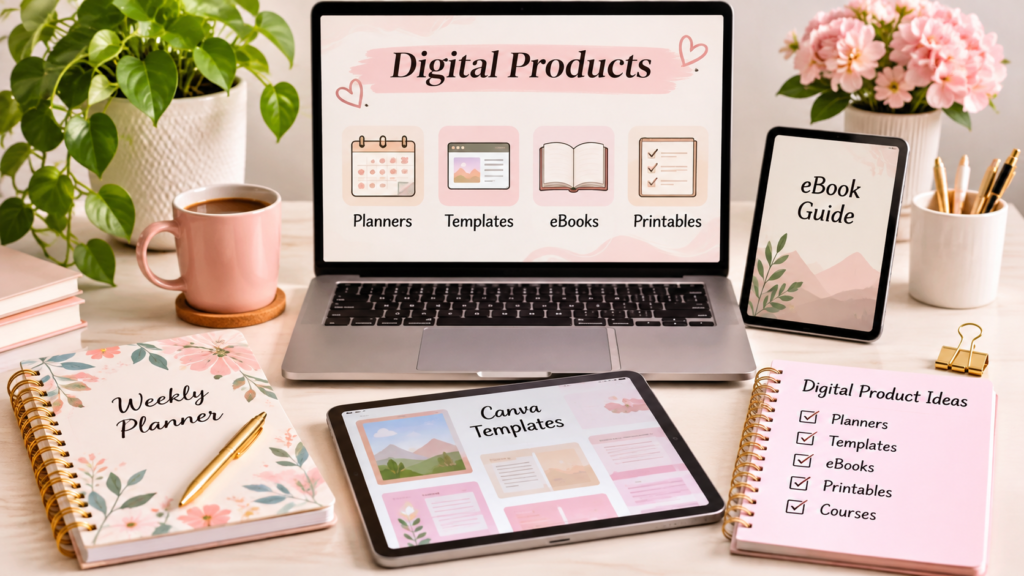
Have you ever wanted to start an online business without buying inventory, managing shipping, or storing physical products?
Selling digital products can be a practical way to get started.
From Canva templates and printable planners to ebooks and online courses, digital products allow creators to make something once and sell it to customers online. You can work from home, start with a small budget, and reach customers in different countries.
The best part? You don’t need to be a professional designer or experienced business owner to begin.
In this guide, you’ll discover 25 digital products to sell online in 2026, how to create them, where to sell them, and how to choose an idea that matches your skills.
What Are Digital Products?
Digital products are downloadable or electronically delivered products that customers purchase and use online.
Unlike physical products, they don’t require traditional packaging, inventory, or shipping.
Some popular examples include:
- eBooks and digital guides
- Printable planners and worksheets
- Canva templates
- Budget spreadsheets
- Online courses
- Social media templates
- Digital artwork
- Website templates
For example, you could create a weekly meal planner using Canva, export it as a PDF, and sell it through an online store.
After creating the product, you can sell multiple copies without recreating the original file for every customer.
However, digital products aren’t completely passive income. You still need to market your products, answer customer questions, improve your listings, and update files when necessary.
25 Digital Products to Sell Online in 2026
Here are 25 ideas worth exploring if you want to start a digital product business.
1. Canva Social Media Templates
Canva social media templates are useful for business owners, bloggers, content creators, and freelancers who want professional-looking posts without designing everything from scratch.
You can create:
- Instagram post templates
- Instagram Story templates
- Pinterest pin templates
- Facebook post templates
- LinkedIn post templates
Target customers: Small business owners, coaches, bloggers, and social media managers.
Where to sell: Etsy, Gumroad, or your own website.
2. Printable Planners
Printable planners help people organize their schedules, goals, and everyday activities.
Some ideas include:
- Daily planners
- Weekly planners
- Monthly planners
- Goal-setting planners
- Meal planners
- Self-care planners
Create attractive layouts using Canva and offer them as downloadable PDF files.
Target customers: Students, professionals, busy parents, and productivity enthusiasts.
3. eBooks and Digital Guides
If you enjoy writing, eBooks can be an excellent digital product to create.
Choose a specific topic that solves a problem for your target audience.
Examples include:
- Beginner’s guide to freelancing
- ChatGPT prompt guides
- Personal budgeting guides
- Canva design tutorials
- Productivity guides
- Small business marketing guides
You can write your eBook in Google Docs, design its cover in Canva, and export it as a PDF.
Where to sell: Amazon KDP, Gumroad, and your own website.
4. Budget and Finance Spreadsheets
Many people want to manage their money but don’t know where to begin.
Simple spreadsheet templates can make budgeting easier.
Product ideas include:
- Monthly budget planners
- Expense trackers
- Savings goal trackers
- Debt repayment planners
- Freelance income trackers
- Business expense spreadsheets
You can create these products using Google Sheets or Microsoft Excel.
5. Pinterest Pin Templates
Pinterest is an important discovery platform for bloggers, creators, and online businesses.
Many users want attractive pins but don’t have time to design them individually.
Create Pinterest template bundles featuring:
- Blog post pins
- Product promotion pins
- Recipe pins
- Educational pins
- List-style pins
Include editable Canva links and a short instruction guide.
6. Resume and Cover Letter Templates
Job seekers often need professional resumes and cover letters.
Create templates for different career stages and industries.
Some ideas include:
- Graduate resume templates
- Entry-level resume templates
- Professional CV templates
- Cover letter templates
- Job application trackers
- Interview preparation worksheets
Consider offering both US-style resume formats and UK-style CV formats.
7. Notion Templates
Notion is a popular productivity and organization platform.
You can create ready-to-use dashboards for different audiences.
Examples include:
- Personal productivity dashboards
- Student study planners
- Content calendars
- Freelance project trackers
- Business management dashboards
- Habit trackers
Make sure your template is easy to understand and include setup instructions.
8. Digital Stickers
Digital stickers are commonly used with digital planners and note-taking apps.
You can design:
- Planner stickers
- Calendar stickers
- Motivational stickers
- Decorative stickers
- Business planning stickers
- Seasonal sticker collections
Offer them in suitable PNG formats with transparent backgrounds.
9. Online Courses and Mini-Courses
If you have knowledge of a particular subject, you can turn it into an online course.
For example:
- Canva for beginners
- Introduction to blogging
- Basic Excel training
- Freelancing fundamentals
- Social media marketing
- Beginner-friendly AI tools
Start with a small course that teaches one clear skill rather than creating a huge course immediately.
10. AI Prompt Packs
AI tools have created opportunities for creators who can develop useful, well-tested prompts.
You could create specialized prompt collections for:
- Blog writing
- Social media captions
- Email marketing
- Business planning
- Resume writing
- Product descriptions
- Content calendars
Don’t simply collect generic prompts. Test them, explain when to use them, and include example outputs.
11. Website Templates
Website templates can help bloggers, freelancers, and small business owners launch professional websites faster.
Ideas include:
- Portfolio website templates
- Personal blog layouts
- Service business website templates
- Landing page designs
- Small business website kits
You can create designs for platforms such as WordPress, depending on your technical skills.
12. Digital Meal Planners
Meal planners help customers organize weekly meals and grocery shopping.
Create bundles containing:
- Weekly meal planners
- Grocery shopping lists
- Recipe cards
- Meal preparation schedules
- Food inventory trackers
You can target busy professionals, students, and families.
13. Wedding Planning Templates
Wedding planning involves many details, and couples often need help staying organized.
Create digital products such as:
- Wedding budget spreadsheets
- Guest list trackers
- Wedding checklists
- Seating chart templates
- Invitation designs
- Wedding day schedules
A coordinated wedding planning bundle can offer more value than selling individual pages.
14. Small Business Branding Kits
Small businesses often need consistent branding but may not have the budget for a professional designer.
Create branding kits containing:
- Logo templates
- Colour palettes
- Font combinations
- Business card designs
- Social media templates
- Brand guideline sheets
Focus on a particular customer group, such as beauty businesses, coaches, or real estate agents.
15. Printable Educational Worksheets
Parents, tutors, and teachers often use printable educational resources.
Some ideas include:
- Alphabet worksheets
- Mathematics practice sheets
- Vocabulary exercises
- Reading comprehension worksheets
- Handwriting practice
- Activity sheets for children
Make sure the content is age-appropriate, original, and educationally useful.
16. Freelance Business Templates
Freelancers need documents to manage their clients and projects.
You can create:
- Client onboarding forms
- Project proposal templates
- Invoice templates
- Project trackers
- Client feedback forms
- Work schedules
These products are particularly useful for virtual assistants, writers, designers, and consultants.
17. Instagram Story Templates
Instagram Stories help businesses communicate with their audiences.
Create editable designs for:
- Product promotions
- Customer testimonials
- Frequently asked questions
- Polls and announcements
- New product launches
- Special offers
Consider creating themed bundles for specific industries.
18. Lightroom Presets
Photography enthusiasts and content creators often want consistent photo styles.
You can create and sell original Lightroom presets for:
- Travel photography
- Food photography
- Portrait photography
- Lifestyle photography
- Product photography
Include before-and-after examples and instructions for applying the presets.
19. Digital Journals
Digital journals help people record their thoughts, goals, and experiences.
Some ideas include:
- Gratitude journals
- Daily reflection journals
- Reading journals
- Travel journals
- Goal journals
- Personal growth journals
Make the layout easy to use on tablets and compatible note-taking apps.
20. Presentation Templates
Professionals, students, and business owners frequently create presentations.
Offer editable templates for:
- Business presentations
- Marketing proposals
- Project reports
- Educational presentations
- Portfolio presentations
- Startup pitch decks
PowerPoint and Canva are useful tools for creating these products.
21. Email Marketing Templates
Businesses use email marketing to communicate with customers.
Create ready-to-edit email templates for:
- Welcome emails
- Promotional campaigns
- Product launches
- Newsletter layouts
- Customer follow-ups
- Abandoned cart emails
Provide examples of subject lines and practical usage instructions.
22. Content Calendar Templates
Content creators and businesses need to plan what they publish.
Create calendars for:
- Instagram content
- Pinterest marketing
- Blog publishing
- YouTube content
- LinkedIn posts
- Monthly social media planning
Offer versions in Google Sheets, Excel, Notion, or printable PDF format.
23. Digital Business Workbooks
Workbooks help customers take action instead of simply reading information.
Examples include:
- Business planning workbooks
- Personal goal-setting workbooks
- Marketing strategy workbooks
- Freelancing workbooks
- Brand development workbooks
- Productivity workbooks
Include exercises, examples, checklists, and worksheets.
24. Icon and Graphic Bundles
Designers and content creators frequently use icons and illustrations.
You can create original digital asset collections such as:
- Business icons
- Social media icons
- Minimalist illustrations
- Presentation graphics
- Website icon collections
- Decorative design elements
Offer suitable file formats such as SVG and PNG, with clear licensing terms.
25. Printable Checklists and Trackers
Simple checklists can solve everyday problems.
Some product ideas include:
- Daily habit trackers
- Cleaning checklists
- Travel packing lists
- Business launch checklists
- Blog publishing checklists
- Moving house checklists
You can combine related checklists into affordable downloadable bundles.
Which Digital Products Are Best for Beginners?
Not every digital product requires the same skills, time, or investment.
Here is a simple comparison to help you choose.
| Product | Main tool | Difficulty |
|---|---|---|
| Printable planners | Canva | Easy |
| Social media templates | Canva | Easy |
| eBooks | Google Docs | Easy–Medium |
| Budget spreadsheets | Excel | Medium |
| AI prompt packs | ChatGPT | Easy–Medium |
| Notion templates | Notion | Medium |
| Online courses | Video tools | Medium–Hard |
| Website templates | WordPress | Hard |
My recommendation: Start with one product that matches your existing skills. A simple planner, Canva template bundle, or practical eBook can be a manageable first project.
How to Create Your First Digital Product
You don’t need expensive software or a large team to start.
Follow these steps.
Step 1: Choose a Specific Audience
Don’t try to create a product for everyone.
Instead, identify a particular group of people.
For example:
- Instagram templates for beauty businesses
- Budget planners for freelancers
- Resume templates for college graduates
- Pinterest templates for food bloggers
A clearly defined audience makes product development and marketing easier.
Step 2: Research What Customers Need
Before creating your product, understand the problems your audience wants to solve.
Research using:
- Google Search
- Etsy marketplace
- Reddit discussions
- Customer reviews
- Social media communities
Pay attention to customer questions and complaints. They can reveal opportunities to create something more useful.
Step 3: Create Your Product
Choose a tool based on your product type.
| Tool | Best for |
|---|---|
| Canva | Templates, planners and printables |
| ChatGPT | Brainstorming and drafting |
| Google Docs | eBooks and guides |
| Microsoft Excel | Spreadsheets and trackers |
| Notion | Productivity dashboards |
| PowerPoint | Presentation templates |
Create an original product and test it before selling.
Step 4: Choose a Selling Platform
You can sell digital products through several platforms.
Gumroad
Gumroad is useful for selling eBooks, templates, guides, and downloadable files.
It supports product pages and digital delivery. Its published direct-sale fee is 10% plus $0.50 per transaction, with additional card-processing fees. Discover marketplace sales have a separate 30% fee. Check the official Gumroad pricing and fees before pricing your product.
Etsy
Etsy can help you reach customers searching for digital downloads, printable planners, and creative templates.
It is worth exploring if your products fit the marketplace’s customer interests. Review its current seller fees and digital item policies before listing.
Amazon KDP
Amazon Kindle Direct Publishing is useful for publishing eBooks and eligible print books.
It is a separate publishing route rather than a general digital-download marketplace. Review its official publishing guidelines.
Your Own Website
Selling through your own website gives you greater control over your branding, content, and customer experience.
You can use product pages, blog articles, and email marketing to attract potential buyers.
Step 5: Set a Reasonable Price
Pricing depends on the product’s quality, usefulness, complexity, and target audience.
Here are illustrative starting price ranges in US dollars, not guaranteed market prices.
| Product | Example starting price |
|---|---|
| Printable checklist | $2–$5 |
| Digital planner | $5–$12 |
| Canva template bundle | $7–$19 |
| eBook | $5–$15 |
| Spreadsheet bundle | $7–$20 |
| Mini-course | $19–$49 |
Research comparable products and test different price points.
Avoid pricing based only on the number of pages or templates. Consider the problem your product solves.
Step 6: Create an Attractive Product Listing
Your product listing should clearly explain:
- What the customer receives
- Who the product is designed for
- Which file formats are included
- How to download and use it
- Whether the product is editable
- Any usage or licensing restrictions
Use clear product images and realistic mockups. Never show features that your actual product does not include.
Step 7: Promote Your Digital Product
Creating a product is only the beginning. You also need to attract customers.
Try these marketing channels:
- Pinterest pins
- SEO blog articles
- Instagram posts and Reels
- YouTube tutorials
- Email newsletters
- Relevant online communities
For example, if you sell a Canva social media template bundle, publish a tutorial explaining how small businesses can create better social media content.
You can then introduce your template bundle as a helpful resource.
How to Choose a Profitable Digital Product Idea
Before spending hours creating a product, evaluate the idea.
Ask yourself:
- Does this product solve a real problem?
- Are people searching for this type of product?
- Can I create something better or more useful?
- Is there a clear target audience?
- Can I promote it through my website or social media?
- Can I create a product bundle or related products later?
You can also check Google Trends, marketplace search results, and customer reviews to understand demand.
Remember, an idea with competition is not automatically a bad idea. It may indicate that customers already understand the product category. Your goal is to find a specific audience and offer something genuinely useful.
Common Mistakes to Avoid When Selling Digital Products
New sellers sometimes make avoidable mistakes.
1. Creating products without research
Don’t spend weeks creating something before checking whether customers need it.
2. Targeting everyone
A product designed for a specific audience is often easier to explain and market.
3. Copying other sellers
Create original designs, writing, and resources. Avoid copying copyrighted material or reselling assets without the required permissions.
4. Ignoring product quality
Test your downloads, check formatting, and provide clear instructions.
5. Expecting instant passive income
Digital products still require marketing, customer support, and regular improvements. Sales are not guaranteed.
6. Depending on only one platform
Consider building your own website and email audience rather than relying entirely on one marketplace.
Frequently Asked Questions
1. What are the easiest digital products to sell for beginners?
Printable planners, checklists, Canva templates, simple eBooks, and digital worksheets are accessible starting points. Choose something that matches your existing skills.
2. Can I sell digital products without creating a website?
Yes. You can start using marketplaces and platforms such as Gumroad or Etsy. A website can be useful later for building your brand and attracting organic traffic.
3. Can I create digital products using Canva?
Yes. Canva can be used to create planners, social media templates, presentations, worksheets, and other designs. Follow Canva’s current content licensing rules, especially when selling editable templates.
4. How much money can beginners make selling digital products?
There is no guaranteed income. Results depend on product quality, customer demand, pricing, marketing, and competition. Some sellers make occasional sales, while others build larger businesses over time.
5. Which digital products are popular in the USA and UK?
Product categories worth researching include printable planners, Canva templates, budget spreadsheets, educational resources, eBooks, and business templates. Demand varies by audience and season.
6. Do I need special skills to sell digital downloads?
You don’t need advanced technical skills for every product. Basic design, writing, spreadsheet, or organizational skills can be enough to start with a simple product.
7. Are digital products really passive income?
They can generate repeat sales without manufacturing a new physical item for each customer. However, creating, promoting, updating, and supporting products still requires work.
Final Thoughts
Starting a digital product business doesn’t have to be complicated.
You don’t need to create 25 products at once. Choose one idea, understand your target customers, build a useful product, and test whether people are willing to pay for it.
If you enjoy designing, start with Canva templates or printable planners. If you enjoy writing, consider eBooks and practical guides. If you are comfortable with spreadsheets, create budget trackers or business templates.
The best digital product is not necessarily the most complicated one. It is the one that solves a real problem for a clearly defined audience.
Start small, focus on quality, and improve your product based on customer feedback.
Disclaimer: Platform features, fees, and selling requirements can change. Check the official platform policies before listing or selling products.