30 Canva Template Ideas for Small Businesses
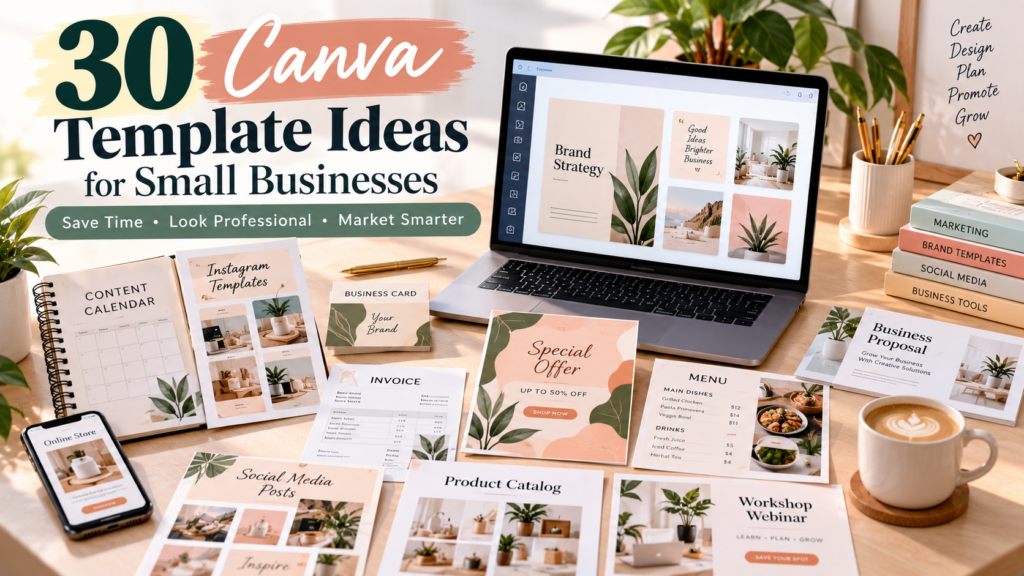
Most small-business owners don’t have a designer on staff, but they still need to look professional everywhere customers find them — on Instagram, in a flyer taped to a café window, in an invoice, or on a slide deck pitched to a new client. Canva has become the default tool for closing that gap, but a template only helps if it’s built around a real task, not just a pretty layout.
A good business template does two things at once: it looks polished enough to represent the brand well, and it saves the owner from starting from a blank page every time they need a post, a price list, or a proposal. The best templates are also the easiest to sell, because they solve a problem the buyer already knows they have.
This guide walks through 30 practical Canva template ideas — what each one is, who it’s for, what to include, and how it could become a bundle. It’s written for two audiences: small-business owners looking for templates to use, and Canva creators looking for templates to design and sell.
What Canva Templates Do Small Businesses Need?
Most small businesses need templates across nine areas: social media (posts, stories, carousels, reels covers), branding (brand kits, business cards), marketing (flyers, promo graphics, event invites), sales (proposals, invoices, price lists, catalogs), customer communication (testimonials, FAQs), lead generation (lead magnets, ebooks), presentations (pitch decks, workshops), business documents (business plans, media kits), and content planning (calendars, planners). Few businesses need all 30 template types listed here — most need 4–6 that match their specific workflow, which is why niche-specific bundles (restaurant, salon, real estate, coach) tend to outperform generic “do everything” packs.
30 Canva Template Ideas at a Glance
| # | Template | Best For | Main Purpose |
|---|---|---|---|
| 1 | Social Media Post Pack | Most businesses | Consistent daily posting |
| 2 | Instagram Story Pack | Retail, service, food & beauty | Engagement, promos |
| 3 | Instagram Carousel Pack | Coaches, educators, service pros | Educational content |
| 4 | Reels Cover Templates | Anyone using Reels/TikTok | Consistent video branding |
| 5 | Pinterest Pin Templates | Bloggers, product businesses | Traffic, discovery |
| 6 | Facebook Post Templates | Local businesses | Community engagement |
| 7 | Business Flyer Templates | Retail, events, local services | Promotions |
| 8 | Business Card Templates | All businesses | Networking |
| 9 | Service Price List | Salons, freelancers, fitness pros | Pricing clarity |
| 10 | Product Catalog | Retail, makers, online stores | Product discovery |
| 11 | Media Kit | Influencers, creators | Partnership pitching |
| 12 | Brand Kit | Startups, rebrands | Visual consistency |
| 13 | Lead Magnet | Coaches, consultants | Email list growth |
| 14 | Ebook Template | Educators, creators | Long-form content |
| 15 | Workbook Template | Coaches, course creators | Client engagement |
| 16 | Business Presentation | B2B, agencies | Pitching, onboarding |
| 17 | Client Proposal | Freelancers, agencies | Closing deals |
| 18 | Invoice Template | All service businesses | Getting paid |
| 19 | Business Plan Template | Startups | Planning, funding |
| 20 | Content Calendar | Marketing teams, solopreneurs | Planning consistency |
| 21 | Social Media Content Planner | Content-heavy businesses | Strategic planning |
| 22 | Customer Testimonial Template | All businesses | Social proof |
| 23 | Promotional Sale Graphics | Retail, seasonal businesses | Driving sales |
| 24 | Event Invitation | Workshops, stores, classes | Attendance |
| 25 | Workshop/Webinar Template | Educators, coaches | Registration |
| 26 | Real Estate Marketing Pack | Real estate agents | Listings, branding |
| 27 | Restaurant/Cafe Social Pack | Restaurants, cafes | Menu promotion |
| 28 | Beauty/Salon Marketing Pack | Salons, spas | Bookings |
| 29 | Coach/Consultant Content Pack | Coaches, consultants | Authority building |
| 30 | Small Business Marketing Bundle | Any business | Complete kit |
The 30 Template Ideas
1. Social Media Post Pack
What it is: A set of square/portrait templates covering promotional, educational, testimonial, quote, and announcement posts in one visual style. Best for: Nearly every small business — retail, services, food, wellness, creators. What to include: Promo post, tip/educational post, testimonial layout, quote card, announcement post, product/service spotlight, “meet the owner” post. Problem it solves: Businesses post inconsistently or off-brand because designing from scratch each time is slow. Example: A candle maker uses the pack to alternate between “new scent” posts and customer photo reposts without breaking their visual style. Bundle opportunity: Pairs naturally with Stories and Carousel packs to form a full social media bundle.
2. Instagram Story Pack
What it is: Vertical, full-screen templates for polls, Q&As, promotions, product features, testimonials, and behind-the-scenes content. Best for: Retail, food and beverage, beauty, fitness, events. What to include: Poll sticker layout, Q&A frame, countdown/promo story, product feature, testimonial story, BTS story, swipe-up/link story. Problem it solves: Stories are high-engagement but time-consuming to design fresh every day. Example: A boutique gym uses story templates for daily class reminders and member shoutouts. Bundle opportunity: Combine with the Post Pack for a complete “Instagram Essentials” bundle.
3. Instagram Carousel Pack
What it is: Multi-slide templates for tips, how-tos, lists, FAQs, and step-by-step explanations. Best for: Coaches, consultants, educators, service providers who need to demonstrate expertise. What to include: Title slide, 3–5 content slides, FAQ slide, summary/recap slide, CTA slide. Problem it solves: Carousels drive reach and saves, but designing multi-slide consistency is harder than single posts. Example: A nutrition coach turns “5 breakfast mistakes” into a 6-slide carousel using the template. Bundle opportunity: Combine with the Lead Magnet template — carousels often promote a free download.
4. Reels Cover Templates
What it is: Templates for the static thumbnail that represents a Reel or short video on a profile grid. Best for: Any business posting video content. What to include: 3–5 cover layouts with consistent fonts/colors, title placement guides, category labels (tips, tutorial, BTS). Problem it solves: Mismatched covers make a profile grid look disorganized even when video content is good. Example: A hairstylist uses one cover style for “before/after” reels and another for tutorials. Bundle opportunity: Works well as an add-on to the Post and Story packs rather than a standalone product.
5. Pinterest Pin Templates
What it is: Tall, text-forward graphics designed for Pinterest’s discovery-driven format. Best for: Bloggers, product businesses, service businesses with blog content. What to include: Blog-post pin, product pin, guide/checklist pin, tutorial pin, seasonal promo pin. Problem it solves: Pinterest rewards consistent, keyword-friendly pins, but most businesses ignore the platform because pin design feels unfamiliar. Example: A meal-planning coach pins blog recipes to drive traffic back to her site. Bundle opportunity: Bundle with a blog-focused lead magnet for a “traffic starter kit.”
6. Facebook Post Templates
What it is: Templates sized and styled for Facebook’s community-driven audience — announcements, offers, events, and customer stories. Best for: Local businesses with an active local Facebook following. What to include: Announcement post, offer/coupon post, event post, educational post, customer story post. Problem it solves: Facebook audiences respond to a more community, less polished tone than Instagram — a single cross-platform template often misses this. Example: A hardware store posts weekly “did you know” tips alongside sale announcements. Bundle opportunity: Combine with Flyer templates for a “local business marketing” bundle.
7. Business Flyer Templates
What it is: Printable or digital flyers for a specific promotion or event. Best for: Retail, restaurants, events, local service businesses. What to include: Grand opening flyer, sale flyer, service promo flyer, event flyer, seasonal offer flyer. Problem it solves: One-off promotions need fast, professional-looking materials without hiring a designer each time. Example: A cafe prints a flyer for a holiday menu launch and posts the digital version to Instagram the same day. Bundle opportunity: Pairs well with Promotional Sale Graphics and Event Invitations.
8. Business Card Templates
What it is: A physical or digital networking card carrying core brand identity. Best for: All businesses, especially service providers and freelancers. What to include: Front/back layout, brand colors and logo placement, contact details, services line, QR code placement for digital cards or booking links. Problem it solves: First impressions at networking events still depend on a professional card. Example: A photographer hands out a card with a QR code linking directly to their portfolio. Bundle opportunity: Bundle with a Brand Kit for new businesses building identity from scratch.
9. Service Price List
What it is: A clean, easy-to-scan menu of services and prices. Best for: Salons, beauty businesses, freelancers, photographers, fitness professionals, consultants. What to include: Service categories, individual pricing, package/bundle pricing, duration, booking CTA. Problem it solves: Price confusion leads to lost bookings; a clear list reduces back-and-forth messages. Example: A lash technician posts an updated price list every time she adds a new service. Bundle opportunity: Bundle with a Booking/Appointment reminder template for beauty and wellness businesses.
10. Product Catalog
What it is: A multi-page or single-sheet showcase of products with photos, names, descriptions, and prices. Best for: Retail, makers, online stores, wholesalers. What to include: Cover page, product grid layout, individual product detail pages, pricing, ordering/contact info. Problem it solves: Customers browsing outside a website (DMs, in-person, wholesale buyers) need something shareable. Example: A jewelry maker sends a PDF catalog to wholesale buyers each season. Bundle opportunity: Combine with Promotional Sale Graphics for seasonal catalog drops.
11. Media Kit
What it is: A one-page profile summarizing audience size, engagement, past collaborations, and rates. Best for: Influencers, creators, bloggers, podcasters, small brands seeking partnerships. What to include: Bio, audience demographics, platform stats, past brand collaborations, service/rate options, contact info. Problem it solves: Brands expect a professional pitch document before agreeing to a collaboration. Example: A food blogger updates her media kit quarterly with fresh follower counts before pitching brands. Bundle opportunity: Works well as a standalone premium template rather than part of a larger bundle.
12. Brand Kit
What it is: A reference document showing logo usage, color palette, typography, and core visual elements. Best for: New businesses, rebrands, teams needing consistency. What to include: Primary/secondary logo placement, color codes, font pairings, do’s and don’ts, sample applications. Problem it solves: Without a reference, brand visuals drift inconsistently across platforms and freelancers. Example: A startup shares its brand kit with a freelance designer to keep every deliverable on-brand. Important: A brand kit template is a starting framework, not a substitute for actual brand strategy — it organizes an identity that’s already been decided, rather than creating one from scratch. Bundle opportunity: Often sold as the foundation of a larger “brand launch” bundle with business cards and social templates.
13. Lead Magnet
What it is: A free downloadable resource — checklist, guide, workbook, or resource list — exchanged for an email address. Best for: Coaches, consultants, educators, service businesses building an email list. What to include: Cover page, intro, core content pages, a clear next step/CTA linking to a paid offer. Problem it solves: Businesses need a low-friction way to start email relationships with potential customers. Example: A financial coach offers a “5-step budgeting checklist” that feeds into a paid course email sequence. Bundle opportunity: Naturally pairs with an Ebook or Workbook template as a mid-tier upsell.
14. Ebook Template
What it is: A longer-form, multi-page digital publication. Best for: Educators, creators, consultants monetizing expertise. What to include: Cover, table of contents, chapter pages, pull-quote pages, checklist pages, CTA page. Problem it solves: Long-form content needs a structure that stays readable and on-brand across dozens of pages. Example: A marketing consultant turns a popular blog series into a paid ebook. Bundle opportunity: Bundle with a matching Lead Magnet as a “free sample, paid full version” funnel.
15. Workbook Template
What it is: An interactive, exercise-driven document meant to be filled in by the reader. Best for: Coaches, consultants, educators, course creators. What to include: Instructions pages, worksheet/exercise pages, reflection prompts, progress tracker, summary page. Problem it solves: Passive content (like an ebook) doesn’t drive action the way a fillable workbook does. Example: A career coach sells a “job search workbook” alongside 1:1 coaching sessions. Bundle opportunity: Bundle with a course or lead magnet as a companion resource.
16. Business Presentation
What it is: A slide deck introducing the business, its services, and its value proposition. Best for: B2B businesses, agencies, consultants pitching new clients. What to include: About us, services overview, the problem, the solution, process/how it works, case study/results, contact/next steps. Problem it solves: Verbal pitches are harder to remember; a visual deck reinforces the message and can be left behind. Example: A branding agency uses the deck template for every new-client discovery call. Bundle opportunity: Pairs with the Client Proposal template for a complete sales bundle.
17. Client Proposal
What it is: A document outlining scope, timeline, and pricing for a specific project. Best for: Freelancers, agencies, consultants, designers, marketing professionals. What to include: Cover page, project overview, scope of work, timeline, pricing/packages, terms, signature/acceptance page. Problem it solves: Vague or informal proposals lose deals to competitors with more professional-looking documents. Example: A web designer sends a branded proposal within a day of a discovery call, increasing close rate. Bundle opportunity: Bundle with an Invoice template for a full “client onboarding” set.
18. Invoice Template
What it is: A billing document sent to clients after work is completed or as a deposit request. Best for: All service-based businesses. What to include: Business details, client details, itemized services, totals, payment terms, payment instructions. Businesses should confirm what information their invoices are required to include for their location and situation — this varies, and Canva templates should be checked against local requirements. This is general guidance, not tax or legal advice. Example: A freelance copywriter customizes the invoice template per client while keeping the layout consistent. Bundle opportunity: Pairs with the Proposal template as part of a “client paperwork” bundle.
19. Business Plan Template
What it is: A structured document outlining the direction and strategy of a business. Best for: Startups, businesses seeking funding or partners. What to include: Business overview, target audience, products/services, marketing plan, operations plan, financial goals. Problem it solves: A visual, organized plan is easier to present to lenders, partners, or a business’s own team than a plain text document. Example: A new bakery owner uses the template to apply for a small-business loan. Bundle opportunity: Usually sold standalone rather than bundled, since it targets a specific one-time need.
20. Content Calendar
What it is: A grid-based planning document for scheduling content. Best for: Marketing teams, solopreneurs managing their own content. What to include: Date, platform, content type, topic, caption draft, CTA, status column. Problem it solves: Without a plan, content becomes reactive and inconsistent. Example: A boutique owner plans a month of posts every Sunday using the calendar. Bundle opportunity: Bundle with the Social Media Post Pack as a “plan and post” kit.
21. Social Media Content Planner
What it is: A broader strategic tool covering content pillars, goals, and audience notes — not just a posting schedule. Best for: Content-heavy businesses wanting strategy, not just logistics. What to include: Content pillars, monthly themes, audience notes, goal tracker, plus the scheduling grid. How it differs from a content calendar: A calendar tracks when to post; a planner also tracks why — the strategy behind the content, which pillars are underused, and what’s working. Example: A coach uses the planner to make sure each week balances education, promotion, and connection content. Bundle opportunity: Sold as a premium version of the Content Calendar.
22. Customer Testimonial Template
What it is: A branded layout for sharing customer feedback. Best for: All businesses. What to include: Customer quote, name/photo area, product/service referenced, result or experience described, CTA. Testimonials should reflect real customer feedback — businesses should never fabricate quotes or reviews. Example: A personal trainer shares a real client’s before/after story with permission. Bundle opportunity: Bundle with Promotional Sale Graphics — social proof performs well next to offers.
23. Promotional Sale Graphics
What it is: Graphics announcing discounts, new products, or limited-time offers. Best for: Retail, seasonal businesses, service businesses running promotions. What to include: Seasonal sale graphic, limited-time offer graphic, new product graphic, service promo, bundle offer graphic. Avoid manufactured urgency (fake countdowns, false “few left” claims) — use real deadlines and real stock/availability. Example: A skincare shop runs a genuine end-of-season clearance using the templates. Bundle opportunity: Pairs naturally with the Flyer and Event Invitation templates.
24. Event Invitation
What it is: A graphic or printable invite for a business-hosted event. Best for: Workshops, webinars, store events, classes, launches. What to include: Event name, date/time/location, description, RSVP/registration link, host info. Problem it solves: Events need a shareable, professional invite for both digital and in-person distribution. Example: A yoga studio invites past clients to a free community class via Instagram Stories. Bundle opportunity: Bundle with the Workshop/Webinar template for education-focused businesses.
25. Workshop/Webinar Template
What it is: A promotional and structural template for a specific educational event. Best for: Educators, coaches, consultants hosting live sessions. What to include: Event title, date/time, speaker bio, key benefits/takeaways, registration CTA. Problem it solves: Webinar sign-up rates depend heavily on how clearly the value is communicated up front. Example: A business coach promotes a free webinar that leads into a paid group program. Bundle opportunity: Bundle with a Lead Magnet as a pre- or post-webinar resource.
26. Real Estate Marketing Pack
What it is: A niche bundle covering the recurring marketing needs of real estate agents. Best for: Real estate agents and small brokerages. What to include: Property listing post, open house graphic, sold announcement, agent introduction post, property feature highlights. Problem it solves: Agents post frequently and need fast turnaround between new listings. Example: An agent posts a “just listed” graphic within an hour of a new listing going live. Bundle opportunity: A strong standalone niche bundle — real estate agents often buy the whole pack rather than individual pieces.
27. Restaurant/Cafe Social Media Pack
What it is: A niche bundle for food and beverage businesses. Best for: Restaurants, cafes, food trucks, bakeries. What to include: Menu highlight post, daily special graphic, new dish announcement, customer favorite post, event post, offer/promo graphic. Problem it solves: Food businesses need frequent, appetizing posts but rarely have design time between service hours. Example: A cafe posts a “today’s special” graphic every morning using the same template, swapping only the photo and dish name. Bundle opportunity: Sold as a complete niche kit — restaurants tend to want everything at once, not individual pieces.
28. Beauty/Salon Marketing Pack
What it is: A niche bundle built around the visual and booking needs of beauty businesses. Best for: Salons, spas, lash and brow studios, barbershops. What to include: Service menu, before/after layout, offer graphic, appointment reminder, testimonial template, seasonal promo. Problem it solves: Beauty businesses rely heavily on visual proof (before/afters) and repeat bookings. Example: A salon uses the before/after layout consistently so its Instagram grid reads as a cohesive portfolio. Bundle opportunity: Works well as a complete niche kit sold to salon owners directly.
29. Coach/Consultant Content Pack
What it is: A niche bundle for service providers who sell expertise and trust. Best for: Coaches, consultants across any specialty. What to include: Educational post templates, tip series, client Q&A post, testimonial template, service explanation post, lead magnet template. Problem it solves: Coaches need to demonstrate authority consistently, which is hard without a repeatable content system. Example: A business coach cycles through the pack’s post types weekly to balance education and promotion. Bundle opportunity: One of the strongest niche bundles to sell, since coaches are heavy, frequent Canva users.
30. Small Business Marketing Bundle
What it is: A complete kit combining the core templates most small businesses need across every channel. Best for: Any small business wanting one cohesive system rather than piecing together individual templates. What to include: Social media posts, Stories, Carousel templates, a flyer, a business card, a lead magnet, a presentation, a content planner, promotional graphics. Problem it solves: Buying pieces individually is slower and often visually inconsistent; a bundle guarantees everything matches. Example: A new business owner buys the full bundle at launch instead of assembling templates from multiple sources. Why bundles work better than a pile of unrelated files: A good bundle solves one business’s complete marketing workflow end-to-end — not just a random collection of designs. Buyers pay for the cohesion and time saved, not just the file count.
Which Canva Templates Are Best for Different Small Businesses?
| Business Type | Useful Templates |
|---|---|
| Restaurant | Menu highlights, social posts, promotions |
| Salon | Price list, offer graphics, appointment reminders |
| Real Estate | Property posts, flyers, listing graphics |
| Coach | Carousels, workbooks, lead magnets |
| Freelancer | Proposal, invoice, portfolio |
| Photographer | Portfolio, pricing guide, social posts |
| Online Store | Product graphics, promotions, catalog |
| Fitness Business | Workout graphics, plans, social posts |
How to Choose the Right Canva Template for a Small Business
- Identify the business goal — more bookings, more sales, more visibility, or more trust.
- Identify the target customer — a template that resonates with a 20-something Instagram audience won’t work the same for a B2B buyer on LinkedIn.
- Choose the communication channel — social, print, email, or in-person all need different formats.
- Match the brand style — colors, fonts, and tone should already reflect the business, not fight against it.
- Keep the design editable — locked layouts or overly complex elements frustrate non-designers.
- Make the CTA clear — every marketing template should tell the viewer exactly what to do next.
- Test the template — a template that looks good but doesn’t get used isn’t solving the real problem.
8 Canva Design Principles for Business Templates
- Visual hierarchy — guide the eye to the most important information first.
- Typography — no more than 2–3 fonts; readability over decoration.
- Color consistency — the same palette across every touchpoint builds recognition.
- White space — cluttered templates feel unprofessional, not “value-packed.”
- Alignment — misaligned text and images are one of the fastest ways to look amateur.
- Contrast — text needs to stand out clearly from its background.
- Readability — font size and spacing should work on a small phone screen, not just a desktop preview.
- Consistency — every template in a set should feel like it belongs to the same brand.
Professional design isn’t about adding more — it’s about making a template easier and faster to use correctly. A template that looks impressive in a preview but confuses the buyer during editing has failed at its actual job.
Does a Small Business Need Canva Pro?
Canva’s free plan includes a large library of templates, stock photos, and basic design tools, which is often enough for occasional or simple design needs. Canva Pro adds features many small businesses find valuable as they scale — a larger content library, brand kit tools for consistent color and font use across a team, background removal, and bulk resizing across formats.
Whether Canva Pro is worth it depends on how often a business creates content, whether multiple people need brand-consistent access, and which specific Pro-only features (like background removal or brand controls) matter for their workflow. It isn’t a requirement — many small businesses run entirely on the free plan. Because plan names, features, and pricing change over time, check Canva’s current pricing page before deciding.
Canva Licensing: What Businesses and Template Sellers Should Know
Canva’s content licensing is genuinely nuanced, and the safest approach is to read Canva’s own documentation rather than relying on secondhand summaries — including this one. A few things worth understanding at a high level, based on Canva’s official Content License Agreement and Help Center:
- Canva’s free and Pro content licenses cover most elements offered on the platform — photos, icons, illustrations, video, audio, fonts, and templates — with some exceptions.
- Original designs made in Canva (using its content within Canva’s rules) can generally be sold as products, including templates.
- Standalone Canva content — a single stock photo or graphic on its own — generally cannot be resold as-is; it needs to be part of an original design.
- If a template includes Canva Pro content, there are specific conditions for how it can be distributed — Canva’s help documentation describes selling such templates as template links (so the buyer accesses and duplicates the design inside Canva) rather than exported files, though the exact rules can change.
- Third-party assets a creator uploads or licenses separately (custom fonts, stock photos, fonts from other libraries) come with their own separate terms, independent of Canva’s licensing.
- Never present Canva-sourced content as if it were originally created by you when reselling design elements rather than a finished design.
Because licensing terms are updated periodically, template creators and businesses should review Canva’s current Content License Agreement and Help Center article on selling designs before selling or distributing templates. This section is general information, not legal advice.
💡 Want More Ways to Make Money With AI?
Canva templates are one way to build a digital-product business — but they’re not the only one. AI tools can help creators brainstorm new product ideas, speed up content creation, and explore other online-business opportunities alongside template design.
My ebook “How to Make Money With AI” walks through practical, honest ideas for beginners, freelancers, and creators who want to bring AI into their online business — without unrealistic promises.
👉 [Get “How to Make Money With AI” and start building your digital-income strategy]
How to Sell Canva Templates to Small Businesses
There are two common approaches:
Model 1: Ready-Made Templates
Design templates once, then sell the same product repeatedly as a digital download or template link — through Etsy, Gumroad, Payhip, Shopify, or a personal website.
Model 2: Custom Template Services
Design templates tailored to one client’s brand, offered as a service rather than a product.
| Ready-Made Templates | Custom Services | |
|---|---|---|
| Customization | Lower | Higher |
| Customer interaction | Lower | Higher |
| Scalability | Higher potential | More time-intensive |
| Pricing | Product-based | Service-based |
Many creators eventually combine both — ready-made templates for volume, custom work for higher-value clients. Neither model guarantees a specific income; results depend on niche, marketing effort, and demand.
Where Can You Sell Canva Templates?
- Etsy — large built-in buyer traffic and search discovery, but competitive and subject to Etsy’s own digital-product and fee policies.
- Gumroad — simple setup for direct digital sales, with its own transaction fee structure.
- Payhip — digital-product focused, often used for template and PLR sellers.
- Shopify — more setup involved, but gives full control over branding and the buying experience.
- Your own website — full control and no marketplace competition, but requires building your own traffic.
- Direct client sales — highest price point per project, but not scalable the same way as passive product sales.
Fees, policies, and terms of service for each platform change, so check each platform’s current official documentation before listing products there.
How to Market Canva Templates to Small Businesses
- Pinterest — educational, visually driven pins that link back to product listings.
- Instagram — before/after “template transformation” content performs especially well.
- LinkedIn — effective for reaching professional service businesses (consultants, agencies, freelancers).
- Facebook — local business groups and communities.
- YouTube — tutorials showing how to customize the templates.
- Blog SEO — articles (like this one) that answer real business-owner questions.
- Email marketing — offer a free template as a lead magnet to build a list.
- Direct outreach — personalized, relevant offers to specific businesses — never spam.
How to Use Blog SEO to Sell Canva Templates
Google Search → Helpful Article → Free Canva Template → Email Signup → Paid Template Bundle → Related Digital Product
A well-optimized, genuinely useful article attracts business owners actively searching for a solution. Offering a free template in exchange for an email address turns that traffic into a list. From there, a paid bundle — and eventually related products — can be introduced to an audience that already trusts the content.
How Much Should Canva Business Templates Cost?
Pricing depends on several factors: the number of templates included, design complexity, target customer (individual small business vs. agency), level of customization offered, bundle size, commercial value to the buyer, competitive pricing in the niche, and the level of support provided.
As a rough illustration only — single templates are often priced lower, while complete niche bundles command higher prices because they solve more of the buyer’s workflow at once. These are not guaranteed market rates; actual pricing should be based on current competitor research in your specific niche and platform.
How to Create a Canva Template Bundle for Small Businesses
Restaurant Bundle
Menu + social posts + promotions + event flyer
Real Estate Bundle
Property posts + listing template + open house + agent profile
Coach Bundle
Carousels + workbook + lead magnet + presentation
Freelancer Bundle
Proposal + invoice + portfolio + social media templates
A strong bundle solves one complete business problem end-to-end — it shouldn’t just be a large pile of loosely related files. Buyers are paying for a cohesive system, not a file count.
12 Mistakes to Avoid When Creating Canva Templates for Businesses
- Designing for everyone instead of a specific niche
- Ignoring the customer’s actual problem
- Overloading templates with unnecessary decoration
- Using hard-to-read fonts
- Poor mobile readability
- Making templates difficult to edit
- Copying competitors’ designs too closely
- Ignoring Canva’s licensing rules
- Using misleading product previews
- Creating unrelated “bundles” with no real cohesion
- Ignoring customer feedback
- Expecting instant sales without marketing effort
30-Day Canva Content Plan for a Small Business
Templates create consistency, but a business still needs varied content ideas to fill them:
- Educational posts (tips, how-tos)
- Product/service spotlight posts
- Customer testimonials
- FAQ posts
- Behind-the-scenes content
- Promotions and offers
- Quick tips
- Customer success stories
- Seasonal/holiday content
- Blog post promotion
Rotating through these categories across 30 days keeps a content calendar full without repeating the same post type too often.
FAQ
What Canva templates do small businesses need? Most need a mix of social media templates, a price list or catalog, a business card, an invoice, and at least one marketing template like a flyer or promo graphic — the exact mix depends on the business type.
What are the best Canva templates for business? The “best” templates are the ones matched to a business’s actual channels and workflow — a restaurant and a freelance consultant need very different template sets.
Can I sell Canva templates to small businesses? Yes, within Canva’s Content License Agreement — original designs created using Canva’s content can generally be sold, though standalone Canva elements cannot be resold on their own. Review Canva’s current official terms before selling.
Can small businesses use Canva templates commercially? Generally yes, for their own marketing use, subject to Canva’s current licensing terms — check the official documentation for specifics relevant to your use case.
Do businesses need Canva Pro? Not necessarily. Many run entirely on the free plan; Pro becomes more useful with heavier or team-based design needs.
What Canva templates sell well? Niche-specific bundles (restaurant, salon, real estate, coach) tend to perform well because they solve a complete workflow for a specific audience rather than a generic, broad offering.
How do I create Canva templates for a business? Start by identifying one business type, one specific problem they face, and design a template (or small bundle) that solves it clearly and is easy to customize.
Where can I sell Canva business templates? Common options include Etsy, Gumroad, Payhip, Shopify, a personal website, and direct client sales — each with different reach and fee structures.
Can I sell Canva templates on Etsy? Yes, subject to both Canva’s licensing terms and Etsy’s own digital-product policies — check both before listing.
Can I sell Canva templates on Gumroad? Yes, subject to Canva’s licensing terms and Gumroad’s current policies for digital products.
How much should I charge for Canva templates? It depends on complexity, niche, bundle size, and competitor pricing — research current pricing in your specific niche rather than relying on generic figures.
How do I market Canva templates? A mix of visual platforms (Pinterest, Instagram), professional platforms (LinkedIn for B2B niches), blog SEO, and email marketing tends to work best, alongside direct, non-spammy outreach.
What should a small business template bundle include? A cohesive set built around one workflow — for example, social posts, a flyer, a price list, and a lead magnet for a coach — rather than an unrelated collection of files.
Are Canva templates easy to customize? Well-designed templates should be — clear text boxes, placeholder images, and locked design elements (only where necessary) make customization simple even for non-designers.
Conclusion
Canva templates give small businesses a practical way to look professional and stay consistent without hiring a designer for every post, flyer, or proposal — and for Canva creators, they represent a real opportunity to build a digital-product business around specific business niches and problems.
The simplest way to start, on either side of this: one business type → one problem → one useful template → one simple bundle. Trying to serve every business type or solve every problem at once tends to produce generic templates that don’t truly fit anyone’s workflow.