How to Sell Canva Templates Online: Beginner’s Guide
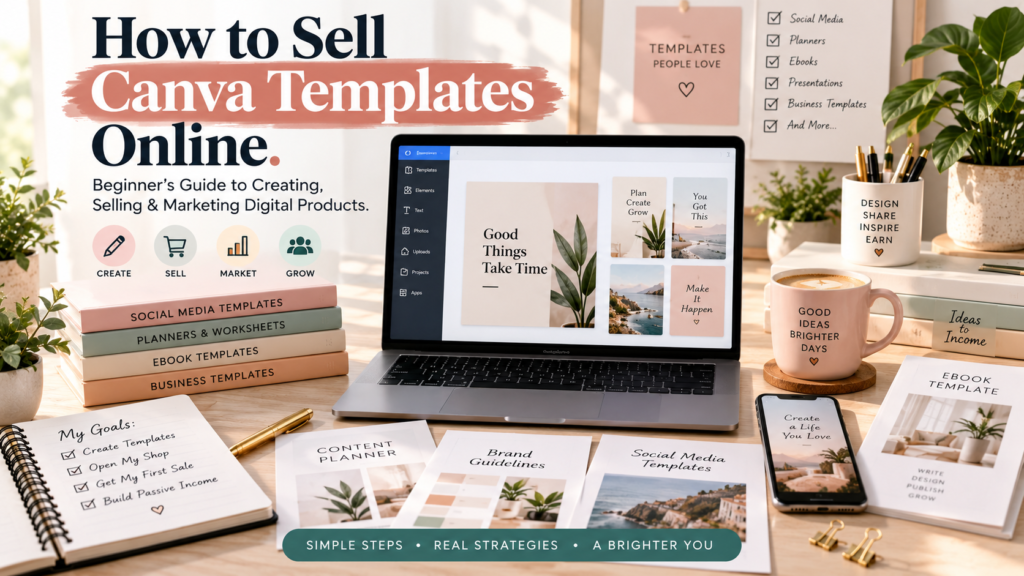
Canva makes design easy, but most people never realize their designs could become an actual product. The gap between “I made something in Canva” and “I sell Canva templates” isn’t about talent — it’s about turning a design into something a stranger can buy, understand, and use without your help.
A template that sells isn’t just pretty. It solves a specific problem for a specific person, it’s easy to customize even for someone with zero design experience, it looks professional enough to build trust, and it saves the buyer real time. Templates that miss any of these usually sit in a shop with zero views.
This guide walks through the entire process: choosing a niche, researching real customer problems, building a template that’s actually usable, understanding Canva’s licensing rules, packaging your product, picking a platform, pricing it, marketing it, and growing past your first sale. Selling templates is a legitimate digital-product business — not a shortcut to passive income. It takes the same ingredients as any small business: a good product, real demand, fair pricing, and consistent effort.
Can You Make Money Selling Canva Templates?
Yes — people do sell digital Canva templates for real income, as long as the product is an original design, the licensing is handled correctly, and the listing follows the rules of whatever platform you use. But nothing about it is guaranteed. Whether you make money depends on the size of the market you’re targeting, how good the template actually is, how much traffic your listing gets, your pricing, your competition, and how well you treat customers after the sale. Some sellers earn a meaningful side income; many earn very little because they skip research or marketing. Treat it as a business you’re building, not a lottery ticket.
What Is a Canva Template?
A Canva template is a pre-built design file that a customer opens, edits, and reuses for their own purposes — instead of designing something from a blank page. The value isn’t the finished artwork; it’s the editable structure underneath it. A good template gives the buyer a professional layout, then lets them swap in their own text, colors, photos, and branding in minutes.
That’s the key difference between a finished design and a template: a finished design is done. A template is a starting point built for someone else to finish. The easier it is to customize, the more valuable it is.
A few examples of how this plays out:
- Instagram post template → the customer swaps in their own photo and caption → publishes it in minutes instead of designing from scratch.
- Resume template → the customer replaces the placeholder text with their own work history → exports a polished PDF.
- Business planner template → the customer customizes the sections to match their business → uses it monthly to plan content or finances.
25 Canva Templates You Can Sell Online
None of these categories is guaranteed to sell — success depends on the niche, the execution, and the demand you find in your own research. But these are proven categories worth exploring:
- Instagram post templates — for creators who want a consistent feed without hiring a designer.
- Instagram carousel templates — for coaches and educators turning tips into swipeable content.
- Instagram Story templates — for brands posting daily updates and promotions.
- Pinterest pin templates — for bloggers driving traffic through visual search.
- YouTube thumbnail templates — for creators who need scroll-stopping thumbnails fast.
- Media kits — for influencers pitching brand partnerships.
- Brand kits — for small businesses that want a consistent visual identity.
- Business card templates — for freelancers and local business owners.
- Resume templates — for job seekers who want a modern, ATS-friendly layout.
- Presentation templates — for consultants and students building pitch decks.
- Ebook templates — for creators packaging knowledge into a sellable format.
- Workbook templates — for coaches delivering structured exercises to clients.
- Lead magnet templates — for marketers building an email list with a freebie.
- Content calendars — for social media managers planning client content.
- Social media planners — for creators tracking posting schedules and ideas.
- Business planners — for entrepreneurs managing goals, budgets, and tasks.
- Invoice templates — for freelancers who need to look professional when billing.
- Proposal templates — for service providers pitching new clients.
- Real estate templates — for agents marketing listings and open houses.
- Restaurant/social templates — for local restaurants promoting menus and specials.
- Coach templates — for life, health, or business coaches running client programs.
- Wedding templates — for couples and planners building invitations and signage.
- Teacher/education templates — for educators creating worksheets and classroom materials.
- Printable planners — for households managing routines, budgets, and meal plans.
- Small-business marketing bundles — for owners who need a full marketing kit in one purchase.
For each category, think through: who exactly is buying this, what problem it solves for them, what pages or elements need to be included, and whether it could later expand into a bundle.
💡 Want More Ways to Make Money With AI?
Selling Canva templates is one way to build a digital-product business, but there are many other ways creators and freelancers are using AI to create products, content, and income opportunities.
My ebook “How to Make Money With AI” explores practical ideas and strategies for beginners who want to turn AI into a useful part of their online business.
👉 [Get “How to Make Money With AI” and start building your digital-income strategy]
Step 1: Choose a Specific Canva Template Niche
Beginners often try to design “for everyone,” which usually means the product resonates with no one. Specificity makes both the product and the marketing easier.
Use this formula: specific audience + specific problem + specific template = stronger positioning.
Instead of “Social Media Templates,” try “Instagram Templates for Beauty Salon Owners.” Instead of “Business Planner,” try “Weekly Business Planner for Freelancers.” A niche template is easier to find in search, easier to price with confidence, and easier to market because you know exactly who you’re talking to.
Step 2: Find Out What Your Customers Actually Need
Before designing anything, research what real people are struggling with. Good places to look:
- Etsy’s search-suggestion dropdown, which reflects what buyers are actively typing.
- Google’s autocomplete and “people also ask” sections.
- Pinterest search trends for your niche.
- Reddit and Facebook groups where your target customer hangs out.
- YouTube comments on tutorials related to your niche.
- Reviews on competing products — especially complaints.
The goal here is not to copy what other sellers are making. It’s to uncover problems and unmet needs — a gap in what’s currently available, a complaint about how hard something is to edit, or a request nobody has answered yet. Designs you find in this research are reference points for the market, not blueprints to duplicate.
Step 3: Create Your Canva Template
A practical build workflow:
- Define the product — what specific outcome does this template deliver for the buyer?
- Plan the pages — sketch out every page or slide before opening Canva.
- Choose dimensions — match the platform or use case (1080×1080 for Instagram, standard print sizes for planners, etc.).
- Create a visual style — pick a consistent color palette, font pairing, and layout system.
- Design the first template — build the core page fully before duplicating.
- Duplicate and adapt pages — reuse the system across variations rather than starting from scratch each time.
- Make text easy to edit — use clear placeholder text and simple text boxes rather than complex grouped elements.
- Keep layouts consistent — repeated structure builds trust and speeds up customer editing.
- Check spacing and alignment — inconsistent margins are one of the fastest ways a template looks amateur.
- Test every page — open it as if you were the customer and try to break it.
Design for the customer’s actual workflow — how they’ll open it, what they’ll change, and how they’ll export it — not just how it looks in the preview image.
What Makes a Canva Template Worth Buying?
Use this checklist before publishing:
- Professional typography (no more than 2–3 fonts, clear hierarchy)
- Consistent spacing and alignment across every page
- Clear visual hierarchy — the most important element stands out
- Genuinely easy editing (no locked or confusing groups)
- A page structure that matches how the customer will actually use it
- Balanced, uncluttered layouts
- Correct dimensions for the intended platform
- Clear written instructions included
- More than one style variation where relevant
- Practical customization options (color swaps, layout flexibility)
Do You Need Canva Pro to Sell Templates?
You can build and sell templates with a Canva Free account, but Canva Pro gives you access to more premium elements, brand-kit tools, background remover, and a larger content library — all of which can speed up production and improve quality.
According to Canva’s own help documentation, sellers can use a combination of Free and Pro content, but Pro content can only be used in templates that are shared as Canva template links rather than exported and sold as flat files. Canva Pro gives you more creative tools, but it does not automatically grant permission to resell Canva’s content — the licensing rules that govern what you can sell apply the same way regardless of your subscription tier. Because Canva updates its plans and features periodically, check Canva’s current pricing page before assuming a specific feature is included.
Canva Licensing: What You Need to Know Before Selling Templates
This is the section beginners skip and regret skipping. Get the basics right before you publish anything.
Canva’s own guidance states that existing templates in Canva’s library cannot be resold as-is, and that the safest approach is to build a template from scratch, adding your own text, fonts, or modified colors and layout elements. In other words: your original design work is yours to sell, but individual Canva-provided elements, stock photos, and pre-made templates are licensed to you for use in your designs — not for resale on a standalone basis.
Canva’s help center specifically notes that Pro content can only be used in template designs when they’re shared as Canva template links, rather than exported as flat downloadable files. That distinction matters: a downloadable PDF or PNG containing Pro elements is treated differently than a live Canva template link the customer opens inside their own Canva account.
A few practical rules to keep in mind:
- Your original layout, structure, and creative choices are your intellectual property. Individual Canva stock elements are not.
- Don’t claim Canva-provided content as entirely your own creation.
- Don’t repackage individual Canva assets (a single graphic, photo, or icon) and sell them as a standalone product.
- Third-party or branded content inside Canva (like licensed character sets) often carries additional restrictions beyond Canva’s general terms.
- If your template includes Pro content, plan to deliver it as a Canva template link rather than an exported file.
This is general educational information, not legal advice. Canva licensing terms can change, so review Canva’s current official Content License Agreement and help documentation before publishing any product for sale.
Step 4: How Customers Receive Your Canva Template
A typical delivery flow looks like this:
Customer purchases → receives instructions (usually a PDF) → opens the template link → makes their own editable copy → customizes their design → exports the finished file.
Most sellers deliver a short instruction PDF that includes the Canva template link, a quick walkthrough of how to make an editable copy (“Use template” in Canva creates a personal copy for the buyer), and basic troubleshooting. Keep the instructions simple enough that a non-designer can follow them without contacting you.
Always structure delivery in a way that respects Canva’s current sharing and licensing rules — particularly the Pro-content rule mentioned above — rather than looking for workarounds that export restricted content as flat files.
Step 5: Where Can You Sell Canva Templates?
There’s no single “best” platform — each fits a different kind of seller.
Etsy puts your product in front of an existing marketplace of buyers actively searching for templates, but you’re competing directly with thousands of other listings and paying marketplace fees on every sale.
Gumroad is built for creators who already have or are building their own audience — it’s simple to set up a product page and share a direct link, but you’re responsible for bringing your own traffic.
Payhip offers a similar direct-selling setup to Gumroad, with a storefront and lower baseline fees on its free tier, and includes automatic EU/UK VAT handling.
Shopify gives you full control over your storefront and branding, along with more customization, but it takes more setup and typically involves a recurring subscription cost.
Your own website gives you complete ownership of your brand, your email list, and your SEO — but it depends entirely on you generating your own traffic.
Platform fees and policies change over time — verify current rates before pricing your products, since even small percentage differences add up.
| Platform | Best For | Main Advantage | Main Challenge |
|---|---|---|---|
| Etsy | Sellers who want built-in buyer traffic | Existing marketplace demand and search | High competition, marketplace fees |
| Gumroad | Creators with their own audience | Simple setup, direct-to-creator selling | No built-in discovery traffic |
| Payhip | Beginners wanting low-cost entry | Free tier with relatively low fees, built-in VAT handling | Smaller brand recognition than Etsy |
| Shopify | Sellers who want a full branded store | Maximum control and scalability | More setup, ongoing subscription cost |
| Own website | Creators building a long-term brand | Full ownership of audience and SEO | Requires you to generate your own traffic |
As of 2026, Etsy’s core seller fees include a $0.20 listing fee per item, a 6.5% transaction fee on the total order amount, and roughly 3% + $0.25 in US payment processing, with optional Offsite Ads fees that apply only when a sale comes through an Etsy-placed ad. Gumroad’s standard fee structure in 2026 is 10% plus $0.50 per direct sale, with a flat 30% fee on sales that come through Gumroad’s Discover marketplace, plus standard card-processing fees on top. Payhip runs three tiers — a free plan with a 5% transaction fee, a $29/month Plus plan at 2%, and a $99/month Pro plan with 0% transaction fees, with standard payment-processor fees applying on every tier. These numbers can and do change, so confirm current rates directly on each platform before finalizing your pricing.
How to Sell Canva Templates on Etsy
- Choose your niche and target customer.
- Create the template following the quality checklist above.
- Prepare delivery files and instructions.
- Create clear, accurate preview images.
- Write a listing using a problem → solution → what’s included structure.
- Research and choose relevant keywords for your title and tags.
- Set a price based on your research (see the pricing section below).
- Add clear delivery instructions to the listing.
- Publish the listing.
- Promote it and refine based on views, favorites, and sales data.
Etsy’s fees and policies can change, and getting traffic on Etsy is not automatic — success depends on your niche, your listing quality, and ongoing SEO effort inside the platform.
How to Sell Canva Templates on Gumroad
- Create a free Gumroad account.
- Create a new product listing.
- Upload your delivery file (typically an instruction PDF with your template link).
- Write a clear product description.
- Add preview images showing the template in use.
- Set your price.
- Publish the product.
- Share your product page through your own marketing channels — Gumroad doesn’t bring you built-in browsing traffic the way Etsy does.
Gumroad’s specific interface and features can change over time, so check the current setup flow when you create your account.
How to Create a Canva Template Listing That Converts
Product title: specific and descriptive, not generic — name the audience and the format (“Weekly Content Planner Template for Coaches” beats “Planner Template”).
Product description: follow a Problem → Solution → What’s Included → Who It’s For → How It Works structure. Open by naming the problem your buyer has, explain how the template solves it, list exactly what’s included, describe who it’s built for, and explain how delivery and editing work.
Preview images: show the actual template pages, a before/after example of a customized version, a clear breakdown of what’s included, and — where relevant — different style variations. Every image should accurately represent the real product.
Customer instructions: clearly explain how the buyer will access and use the product, written for someone who’s never used Canva before.
Avoid manipulative or misleading claims anywhere in the listing — accurate previews and honest descriptions build trust and reduce refund requests.
How to Make Canva Template Mockups
Mockups help buyers visualize the product before purchasing. Useful mockup types include:
- Laptop and phone mockups showing the template in use
- Printed-page mockups for planners and worksheets
- Instagram feed previews for social templates
- Pinterest pin previews
- Business document mockups (invoices, proposals, business cards)
Keep every mockup an accurate representation of what the buyer will actually receive.
How Much Should You Charge for Canva Templates?
Pricing depends on several factors: how many templates are included, the complexity of the design, your niche, the value it delivers to the customer, how customizable it is, bundle size, competitor pricing, and how much support you offer.
These are illustrative price ranges only — not guaranteed market prices, and not a promise that any specific price will sell:
- Single template: often priced modestly, reflecting a simple, single-use product.
- Small bundle (a handful of related templates): priced higher to reflect added variety and value.
- Large bundle (a full set covering multiple use cases): priced for the time and coordination it saves the buyer.
- Complete business kit (branding, social, planning, and marketing templates together): priced as a premium, comprehensive solution.
No price point guarantees sales — pricing should reflect the actual value delivered and be tested against real market response.
Turn One Canva Template Into a Product Bundle
A single Instagram post template can expand naturally: Instagram Post Template → Instagram Story Templates → Carousel Templates → Pinterest Templates → Content Calendar → Caption Planner → Complete Social Media Kit.
Each addition should genuinely increase the customer’s value — extend a related use case rather than padding the bundle with unnecessary pages just to raise the price.
Step 6: How to Market Canva Templates
- Pinterest — a strong fit for templates because of its visual, long-lasting search behavior; pins can keep driving traffic long after you post them.
- Instagram — show template previews, before/after transformations, and educational content about your niche.
- TikTok/Reels — short before-and-after customization clips perform well and show the product in action.
- YouTube — tutorial-style videos demonstrating how to use your templates build trust and search visibility.
- Facebook groups — participate genuinely in relevant communities rather than dropping links repeatedly.
- Blog SEO — write helpful articles that target your customer’s actual problems, not just your product.
- Email marketing — offer a free template as a lead magnet to build an audience you can market to directly.
- Direct outreach — ethical, personalized outreach to relevant small businesses can work, but mass unsolicited messaging (spam) damages your reputation and often violates platform rules.
How to Use Your Blog to Sell Canva Templates
Since this article lives on Inspire and Ink, here’s how a blog fits into the sales funnel: Google Search → Helpful Blog Article → Free Canva Template → Email Signup → Paid Template Bundle → Related Digital Product.
For example: someone searches “how to plan Instagram content as a freelancer.” They land on a blog post with genuinely useful tips. Inside that post, a free content-calendar template is offered in exchange for an email signup. Once they’re on your list, you can introduce your paid social media template bundle, and later, a related product like an ebook or a second bundle for a different platform.
(For related reading on Inspire and Ink: [Internal link: Canva Digital Product Ideas], [Internal link: 25 Canva Digital Products].)
How to Give Canva Template Customers a Great Experience
- Write clear, step-by-step instructions.
- Make access easy — don’t hide the delivery link behind confusing steps.
- Keep preview images accurate to the real product.
- Organize files logically so customers aren’t hunting for what they bought.
- Include a short FAQ addressing common editing questions.
- Communicate professionally and promptly when customers reach out.
- Offer basic troubleshooting guidance for common issues.
- Update products when Canva’s interface or your template needs revisions.
Customer experience directly influences reviews, repeat purchases, and word-of-mouth — often more than the design itself.
12 Mistakes Beginners Make When Selling Canva Templates
- Targeting “everyone” instead of a specific customer.
- Creating products without researching real demand.
- Copying competitors’ designs instead of solving a genuine problem.
- Using copyrighted material without proper rights.
- Ignoring Canva’s licensing rules.
- Building templates that are difficult to edit.
- Using poor-quality or unrealistic preview images.
- Writing weak, vague product descriptions.
- Pricing randomly instead of researching the market.
- Launching too many products too quickly instead of validating one first.
- Marketing inconsistently or not at all.
- Expecting instant, passive income with no ongoing effort.
Copyright and Trademark Mistakes to Avoid
- Don’t copy another seller’s template design.
- Don’t use copyrighted images without the appropriate license or rights.
- Don’t use celebrity images or likenesses without permission.
- Don’t build products around protected characters, franchises, or brands without appropriate rights.
- Be careful with trademarked names and phrases in your listings.
- Verify commercial-use rights for any fonts, photos, or graphics sourced outside Canva as well.
This is general educational information, not legal advice. When in doubt, consult a professional or the platform’s official policy pages.
Your First 30 Days Selling Canva Templates
Week 1 — Research: choose your niche, identify your audience, research their problems, and study what’s already on the market.
Week 2 — Create: choose your first product, design the templates, test them for usability, and create your preview images.
Week 3 — Launch: choose a platform, write your listing, add delivery instructions, set your price, and publish.
Week 4 — Promote: start posting on Pinterest, publish supporting social content, write a related blog article, begin building an email list, collect early feedback, and improve the product based on what you learn.
This is a realistic pace for someone building this alongside a job or other commitments — not a guarantee of results within 30 days.
How to Grow a Canva Template Business
Stage 1: launch one genuinely useful product. Stage 2: create related products once the first proves demand. Stage 3: build those products into bundles. Stage 4: develop a recognizable niche and shop identity. Stage 5: create content that consistently attracts new customers. Stage 6: build an email audience you own outside any single platform. Stage 7: add complementary digital products once you understand what your audience wants.
Scaling should be driven by quality, real customer needs, and repeatable systems — not by rushing to publish hundreds of templates.
How Much Money Can You Make Selling Canva Templates?
There’s no reliable, universal number here, and be skeptical of anyone who claims one. Revenue depends on how many products you have, your pricing, the traffic you generate, your conversion rate, your audience size, product quality, competition, how consistently you market, and repeat customers.
It’s also important to separate revenue from profit. Platform fees, payment-processing fees, any advertising spend, software or subscription costs, and the time you invest all reduce what you actually take home. A template business can be a legitimate income stream, but it requires ongoing effort — it is not a guaranteed or fully passive source of income.
Frequently Asked Questions
Can I sell Canva templates online?
Yes, as long as your design is original, your licensing is handled correctly, and your chosen platform’s policies are followed.
How do I sell Canva templates?
Design an original template, package it with clear delivery instructions, list it on a platform like Etsy, Gumroad, or Payhip, and market it to your target audience.
Can I sell Canva templates on Etsy?
Yes. Etsy is one of the most common marketplaces for template sellers, though you’ll be competing with many existing listings and paying marketplace fees.
Can I sell Canva templates on Gumroad?
Yes. Gumroad works well for creators who already have an audience to send to their product page directly.
Can I sell Canva templates on Payhip?
Yes. Payhip offers a free tier with a transaction fee, plus paid tiers that lower that fee as your sales grow.
Do I need Canva Pro to sell templates?
No, but Canva Pro gives access to more premium content and tools. Either way, check Canva’s current licensing terms — Pro content generally has to be shared as a template link rather than an exported file.
How much should I charge for Canva templates?
There’s no fixed number — price based on your niche, complexity, bundle size, and competitor research, and treat any price range as a starting point to test, not a guarantee.
What Canva templates sell well?
There’s no category that’s guaranteed to sell — social media, planner, and business-kit templates are popular, but success depends on how well you serve a specific audience’s needs.
How do customers receive Canva templates?
Most sellers deliver an instruction file containing a Canva template link the buyer opens to make their own editable copy.
Can I sell Canva templates made with free Canva elements?
Free content generally carries fewer restrictions than Pro content, but the same core rule applies — your product needs to be an original design, not a resale of Canva’s content on a standalone basis. Check Canva’s current licensing terms to confirm specifics.
Can I make money selling Canva templates?
Yes, it’s possible, but it’s not guaranteed — it depends on product quality, demand, marketing, and consistency, just like any small business.
How do I market Canva templates?
Combine visual platforms like Pinterest and Instagram, tutorial content on YouTube or TikTok, blog SEO, and email marketing to reach and convert your target audience.
Is selling Canva templates passive income?
Not really, especially at the start. It requires upfront design work and ongoing marketing, customer support, and product updates.
How do I create editable Canva templates?
Build an original layout in Canva with clear, simple text boxes and consistent structure, then share it as a Canva template link so buyers can make their own editable copy.
Conclusion
You don’t need hundreds of templates to get started — you need one niche, one audience, one clear problem, one useful template, one platform, and one marketing channel you can commit to consistently.
Start there, publish, and treat your first product as a test. Watch how customers respond, ask for feedback, refine the design and the listing, and only then start expanding into bundles and additional products. A template business built this way — on real demand and genuine usefulness — tends to hold up better than one built on guesswork.
If you’re exploring other ways to build a digital-product business, take a look at more Canva, AI, Amazon KDP, and blogging resources here on Inspire and Ink — and if you want more ideas for using AI in your own online business, my ebook “How to Make Money With AI” is a good next step.
👉 [Get “How to Make Money With AI” and start building your digital-income strategy]
A quick note before you publish: platform fees and Canva’s licensing terms can and do change, so double-check the current official documentation from Canva, Etsy, Gumroad, and Payhip before finalizing any factual claims in this post.