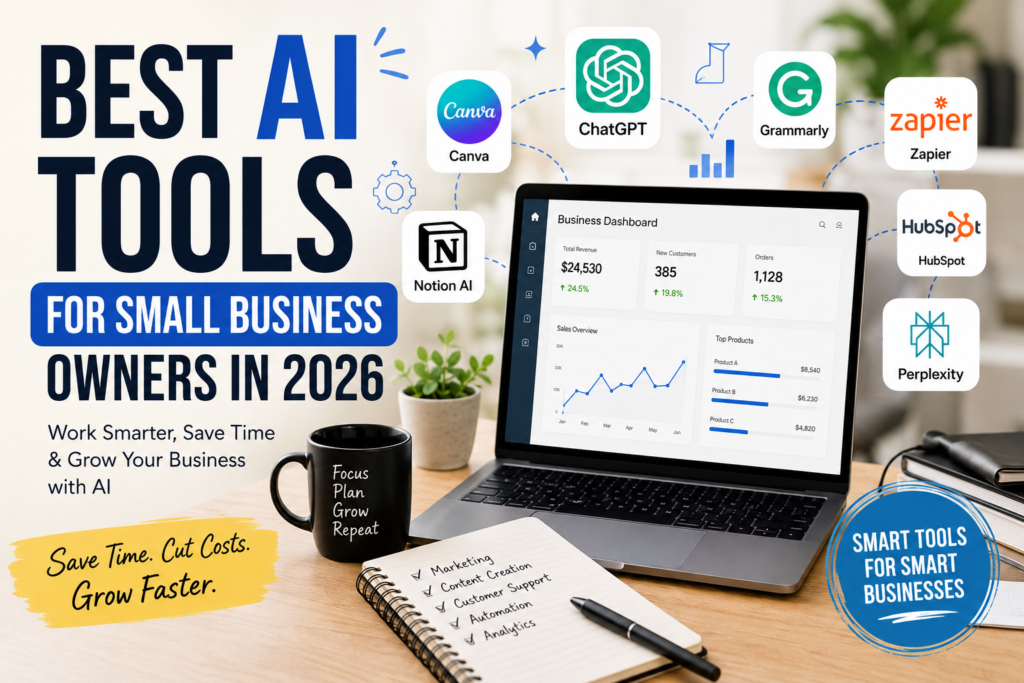
Best AI Tools for Small Business Owners in 2026
Running a small business is exciting…
But let’s be honest—it can also be exhausting.
One moment you’re replying to customer emails. The next, you’re creating social media posts, updating your website, managing invoices, handling marketing, and trying to remember whether you actually ate lunch.
Sound familiar?
Most small business owners wear far too many hats.
You’re the CEO, marketer, customer support representative, accountant, content creator, and sometimes even the delivery person.
That’s exactly why AI has become such a game changer.
Not because it replaces people.
But because it takes care of the repetitive tasks that quietly eat up your day.
A few months ago, I spoke with a friend who runs a small online store. Every evening she spent nearly three hours writing product descriptions, answering customer questions, and creating Instagram captions.
After introducing just three AI tools into her workflow, she cut that time to less than an hour.
She didn’t hire another employee.
She simply worked smarter.
Stories like that are becoming more common.
The businesses growing the fastest in 2026 aren’t always the ones with the biggest budgets.
They’re often the ones using technology wisely.
The good news is you don’t need to spend thousands of dollars on expensive software.
Many AI tools offer generous free plans, while others cost less than what you’d spend on a few cups of coffee each month.
If you’re wondering which tools are actually worth using—and which are mostly hype—this guide is for you.
I’ve selected AI tools that solve real problems for small business owners, whether you’re running an online store, freelancing, selling digital products, offering services, or managing a local business.
Let’s dive in.
Why AI Is Becoming Essential for Small Businesses
A few years ago, artificial intelligence felt like something only big companies could afford.
Today, that’s changed completely.
Small businesses now have access to tools that can write content, answer customer questions, design graphics, organize projects, analyze data, and even generate marketing ideas within minutes.
The biggest advantage isn’t replacing people.
It’s giving you back your time.
Think about all the little tasks you repeat every single week:
- Writing emails
- Creating social media captions
- Brainstorming blog ideas
- Responding to customer inquiries
- Designing promotional graphics
- Organizing projects
- Researching competitors
Individually, these jobs don’t seem huge.
Together, they can easily consume 15–20 hours every week.
AI helps reduce that workload so you can focus on growing your business instead of constantly putting out fires.
1. ChatGPT – Your Everyday Business Assistant
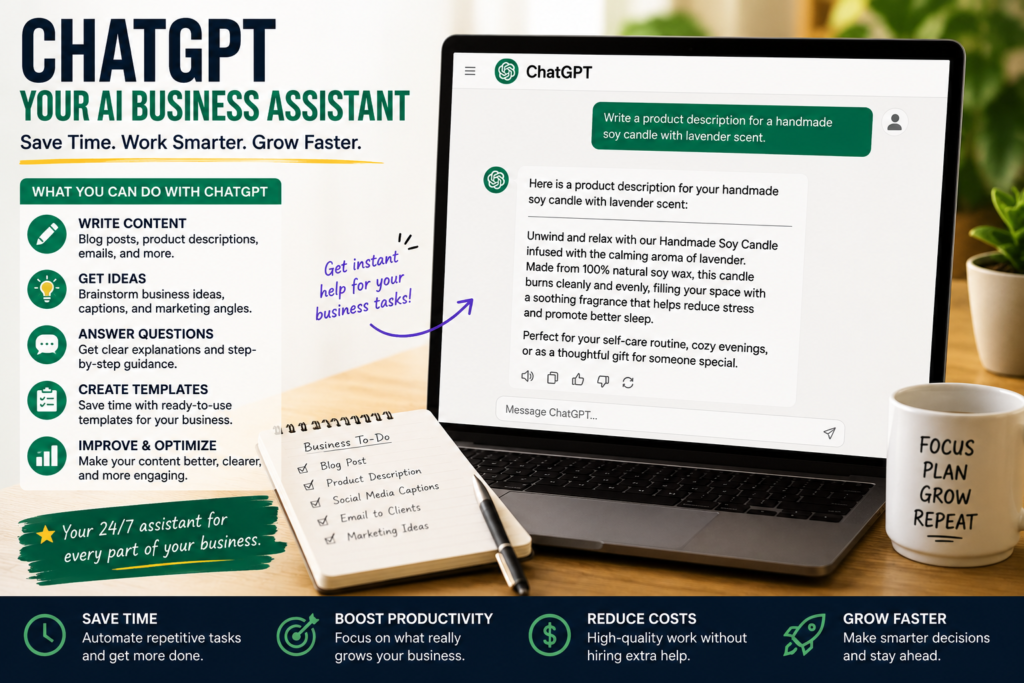
If I had to recommend just one AI tool for most small business owners, ChatGPT would probably be my first choice.
The reason is simple.
It’s incredibly flexible.
One day you might use it to write product descriptions.
The next day you’re asking it to draft customer emails, brainstorm marketing ideas, create blog outlines, or explain a complicated business concept in plain English.
It quickly becomes the tool you open dozens of times throughout the day.
Real-Life Example
Imagine you own a handmade candle business.
Instead of spending 45 minutes writing product descriptions for ten new candles, you can ask ChatGPT to create engaging descriptions based on scent, ingredients, and target customers.
Then you simply edit the results to match your brand voice.
That small change alone can save hours every month.
Best Ways to Use ChatGPT
- Blog writing
- Product descriptions
- Email drafts
- Customer support replies
- Marketing ideas
- SEO content outlines
- Social media captions
- Brainstorming new products
Pro Tip: Don’t copy AI responses word for word. Add your own personality, experiences, and examples to make your content feel authentic.
2. Canva AI – Create Professional Designs Without Hiring a Designer
Not every small business has the budget for a full-time graphic designer.
That’s where Canva AI shines.
Even if you’ve never designed anything before, Canva makes creating professional visuals surprisingly easy.
Its AI features can generate:
- Social media posts
- Flyers
- Business presentations
- Product mockups
- Logos
- Marketing banners
- Infographics
One feature I especially like is Magic Design.
You enter a simple prompt, and Canva generates multiple design ideas within seconds.
Instead of staring at a blank canvas wondering where to start, you already have several polished layouts ready to customize.
Practical Example
Let’s say you’re launching a weekend sale.
Instead of spending two hours designing Instagram graphics, Facebook banners, and promotional posters, Canva AI helps create everything in one place.
That means more time promoting your sale—and less time worrying about fonts and colors.
Best For
- Online stores
- Coaches
- Freelancers
- Bloggers
- Local businesses
- Restaurants
- Digital product sellers
3. Grammarly – Write Like a Professional
Whether you’re replying to customers or writing blog posts, your words represent your business.
Small grammar mistakes probably won’t ruin your reputation.
But clear, professional communication builds trust.
That’s why Grammarly remains one of my favorite productivity tools.
It catches:
- Grammar mistakes
- Spelling errors
- Awkward sentences
- Unclear wording
- Tone issues
I still run important emails through Grammarly before sending them.
Not because my English is terrible.
Because it’s easy to overlook mistakes after reading your own writing several times.
Best Uses
- Customer emails
- Sales pages
- Blog articles
- Business proposals
- Website copy
- Social media captions
It’s like having an editor quietly checking your work before anyone else sees it.
4. Notion AI – Keep Your Business Organized
Running a business often feels like juggling dozens of tasks at once.
Ideas end up in notebooks.
Deadlines get buried in emails.
Meeting notes disappear somewhere in Google Drive.
I’ve been there.
That’s why organization matters more than most people realize.
Notion helps keep everything in one place.
Its AI features make things even easier by helping you:
- Summarize meeting notes
- Generate task lists
- Organize projects
- Plan content calendars
- Brainstorm ideas
Instead of jumping between five different apps, you have one workspace for your business.
Example
Imagine you’re planning a product launch.
Inside Notion, you can create one dashboard containing:
- Marketing checklist
- Launch timeline
- Product ideas
- Customer feedback
- Team tasks
- Social media schedule
Everything stays organized, making the entire process much less stressful.
Best For
- Project management
- Content planning
- Team collaboration
- Business documentation
- Productivity
5. Perplexity AI – Smarter Business Research
Google is still useful.
But sometimes searching through ten different websites just to answer one question gets frustrating.
That’s where Perplexity AI stands out.
Instead of giving vague answers, it provides detailed responses along with sources.
That makes it incredibly useful for business research.
For example, you might ask:
- What are current ecommerce trends?
- How are competitors using AI?
- What marketing strategies work for local businesses?
- What’s changing in SEO this year?
Rather than spending an hour reading multiple articles, you get a well-organized summary with links to the original sources.
Real Example
Suppose you’re thinking about selling digital planners.
Before investing time creating products, you can research market trends, customer demand, pricing strategies, and competitors much faster using Perplexity.
Better research often leads to better business decisions.
Best Uses
- Market research
- Competitor analysis
- Industry trends
- SEO research
- Business planning
- Fact-checking
How to Choose the Right AI Tool
One mistake I see often is business owners signing up for every AI platform they hear about.
A week later, they’re overwhelmed.
Instead, start small.
Ask yourself:
- What’s the task I spend the most time doing?
- Which part of my business feels repetitive?
- Where am I losing the most productivity?
If writing content takes hours, start with ChatGPT.
If design slows you down, Canva AI is probably the better choice.
If organization is your biggest challenge, begin with Notion AI.
The goal isn’t to collect AI tools.
The goal is to solve real business problems.
And sometimes one good tool is far more valuable than ten average ones.
6. Zapier AI – Automate the Busywork
If you’ve ever caught yourself doing the same task over and over again, you’re probably a good candidate for automation.
That’s exactly what Zapier does.
Think of it as a digital assistant that helps your apps talk to each other.
For example:
Someone fills out your contact form.
Instead of manually copying their details into a spreadsheet, sending a welcome email, and creating a task in your project manager, Zapier can do all of that automatically.
The first time I set up an automation like this, I remember thinking, “Why didn’t I do this months ago?”
It’s one of those tools that quietly saves you hours every week without you even noticing.
Great Uses for Small Businesses
- Automatically save leads
- Send welcome emails
- Connect online forms to spreadsheets
- Notify your team about new orders
- Automate repetitive workflows
The setup takes a little time, but once it’s running, you’ll wonder how you managed without it.
7. Gamma – Build Professional Presentations in Minutes
Creating presentations isn’t difficult.
Starting them usually is.
That blank slide can feel surprisingly intimidating.
Gamma removes that problem.
Instead of designing every slide yourself, you simply describe your topic, and it creates a polished presentation with layouts, images, and structure.
For example, if you’re pitching your business to a new client, Gamma can build the first draft in minutes.
Of course, you’ll still want to personalize it, but starting with a strong foundation saves a lot of time.
Best For
- Sales presentations
- Business proposals
- Investor decks
- Training materials
- Client meetings
8. Otter.ai – Never Miss Important Meeting Notes Again
Have you ever finished a client meeting and immediately forgotten half of what was discussed?
It happens more often than we’d like to admit.
Otter records conversations and turns them into searchable notes.
Instead of trying to write everything while also paying attention, you can stay focused on the discussion.
Later, you can review the transcript and even search for specific topics.
If you regularly meet clients, freelancers, or team members, this tool can be incredibly useful.
Best For
- Client meetings
- Team discussions
- Brainstorming sessions
- Online consultations
- Interview notes
9. Claude – Excellent for Long Documents
While ChatGPT is incredibly versatile, Claude shines when you’re working with long documents.
I’ve found it particularly useful for reviewing lengthy reports, contracts, ebooks, and business plans.
Instead of reading dozens of pages yourself, you can ask Claude to:
- summarize key points
- identify missing information
- rewrite complicated sections
- suggest improvements
It’s like having someone read the document with you and point out the important parts.
Best For
- Business plans
- Policy documents
- Long reports
- Ebook editing
- Proposal reviews
10. Midjourney or AI Image Generators – Create Unique Marketing Visuals
Visual content matters.
Whether you’re posting on Instagram, creating blog graphics, or promoting a new product, attractive images grab attention.
AI image generators make it possible to create custom visuals without hiring an illustrator or buying stock photos.
For example, a bakery could generate seasonal promotional artwork.
A coach could create motivational graphics.
A blogger could design unique feature images for articles.
The important thing is to use AI-generated visuals as part of your branding—not to mislead customers.
Best For
- Blog images
- Social media graphics
- Marketing campaigns
- Product concepts
- Creative advertising
11. MailerLite AI – Make Email Marketing Easier
Email marketing is still one of the highest-return marketing channels for small businesses.
The challenge?
Actually writing the emails.
MailerLite includes AI features that help you draft newsletters, subject lines, and promotional emails much faster.
Instead of staring at a blank screen, you have something to build on.
That small boost often makes the difference between sending your newsletter… and putting it off for another week.
Best For
- Welcome emails
- Product launches
- Weekly newsletters
- Promotional campaigns
- Customer follow-ups
12. HubSpot AI – Better Customer Relationships
As your business grows, keeping track of customers becomes harder.
Who contacted you last week?
Which lead requested a quote?
Who needs a follow-up?
HubSpot helps organize all of this.
Its AI features can summarize conversations, draft follow-up emails, and help prioritize sales opportunities.
Even if you’re a one-person business today, building good customer management habits early pays off later.
Best For
- Lead management
- Customer communication
- Sales tracking
- Follow-up reminders
- CRM organization
How to Choose the Right AI Tools for Your Business
One question I hear a lot is:
“Which AI tool should I start with?”
The honest answer is—it depends on your biggest challenge.
Ask yourself:
If I could save five hours every week, where would those hours come from?
If your answer is writing, start with ChatGPT.
If it’s design, choose Canva.
If organization is your weakness, try Notion.
If repetitive admin work is driving you crazy, explore Zapier.
The goal isn’t to use every AI tool available.
It’s to find the few that genuinely make your business easier to run.
Common Mistakes Small Business Owners Make With AI
AI can be incredibly helpful, but it’s not perfect.
Here are a few mistakes worth avoiding.
Copying AI Content Without Editing
Your customers want to hear your voice.
Use AI to speed up writing, then add your own stories, examples, and personality.
That’s what builds trust.
Trying Too Many Tools
It’s tempting to sign up for every new AI platform.
But more tools don’t always mean better productivity.
Start with two or three.
Learn them well.
Then expand if needed.
Forgetting the Human Touch
AI is excellent at saving time.
It’s not great at replacing genuine relationships.
Customer service, empathy, creativity, and personal experience still matter.
Those are things AI can’t fully replicate.
Ignoring Data Privacy
Before uploading sensitive business information into any AI platform, read its privacy policy.
This is especially important if you work with confidential client data.
My Recommended AI Stack for Small Businesses
If you’re starting from scratch, here’s the combination I’d recommend.
- ChatGPT – Writing, brainstorming, customer communication
- Canva AI – Marketing graphics and presentations
- Grammarly – Professional writing
- Notion AI – Planning and organization
- Zapier – Automation
- Perplexity – Research
Together, these tools cover most of the daily tasks a small business owner handles.
And the best part?
Many of them offer generous free plans, so you don’t have to invest heavily right away.
Frequently Asked Questions
Are AI tools worth paying for?
If a tool saves you several hours every month, the subscription often pays for itself.
Start with free plans and upgrade only when you genuinely need more features.
Can AI replace employees?
Not really.
AI works best as an assistant.
It handles repetitive tasks so people can focus on creativity, decision-making, and customer relationships.
Which AI tool is best for marketing?
For most small businesses, ChatGPT and Canva AI make a powerful combination.
One helps create content, while the other turns those ideas into eye-catching visuals.
Is AI difficult to learn?
Most modern AI tools are surprisingly beginner-friendly.
If you can use Google, you can probably learn the basics of AI in an afternoon.
Will AI continue changing small businesses?
Absolutely.
Businesses that learn how to use AI effectively are likely to save time, improve customer service, and compete more efficiently over the coming years.
Final Thoughts
Running a small business has never been easy.
There will always be emails to answer, products to improve, customers to support, and new ideas to test.
AI won’t remove those responsibilities.
But it can take many of the repetitive tasks off your plate.
That means you spend less time doing busywork and more time growing your business.
If you’re just beginning, don’t feel pressured to learn everything at once.
Pick one tool.
Use it for a couple of weeks.
Notice how much time it saves.
Then add another.
Small improvements add up.
The businesses that succeed in the next few years probably won’t be the ones using the most AI.
They’ll be the ones using it thoughtfully.
At the end of the day, AI is simply another tool.
Your creativity, your expertise, and the way you serve your customers are still what make your business unique.
Use AI to support those strengths—not replace them.