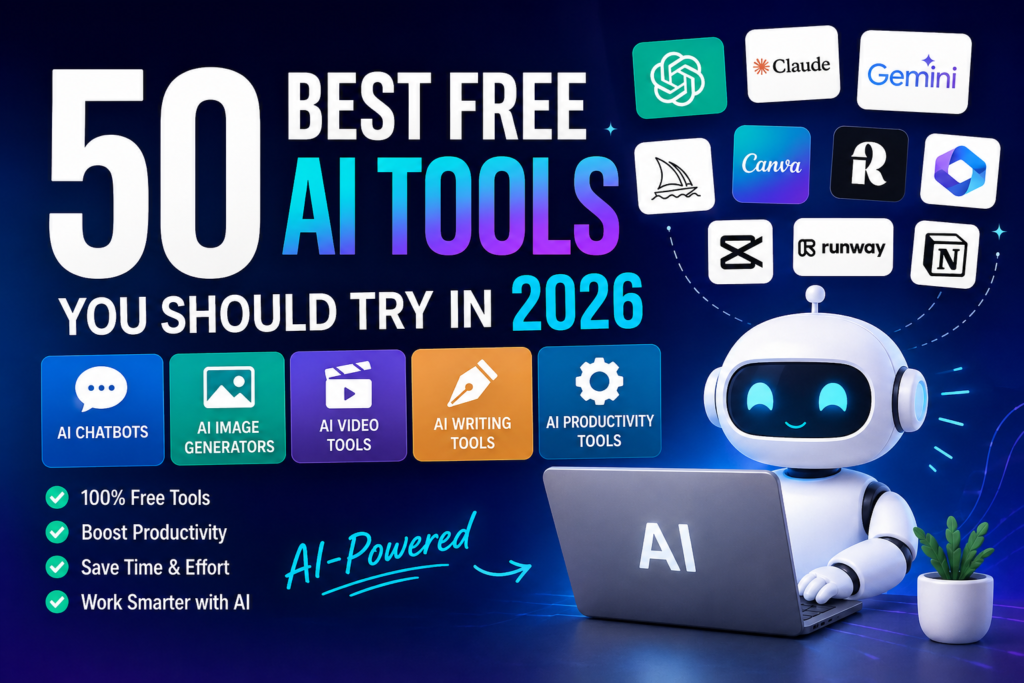
50 Best Free AI Tools You Should Try in 2026
Artificial intelligence used to feel like something only big tech companies or programmers could take advantage of. Fast forward to 2026, and that’s no longer the case. Whether you’re writing a blog post, designing social media graphics, editing videos, or simply trying to get through your daily to-do list faster, there’s probably an AI tool that can save you hours of work.
I still remember spending an entire afternoon creating a single Pinterest graphic for one of my blog posts. I had to search for stock photos, edit them, choose fonts, and tweak the design until it looked decent. Now, with the right AI tools, I can complete the same task in less than 20 minutes—and often get even better results.
That’s the real value of AI. It’s not about replacing creativity or hard work. It’s about removing the repetitive tasks so you can spend more time on the ideas that actually matter.
The problem is that there are now hundreds of AI tools available. Every week, a new platform claims to be “the next big thing.” Some are genuinely impressive, while others are little more than clever marketing.
If you’ve ever felt overwhelmed trying to decide which AI tools are actually worth your time, you’re not alone.
To make things easier, I’ve put together this list of 50 free AI tools that are genuinely useful in 2026. Many of these are tools I’ve personally explored or regularly see recommended by creators, marketers, bloggers, and freelancers who rely on AI every day.
Whether you’re a student, freelancer, blogger, YouTuber, small business owner, or simply curious about AI, you’ll almost certainly find a few tools here that can make your work easier.
Let’s get started.
Why Free AI Tools Are Worth Trying
A few years ago, using AI usually meant paying for expensive software or dealing with frustrating limitations on free plans. Thankfully, that’s changed.
Many companies now offer surprisingly generous free versions that are powerful enough for everyday tasks. You might not get every premium feature, but you can still accomplish a lot without spending anything.
For example, imagine you’re launching your first blog.
Instead of spending hours researching a topic, writing an article, designing images, creating Pinterest pins, and planning social media posts from scratch, AI can help you speed up each step of the process. You’re still making the decisions and adding your unique voice—but AI handles much of the repetitive work.
Here are just a few things modern AI tools can help with:
- Writing blog posts and articles
- Creating social media captions
- Designing graphics and presentations
- Editing videos faster
- Generating images from text prompts
- Summarizing long documents
- Brainstorming content ideas
- Organizing projects and notes
- Automating repetitive business tasks
- Learning new skills more efficiently
The biggest mistake I see beginners make is trying every AI tool they come across. In reality, you only need a handful of reliable tools that fit your workflow.
Quality matters much more than quantity.
Best Free AI Chatbots
If you’re new to AI, this is the best place to start. AI chatbots have become incredibly capable and can help with everything from writing and research to coding and brainstorming.
Each one has its own strengths, so it’s worth experimenting to find the one that matches your style of working.
1. ChatGPT
Best for: Writing, brainstorming, coding, research, and everyday productivity
If someone asked me to recommend just one AI tool to try first, ChatGPT would probably be my answer.
What makes it so useful isn’t that it writes perfect content—it doesn’t. What it does exceptionally well is help you get started.
We’ve all had those moments where we stare at a blank screen wondering what to write. Whether it’s a blog post, email, YouTube script, or business proposal, getting started is often the hardest part. ChatGPT helps break through that mental block.
I often use it to brainstorm headlines, outline articles, simplify complicated topics, or generate fresh content ideas when I feel stuck. It saves time without replacing the creative process.
Free features include:
- Writing assistance
- Brainstorming ideas
- Coding help
- Learning explanations
- Content outlines
- Email drafting
- Marketing copy
Ideal for:
- Bloggers
- Freelancers
- Students
- Content creators
- Small business owners
- Digital marketers
Pro Tip: Don’t settle for the first answer. Ask follow-up questions, request examples, or ask ChatGPT to rewrite the response in a different tone. You’ll usually get much stronger results.
2. Google Gemini
Best for: Research, Google Workspace, coding, and productivity
If you already use Google products like Gmail, Google Docs, or Google Drive every day, Gemini feels like a natural extension of that ecosystem.
One thing I appreciate is how well it handles research. Instead of opening ten browser tabs to compare information, I can ask Gemini to explain a topic, summarize key points, or organize complex information into something much easier to understand.
It’s particularly helpful when you’re learning something new or trying to understand a complicated subject without reading dozens of articles.
Why people like Gemini
- Strong research capabilities
- Helpful writing assistant
- Google Workspace integration
- Coding support
- Image understanding
Best for: Students, researchers, bloggers, and professionals who already work within Google’s ecosystem.
3. Claude AI
Best for: Long-form writing and document analysis
Claude has quietly become one of my favorite AI assistants for larger writing projects.
While many AI tools perform well with shorter responses, Claude tends to stay focused even when working with lengthy documents. If you’ve ever needed to summarize a research paper, review a long PDF, or organize messy notes into something readable, you’ll understand why so many writers recommend it.
I also like how conversational its responses feel. Instead of sounding mechanical, Claude often explains things in a calm, thoughtful way that’s easy to follow.
Claude works particularly well for:
- Long articles
- Ebooks
- Reports
- PDF summaries
- Research
- Business writing
If you’re a writer, researcher, or someone who spends a lot of time working with documents, Claude is definitely worth adding to your toolkit.
4. Microsoft Copilot
Best for: Microsoft Office users
If your work revolves around Word, Excel, Outlook, or PowerPoint, Microsoft Copilot can become a real time-saver.
Think about those repetitive tasks you probably do every week—creating presentations, organizing spreadsheets, writing meeting summaries, or cleaning up reports. Copilot is designed to make those jobs much easier.
For example, instead of manually building a PowerPoint presentation from a report, you can ask Copilot to create a first draft. You still review and improve it, but it eliminates much of the repetitive work.
Useful features include:
- Excel formula assistance
- PowerPoint creation
- Word document drafting
- Email writing
- Data summaries
It’s especially valuable for professionals, office workers, and business teams already using Microsoft 365.
5. Perplexity AI
Best for: Research and fact-checking
Perplexity has quickly become one of my favorite research tools.
When I’m writing a blog post, I don’t always want a long AI-generated answer. Sometimes I just need reliable information with sources I can verify.
That’s exactly where Perplexity shines.
Instead of simply generating text, it provides answers backed by references, making it much easier to double-check facts before publishing content.
For bloggers, students, journalists, and marketers, this can save an incredible amount of research time.
Great for:
- Research
- Fact-checking
- Industry trends
- Learning new topics
- Comparing information
One habit I’ve developed is using Perplexity for research first and then switching to ChatGPT when it’s time to organize or expand that information into an article.
Using the two together often produces much better results than relying on either one alone.
6. Grok
Best for: Real-time conversations and trending topics
If you enjoy keeping up with current events, technology news, or internet trends, Grok is worth exploring.
Because it’s designed to handle real-time conversations, it often feels more connected to what’s happening right now. I find it useful for brainstorming fresh content ideas based on trending topics or getting a quick overview of recent developments.
While I wouldn’t rely on it as my only research tool, it’s a handy option when you want a different perspective or need inspiration for timely content.
7. Poe
Best for: Comparing multiple AI models
One of the biggest challenges with AI is deciding which model to use.
Should you ask ChatGPT? Claude? Gemini? Another chatbot?
Poe solves that problem by bringing several popular AI models into a single interface. Instead of switching between different websites, you can compare answers side by side and see which one works best for your specific task.
If you’re someone who enjoys experimenting with AI, Poe can save a lot of time.
8. NotebookLM
Best for: Studying and organizing information
NotebookLM feels like having a personal study partner.
Instead of searching through pages of notes to find one important detail, you can upload your documents and simply ask questions in plain English.
Imagine preparing for an exam or researching a new business topic. Rather than rereading hundreds of pages, you can ask:
“Can you summarize the key ideas?”
or
“What are the main differences between these two documents?”
That’s where NotebookLM becomes incredibly helpful.
It’s one of those tools that quietly saves hours without you realizing it.
Best Free AI Chatbots (Continued)
9. DeepSeek
Best for: Coding, problem-solving, mathematics, and technical tasks
DeepSeek became popular surprisingly fast, especially among developers and students. At first, I assumed it was just another AI chatbot trying to compete with the big names. After spending some time with it, though, I understood why people were talking about it.
Where DeepSeek really shines is logical thinking. If you’re debugging code, solving math problems, or breaking down a complicated concept, it often provides clear, structured answers that are easy to follow.
I wouldn’t use it as my only writing assistant, but for technical work, it’s definitely worth keeping in your toolbox.
What it’s great at
- Writing and explaining code
- Solving math problems
- Logical reasoning
- Technical documentation
- Learning programming concepts
Best for: Developers, engineering students, data analysts, and anyone learning to code.
10. You.com AI
Best for: AI-powered search and productivity
If you like having search results and AI answers in one place, You.com is an interesting option.
Instead of searching Google, opening several websites, and then trying to piece everything together yourself, You.com combines traditional search with AI-generated summaries. It’s a nice balance between getting quick answers and still being able to verify the original sources.
I often recommend it to people who don’t want to rely entirely on AI-generated content but still want faster research.
Useful for:
- Web research
- Writing assistance
- Coding
- Productivity
- Quick summaries
Best Free AI Image Generators
If you’ve ever struggled to find the perfect image for a blog post or spent hours designing a Pinterest pin, you’ll appreciate how far AI image generators have come.
A few years ago, creating custom graphics usually meant hiring a designer or learning Photoshop. Today, you can describe an image in plain English and have several versions ready in under a minute.
That doesn’t mean every image is perfect on the first try. In my experience, writing a good prompt still makes a huge difference. The more specific you are, the better your results will be.
Let’s look at some of the best free options.
11. Canva AI
Best for: Bloggers, social media creators, small businesses, and beginners
If I could only recommend one design tool to beginners, Canva would still be my first choice.
The reason is simple—it removes almost all of the technical barriers to creating good-looking graphics.
When I started blogging, designing featured images felt intimidating. I spent far too much time adjusting fonts, moving elements around, and wondering why everything looked unprofessional.
Canva changed that.
Today, its AI features make the process even easier. You can generate images, rewrite text, resize designs for different platforms, remove backgrounds, and create presentations without switching between multiple apps.
Canva AI can help you create:
- Pinterest Pins
- Blog featured images
- Instagram posts
- Facebook graphics
- Presentations
- Infographics
- Marketing materials
Why beginners love it:
- Very easy to learn
- Huge template library
- Drag-and-drop editor
- Excellent free plan
Real-world example:
Let’s say you’ve just finished writing a blog post about email marketing. Instead of searching for stock photos, you can use Canva AI to create a custom blog banner, matching Pinterest pin, Instagram post, and Facebook graphic—all within the same project.
That kind of workflow saves a surprising amount of time.
12. Adobe Firefly
Best for: Creative artwork and professional image editing
Adobe has been a trusted name in design for decades, so it’s no surprise that Firefly has become one of the strongest AI image generators available.
What impressed me most isn’t just the image quality—it’s how naturally Firefly fits into Adobe’s creative ecosystem. If you already use Photoshop or Illustrator, it feels like an extension of tools you’re probably familiar with.
It’s especially useful for creating artistic concepts, textured illustrations, and eye-catching marketing visuals.
Best uses
- AI artwork
- Creative illustrations
- Text effects
- Image editing
- Marketing graphics
13. Leonardo AI
Best for: High-quality illustrations and digital art
Leonardo AI has earned a loyal following among artists, game developers, and designers—and after trying it myself, I can see why.
The level of detail it can produce is impressive.
If you’re creating fantasy artwork, game assets, book covers, or character illustrations, Leonardo consistently delivers results that look polished and professional.
It’s also one of those tools that’s fun to experiment with. You can spend an hour refining prompts and still discover new styles you hadn’t considered before.
Popular uses
- Character design
- Book covers
- Game assets
- Fantasy artwork
- Digital illustrations
14. Ideogram
Best for: Images with accurate text
One thing many AI image generators still struggle with is spelling words correctly inside an image.
If you’ve ever asked an AI to create a poster or logo, you’ve probably seen random letters or unreadable text appear instead.
That’s where Ideogram stands out.
It’s remarkably good at generating graphics that include clean, readable text.
This makes it particularly useful for:
- Posters
- Logos
- Quotes
- YouTube thumbnails
- Social media graphics
- Product mockups
If typography matters in your design, Ideogram deserves a place on your shortlist.
15. Playground AI
Best for: Marketing visuals and social media content
Playground AI doesn’t get as much attention as some of the bigger names, but it’s surprisingly capable.
I like recommending it to beginners because the interface feels less overwhelming. You can generate attractive images without spending hours learning complicated settings.
It’s especially useful if you regularly create:
- Blog graphics
- Social media posts
- Product images
- Website banners
- Promotional artwork
Sometimes simple tools are the ones you end up using the most.
16. Bing Image Creator
Best for: Free AI artwork
If you’re just getting started with AI-generated images, Bing Image Creator is one of the easiest places to begin.
There’s almost no learning curve.
Type your prompt, wait a few moments, and you’ll receive multiple image variations to choose from.
While I wouldn’t rely on it for every professional project, it’s perfect for experimenting with prompt writing and quickly generating creative ideas.
Good for:
- Blog illustrations
- Social media graphics
- Creative experiments
- Concept art
17. Recraft
Best for: Logos, icons, and vector graphics
Most AI image generators focus on realistic artwork, but Recraft takes a different approach.
It’s particularly strong at creating clean vector-style graphics.
That’s a huge advantage if you’re designing:
- Logos
- App icons
- Website illustrations
- Brand graphics
- Stickers
- Simple marketing visuals
Because vector graphics can be resized without losing quality, they’re incredibly useful for businesses and designers.
18. Dreamina
Best for: Artistic and cinematic images
Dreamina is one of those tools that’s simply enjoyable to use.
Instead of focusing only on realistic images, it encourages creativity. Whether you’re designing fantasy landscapes, dramatic portraits, or colorful concept art, it produces visually striking results.
Content creators often use Dreamina when they want something unique that stands out in crowded social media feeds.
19. Pixlr AI
Best for: Fast photo editing
Sometimes you don’t need to generate an entirely new image—you just need to improve one you already have.
That’s where Pixlr AI comes in.
I’ve used similar tools countless times when I wanted to remove an unwanted object, erase a background, or quickly resize an image before publishing a blog post.
Instead of opening complicated editing software, you can make those changes in just a few clicks.
Helpful features include:
- Background removal
- AI object removal
- Image enhancement
- Photo editing
- Filters
- Quick resizing
For bloggers and online store owners, that convenience adds up over time.
20. MagicStudio
Best for: Ecommerce and product photography
If you’ve ever tried taking product photos with a smartphone, you know how difficult it can be to get professional-looking results.
The lighting isn’t right.
The background is distracting.
The shadows look strange.
MagicStudio helps solve those problems without requiring expensive equipment.
Upload your product image, remove the background, add a cleaner setting, and suddenly the photo looks ready for an online store.
That’s why so many small business owners and Etsy sellers use tools like this instead of hiring photographers for every product.
Ideal for:
- Ecommerce stores
- Amazon listings
- Etsy products
- Shopify stores
- Product catalogs
- Marketing images
Which AI Image Tool Should You Choose?
If you’re wondering where to start, here’s a simple recommendation based on your goals.
| Your Goal | Recommended Tool |
|---|---|
| Blog graphics | Canva AI |
| Pinterest Pins | Canva AI |
| Logos | Recraft |
| Posters with text | Ideogram |
| Fantasy artwork | Leonardo AI |
| Marketing visuals | Playground AI |
| Product photos | MagicStudio |
| Artistic illustrations | Adobe Firefly |
| Simple editing | Pixlr AI |
| Free experimentation | Bing Image Creator |
The truth is, you don’t need all of these tools. Most creators can get excellent results by using just two or three consistently. Personally, I often pair Canva AI for everyday design work with Leonardo AI for more creative illustrations. It’s a combination that covers almost everything I need without making the workflow complicated.
Best Free AI Video Tools
If you’ve been creating videos for YouTube, Instagram, TikTok, or Facebook, you’ve probably noticed something: video production can eat up a lot of time.
Writing a script is one thing. Then you have to record, edit, add captions, find music, create thumbnails, and export everything in the right format. It’s easy to spend four or five hours on a single short video.
The good news? AI has made that process much easier.
These tools won’t magically make every video go viral, but they can handle many of the repetitive editing tasks, leaving you more time to focus on your ideas and storytelling.
21. CapCut AI
Best for: YouTube Shorts, Instagram Reels, TikTok, and beginner-friendly editing
If there’s one video editor I recommend most often, it’s CapCut.
What I like about it is that it doesn’t feel intimidating. Even if you’ve never edited a video before, you can usually figure out the basics within an hour.
The AI features are where it really shines. Instead of manually adding subtitles or trimming silent sections, CapCut can do much of that work for you.
Features you’ll actually use
- Automatic captions
- AI voiceovers
- Background removal
- Video enhancement
- Music suggestions
- Auto-cut editing
- Text animations
Real-world example:
Imagine you’ve written a blog post about productivity tips. Instead of creating a video from scratch, you can summarize the article into a one-minute script, record a voiceover, and let CapCut generate captions and transitions automatically.
That’s a much faster workflow than editing everything manually.
22. Pika
Best for: Creating videos from text prompts
Pika feels almost like magic the first time you use it.
Instead of filming a scene, you simply describe what you want to see.
For example:
“A golden retriever running across a beach during sunset in cinematic style.”
Within moments, you’ll have a short AI-generated video based on your description.
It’s not perfect every time, but it’s an incredible tool for experimenting with creative ideas, storyboards, and social media content.
Great for
- Creative storytelling
- Social media clips
- Marketing concepts
- Visual experiments
23. Luma AI
Best for: Realistic AI videos
Luma AI has earned a reputation for producing smooth, cinematic-looking videos.
The motion often feels more natural than many other AI video tools, making it a favorite among creators who want high-quality visuals.
I’ve seen people use it for:
- Product showcases
- Travel concepts
- Promotional videos
- Creative storytelling
If presentation matters, Luma AI is definitely worth exploring.
24. Kling AI
Best for: Cinematic text-to-video generation
Kling AI has become one of the most talked-about names in AI video generation, and it’s easy to see why.
Many creators use it to produce dramatic, high-quality clips that would be expensive—or even impossible—to film in real life.
Need a futuristic city? A fantasy landscape? A historical scene?
Kling AI can often bring those ideas to life with surprisingly realistic results.
25. Runway
Best for: Professional video editing
Runway is one of those tools that grows with you.
Beginners can use it for simple editing, while experienced creators can take advantage of advanced AI features like object removal, scene expansion, and motion tracking.
One feature I particularly like is the ability to remove unwanted objects from a video without painstaking frame-by-frame editing.
That alone can save hours on larger projects.
Popular features
- Background removal
- AI object removal
- Motion tracking
- Video expansion
- Green screen replacement
- Image-to-video generation
26. InVideo AI
Best for: Turning ideas into complete videos
InVideo AI is a huge time-saver if you’re regularly publishing content.
Instead of building every scene yourself, you can describe the video you want, and the platform creates a first draft with visuals, transitions, music, and narration.
For bloggers, this is especially useful.
Let’s say you’ve published an article called “10 Email Marketing Tips for Beginners.” Instead of writing a completely new script, you can repurpose the blog into a YouTube video in much less time.
Repurposing content like this is one of the easiest ways to grow across multiple platforms without doubling your workload.
27. HeyGen
Best for: AI avatar videos
Not everyone enjoys being on camera.
If you’re camera-shy or simply don’t have time to record yourself, HeyGen offers an interesting alternative.
You can create AI avatars that deliver your script in a natural way, making it ideal for:
- Business presentations
- Training videos
- Product demos
- Educational content
While I still think audiences connect more deeply with real people, AI avatars can be a practical solution for certain types of content.
28. Synthesia
Best for: Professional training videos
Synthesia focuses on business communication rather than entertainment.
Companies often use it to create:
- Employee onboarding videos
- Internal training
- Customer education
- Product walkthroughs
The biggest advantage is consistency. Instead of recording multiple presenters, businesses can quickly generate polished instructional videos in different languages.
29. VEED AI
Best for: Quick online editing
Sometimes you just need a fast edit without downloading heavy software.
VEED AI makes that process simple.
Upload your video, trim unnecessary sections, add captions, include music, and export everything directly from your browser.
For creators who publish content daily, convenience matters just as much as advanced features.
30. Descript
Best for: Editing videos by editing text
Descript completely changed the way many creators edit videos.
Instead of dragging clips around on a timeline, you edit the transcript.
Delete a sentence from the text, and that section disappears from the video automatically.
The first time I tried it, it felt strange—but after a few projects, it became surprisingly intuitive.
It’s especially useful for:
- Podcasts
- Interviews
- Tutorials
- Talking-head videos
If your videos are mostly dialogue-based, Descript can dramatically speed up editing.
Best Free AI Writing Tools
Writing is still one of the biggest reasons people start using AI.
Whether you’re creating blog posts, emails, product descriptions, social media captions, or marketing campaigns, a good AI writing assistant can help you work faster without sacrificing quality.
That said, here’s one lesson I’ve learned:
Don’t copy and paste AI-generated content without editing it.
Readers can usually tell.
The best results come when you treat AI like a writing partner. Let it generate ideas, organize information, or help overcome writer’s block—but always add your own voice and experience before publishing.
31. Grammarly AI
Best for: Improving grammar and clarity
Grammarly has been around for years, but its AI features have made it much more than a spell checker.
Beyond correcting grammar, it now suggests clearer wording, better sentence flow, and improvements to tone.
I still run almost every important article or email through Grammarly before publishing. Even experienced writers miss small mistakes after staring at the same document for hours.
Helpful features
- Grammar correction
- Tone suggestions
- Clarity improvements
- Rewriting assistance
- Spelling checks
32. QuillBot
Best for: Rewriting and paraphrasing
Every writer eventually runs into a sentence that just doesn’t sound right.
You know what you’re trying to say—but the wording feels awkward.
QuillBot is great for those moments.
Instead of changing the meaning, it offers alternative ways to express the same idea more naturally.
I find it especially useful when simplifying technical explanations or improving readability for beginner audiences.
33. Rytr
Best for: Marketing copy and short-form content
Rytr focuses on helping you create everyday business content quickly.
It’s particularly handy for:
- Product descriptions
- Facebook ads
- Google Ads
- Email campaigns
- Website copy
- Social media captions
Rather than replacing your creativity, it helps you generate a solid first draft that you can personalize.
34. Copy.ai
Best for: Sales and marketing
If marketing is a major part of your business, Copy.ai deserves a look.
Its templates are designed around common business tasks, making it easier to write:
- Sales emails
- Landing page copy
- Product descriptions
- Marketing campaigns
- Customer outreach
For freelancers and entrepreneurs juggling multiple projects, having a structured starting point can save a lot of time.
35. Writesonic
Best for: SEO content
Writesonic has become a popular choice among bloggers and digital marketers because it focuses heavily on SEO.
While no AI tool can guarantee higher Google rankings, it can help organize content, generate outlines, and speed up the writing process.
Just remember that search engines reward original insights, practical advice, and trustworthy information—not content that’s simply generated quickly.
36. Notion AI
Best for: Notes, planning, and productivity
If you already use Notion to organize your work, adding AI makes it even more useful.
I often think of Notion AI as an assistant living inside my workspace.
Instead of switching between different apps, you can summarize meeting notes, brainstorm ideas, create task lists, or rewrite content without leaving your project.
That seamless workflow is what makes it so valuable.
37. Gamma
Best for: AI presentations
Creating presentations used to be one of my least favorite tasks.
Finding layouts, choosing colors, adjusting spacing—it all took longer than expected.
Gamma changes that.
Describe your topic, and it generates a polished presentation that you can customize afterward.
It’s especially useful when you’re preparing:
- Client proposals
- Business presentations
- Educational slides
- Workshop materials
38. Tome
Best for: Storytelling presentations
Tome isn’t just about making slides look attractive.
Its real strength lies in helping you tell a compelling story.
Instead of presenting disconnected information, Tome encourages a logical flow that keeps your audience engaged from beginning to end.
That’s particularly useful when pitching ideas or explaining complex concepts.
39. Sudowrite
Best for: Fiction writers
Most AI writing tools focus on business content.
Sudowrite takes a different path.
It’s built for novelists, screenwriters, and creative writers who want help brainstorming scenes, developing characters, or overcoming writer’s block.
If creative writing is your passion, it’s one of the more specialized tools worth exploring.
40. Wordtune
Best for: Making writing sound more natural
Wordtune doesn’t try to rewrite your entire article.
Instead, it helps polish individual sentences.
Sometimes all you need is a slightly smoother phrase or a simpler explanation. That’s exactly where Wordtune shines.
It’s particularly useful if English isn’t your first language or if you want your writing to sound more conversational without changing your message.
My Go-To Combination for Content Creation
People often ask me, “Which AI tools do you actually use together?”
Here’s a simple workflow that works well for many content creators:
- Perplexity AI for research and gathering reliable information.
- ChatGPT for brainstorming and drafting.
- Grammarly AI for polishing grammar and clarity.
- Canva AI for blog graphics and Pinterest pins.
- CapCut AI for turning blog posts into short-form videos.
You don’t need ten different AI tools open at once. A small, reliable toolkit is usually more productive than constantly chasing the newest platform.
Best Free AI Productivity Tools
Productivity isn’t just about working faster—it’s about spending less time on repetitive tasks so you can focus on work that actually moves the needle.
I’ve learned this the hard way.
A few years ago, I’d spend hours organizing meeting notes, replying to emails, updating spreadsheets, and juggling dozens of small tasks. None of those jobs were difficult, but together they ate up a huge part of my day.
The tools below are designed to take care of those little jobs so you can spend more time creating, learning, or growing your business.
41. Otter.ai
Best for: Meeting transcription and note-taking
Have you ever finished an online meeting and immediately forgotten half of what was discussed?
You’re not alone.
Otter.ai records conversations and turns them into searchable transcripts, making it much easier to review important discussions later.
Great for:
- Team meetings
- Interviews
- Lectures
- Client calls
- Podcasts
Instead of trying to type notes while someone is speaking, you can focus on the conversation and let Otter handle the documentation.
42. Fireflies.ai
Best for: AI meeting summaries
Fireflies.ai solves a similar problem but goes a step further by automatically identifying action items, decisions, and key discussion points.
This is especially useful if you’re working with remote teams or managing multiple client projects.
Rather than reading an hour-long transcript, you get a concise summary with the most important takeaways.
It’s one of those tools you don’t realize you need until you start using it.
43. ElevenLabs
Best for: AI voice generation
If you’ve listened to YouTube videos or audiobooks recently, there’s a good chance you’ve already heard AI-generated voices without realizing it.
ElevenLabs is one of the most natural-sounding voice generators available today.
Creators use it for:
- YouTube narration
- Podcasts
- Audiobooks
- Training videos
- Product demonstrations
That said, I still believe a real human voice creates a stronger emotional connection with an audience. But if you’re just starting out or need narration in multiple languages, ElevenLabs can be a fantastic option.
44. Speechify
Best for: Turning text into audio
Some days, reading another long article feels impossible.
That’s where Speechify comes in.
Instead of reading everything yourself, you can listen while walking, commuting, exercising, or doing household chores.
I know several creators who use text-to-speech tools to proofread their own articles. Hearing your writing out loud often helps you spot awkward sentences that you might miss when reading silently.
45. Zapier AI
Best for: Workflow automation
This is one of those tools that quietly saves hours every single week.
Imagine this:
Someone downloads your free ebook from your website.
Instead of manually sending emails, updating spreadsheets, and adding the subscriber to your mailing list, Zapier can automate the entire process.
For example, it can:
- Add a subscriber to your email platform
- Send a welcome email
- Save the contact to a spreadsheet
- Notify you in Slack
- Create a task in your project management app
All without you lifting a finger.
If you’re running a blog, online business, or freelance service, automation quickly becomes one of your biggest productivity wins.
46. Airtable AI
Best for: Smarter databases and project management
At first glance, Airtable looks like a spreadsheet.
Once you start using it, though, you realize it’s much more powerful.
With AI features built in, you can organize content calendars, manage client work, summarize information, and automate repetitive updates.
For content creators, it’s a great place to manage blog ideas, affiliate partnerships, product launches, or editorial schedules.
47. Fathom
Best for: Virtual meeting recording
If your calendar is packed with Zoom or Google Meet calls, Fathom is worth exploring.
Instead of scrambling to write notes while someone is explaining something important, Fathom records the conversation and generates organized summaries afterward.
That means you can stay engaged during the meeting instead of worrying about missing details.
48. Remove.bg
Best for: Removing image backgrounds instantly
This is probably one of the simplest tools on this list—but it’s also one of the most useful.
Whether you’re creating product images, YouTube thumbnails, or social media graphics, clean backgrounds make designs look much more professional.
Instead of spending 15 minutes carefully selecting an object in Photoshop, Remove.bg often completes the job in just a few seconds.
For bloggers, Etsy sellers, and ecommerce businesses, that’s a huge time saver.
49. Uizard
Best for: Designing apps and websites
You don’t have to be a professional designer to visualize an idea anymore.
With Uizard, even a rough sketch on paper can become a polished app or website mockup.
It’s particularly helpful if you’re:
- Building your first app
- Planning a website redesign
- Creating wireframes
- Pitching a startup idea
Rather than explaining your vision with words alone, you can quickly create something visual to share with clients or developers.
50. Napkin AI
Best for: Turning ideas into diagrams
Sometimes a simple diagram explains an idea better than three paragraphs of text.
Napkin AI takes your written notes and transforms them into clean, easy-to-understand visuals.
I’ve found this especially useful when explaining workflows, business strategies, or step-by-step processes.
Instead of opening complicated design software, you can generate a professional-looking diagram in just a few minutes.
How to Choose the Right AI Tool
One mistake I made early on was trying to use every new AI tool that appeared.
It didn’t make me more productive—it just made my workflow more complicated.
These days, I keep things simple.
Instead of chasing every new launch, I rely on a small set of tools that consistently help me get work done.
Here’s what I’d recommend based on your goals.
If You’re a Blogger
Start with:
- ChatGPT
- Perplexity AI
- Grammarly AI
- Canva AI
Together, they cover research, writing, editing, and design.
If You’re a Student
You’ll probably get the most value from:
- NotebookLM
- Claude
- Gemini
These tools are excellent for studying, summarizing notes, and understanding complex topics.
If You’re a Freelancer
Consider using:
- ChatGPT
- Grammarly
- Gamma
- Zapier AI
They’ll help you create proposals, communicate with clients, and automate repetitive admin work.
If You’re a YouTube Creator
A practical toolkit could include:
- CapCut AI
- InVideo AI
- ElevenLabs
- Canva AI
This combination makes it much easier to produce consistent video content without a large production budget.
If You’re a Designer
Take a look at:
- Canva AI
- Leonardo AI
- Adobe Firefly
- Recraft
Each tool has its own strengths, so you’ll likely find yourself switching between them depending on the project.
Tips for Getting Better Results from AI
After working with AI tools for quite some time, I’ve noticed that the biggest difference isn’t the tool itself—it’s how you use it.
Here are a few habits that consistently improve the quality of AI-generated work.
1. Give Clear Instructions
Instead of writing:
“Write a blog post.”
Try something like:
“Write a beginner-friendly 2,000-word article explaining email marketing with practical examples, FAQs, and actionable tips.”
The more context you provide, the more useful the response usually becomes.
2. Treat AI Like a First Draft
AI can help you write faster, but your personality, experience, and opinions are what make content memorable.
Don’t be afraid to rewrite sections, add personal stories, or include lessons you’ve learned.
Those human touches are impossible to fake.
3. Always Verify Important Information
AI is improving rapidly, but it’s still capable of making mistakes.
If you’re writing about health, finance, legal topics, or anything involving facts and statistics, double-check the information before publishing.
A few extra minutes of fact-checking can protect your credibility.
4. Experiment with Different Tools
No single AI platform is perfect.
For example, you might:
- Research with Perplexity AI
- Draft with ChatGPT
- Edit with Grammarly
- Design graphics in Canva
- Turn the article into a video using CapCut
Each tool contributes something different.
Frequently Asked Questions
Which free AI tool is best overall?
If I had to recommend just one, I’d start with ChatGPT because it’s so versatile.
That said, the “best” tool really depends on what you’re trying to accomplish. A designer may prefer Canva AI or Adobe Firefly, while a student might get more value from NotebookLM or Claude.
Are free AI tools enough for professional work?
In many cases, yes.
Many freelancers, bloggers, marketers, and small business owners successfully use free plans every day.
As your projects become more complex, you may eventually benefit from premium features, but you don’t need to spend money to get started.
Can I use AI-generated content for commercial projects?
Often, yes—but always check the licensing terms of the specific platform you’re using.
Policies can change over time, and different tools have different rules regarding commercial use.
Which AI tool is best for blogging?
A simple workflow that works well is:
- Perplexity AI for research
- ChatGPT for writing
- Grammarly for editing
- Canva AI for graphics
That combination covers nearly every step of the blogging process.
Do I need technical skills to use these AI tools?
Not at all.
Most modern AI platforms are designed for everyday users. If you can write a clear prompt and use a web browser, you’re already well on your way.
Final Thoughts
When people first hear about AI, they often wonder if it’s going to replace creativity. After using these tools almost every day, I see it differently.
AI doesn’t replace good ideas—it gives you more time to develop them.
The articles still need your perspective. Your videos still need your personality. Your business still needs your vision.
The technology simply removes some of the repetitive work that slows us down.
If you’re just beginning your AI journey, don’t feel pressured to try all 50 tools this week.
Pick three or four that match your goals.
Spend a few weeks learning them properly.
Build a workflow that feels natural.
Once you’ve done that, you’ll be in a much better position to explore more advanced tools as your needs grow.
At the end of the day, the best AI tool isn’t necessarily the newest or the most expensive. It’s the one that helps you create better work, save time, and enjoy the process a little more.