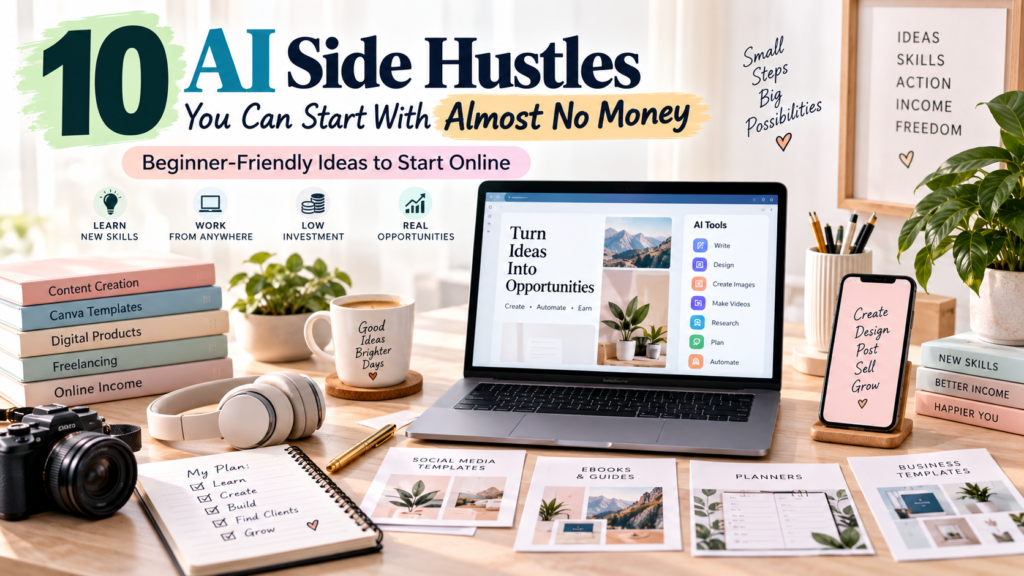
10 AI Side Hustles You Can Start With Almost No Money
If you’ve been eyeing “AI side hustles” content online, you’ve probably noticed a pattern: big promises, vague advice, and screenshots of income that nobody can verify. That noise makes it easy to assume AI side hustles are either a scam or something only tech-savvy people can pull off.
Neither is true. What is true is that AI tools have lowered the cost of entry for a specific category of side hustle: service-based and digital-product businesses that used to require expensive software, design training, or years of writing experience. A free AI writing tool, a free Canva account, and a laptop you already own can now get you to a first draft of a product or service in an afternoon.
But here’s the honest part: AI is a tool, not the business itself. A side hustle still needs a real customer, a real problem you’re solving, your own judgment and editing, some marketing, and consistency over time. AI can speed up the “doing” — it can’t replace the “figuring out who wants this and convincing them to pay.”
Below are 10 AI-assisted side hustles you can realistically test with free or low-cost tools, plus what it actually takes to get your first customer.
Can You Really Start an AI Side Hustle With Almost No Money?
Yes — for most of the ideas below, your literal startup cost can be close to $0: a free AI chatbot account, a free Canva plan, a free blog or portfolio tool, and the computer and internet connection you already have.
But “almost no money” is about cash outlay, not effort. It does not mean:
- No work — you still have to write briefs, design, edit, and deliver
- No skills — you need to develop judgment AI doesn’t have (voice, accuracy, taste, strategy)
- No learning curve — expect a few weeks of practice before your output is client-ready
- No marketing — nobody finds you by accident
- Guaranteed customers or guaranteed income — none of this is passive
As you grow, some real costs tend to show up: a premium AI plan, a portfolio site or domain, marketplace fees, payment processing, or paid ads.
Low startup cost does not mean zero effort or zero ongoing expenses. Think of $0 as your testing budget, not your permanent budget.
10 AI Side Hustles at a Glance
| Side Hustle | Startup Cost | Skill Level | How You Make Money | Best For |
| AI Content Writing Service | $ | Beginner | Per-article or retainer fees | Writers, bloggers, students |
| AI Social Media Content Service | $ | Beginner | Monthly management packages | Creators, social-savvy beginners |
| AI-Assisted Canva Design Services | $–$$ | Beginner | Per-design or template packages | Canva users, visual thinkers |
| AI Digital Products | $ | Beginner–Intermediate | One-time or repeat sales | Bloggers, creators, teachers |
| AI-Assisted Blogging & SEO Services | $–$$ | Intermediate | Retainers, per-project fees | Writers with research skills |
| AI Video & Short-Form Content Services | $–$$ | Beginner–Intermediate | Per-video or monthly packages | Video-curious creators |
| AI Virtual Assistant Services | $ | Beginner | Hourly or retainer fees | Organized generalists |
| AI Automation & Workflow Setup | $$ | Intermediate | Project fees, retainers | Tech-curious problem solvers |
| AI Proofreading, Editing & Research | $ | Beginner–Intermediate | Per-project or per-word fees | Detail-oriented readers |
| AI-Assisted Print-on-Demand Design | $–$$ | Beginner | Royalties per sale | Canva/design-minded creators |
1. AI Content Writing Service
What It Is
You write blog posts, product descriptions, email content, and other text for businesses or individuals who don’t have time to write it themselves.
How AI Helps
AI chatbots can generate first drafts, outlines, headline options, and rewrites in seconds, which cuts your drafting time dramatically.
What You Can Sell
Blog drafts, product descriptions, social captions, email sequences, newsletter content, and repurposed content (turning one piece into five).
Who Will Pay for It?
Small businesses, e-commerce shops, solo bloggers, coaches, and local service businesses that need consistent content but don’t have an in-house writer.
Free or Low-Cost Tools
A free-tier AI chatbot for drafting, Google Docs for editing and delivery, and a free portfolio tool (like a simple site builder or even a shared Google Doc portfolio) to show samples.
How to Get Started
- Pick 2–3 niches you understand (e.g., fitness, local services, SaaS)
- Write 3–5 sample pieces using AI drafts, then heavily edit them yourself
- Build a simple one-page portfolio
- Set an introductory rate
- Reach out directly to small businesses or post in freelance communities
Example Offer
“4 blog posts per month (800–1,000 words), AI-assisted drafts, fully edited and fact-checked for your brand voice.”
Suggested Starting Price
$25–$75 per article (illustrative example only — rates vary widely by niche and experience).
Difficulty: Beginner
Time to First Offer
You’ll want a small portfolio and a clear niche before pitching — this typically means writing and editing several sample pieces first, not skipping straight to outreach.
Biggest Challenge
Standing out from generic, unedited AI content. Clients can tell the difference between raw AI output and something a human shaped for their audience.
How to Get Your First Customer
Offer a discounted or free trial piece to 2–3 local businesses, post samples on LinkedIn, or apply to relevant gigs on freelance marketplaces.
How to Scale It
Move from single articles to monthly retainers, then build a small team of editors as demand grows, or expand into content strategy.
2. AI Social Media Content Service
What It Is
Helping small businesses plan and create their social media content — captions, post ideas, and content calendars.
How AI Helps
AI can generate content calendar ideas, caption variations, and hashtag suggestions, while Canva’s AI features help turn those ideas into visuals quickly.
What You Can Sell
Monthly content calendars, caption writing, carousel copy, Pinterest descriptions, and short-form video scripts.
Who Will Pay for It?
Local businesses, coaches, boutique shops, and creators who know they need to post consistently but don’t have time or ideas.
Free or Low-Cost Tools
A free AI chatbot for ideation, Canva’s free plan for visuals (note that Canva’s free tier includes limited monthly AI credits and templates, with more unlocked on paid plans), and free scheduling tools with basic plans.
How to Get Started
- Choose one platform to specialize in first (Instagram, Pinterest, or TikTok)
- Create a sample month of content for a fictional or real business
- Package it as a clear offer (e.g., “12 posts/month”)
- Set up a simple portfolio showing before/after content
- Pitch local businesses directly
Example Offer
“12 Instagram posts + captions per month, planned and designed, delivered as a ready-to-post calendar.”
Suggested Starting Price
$150–$400/month (illustrative example only).
Difficulty: Beginner
Time to First Offer
Plan to build at least one full sample content calendar before pitching, so prospects can see your process and style.
Biggest Challenge
Generic AI captions that don’t match a brand’s actual voice or audience.
How to Get Your First Customer
Offer a free content audit to a local business, then pitch your calendar service based on what you found.
How to Scale It
Add design and posting/scheduling as add-on services, then hire contractors to handle execution while you manage strategy and client relationships.
3. AI-Assisted Canva Design Services
What It Is
Creating templates, social graphics, presentations, and marketing materials for clients using Canva, sped up with AI features.
How AI Helps
Canva’s built-in AI tools can generate design suggestions, resize layouts across formats, and produce first-pass copy, which you then refine.
What You Can Sell
Social media templates, Pinterest graphics, presentation decks, lead magnets, ebook layouts, and marketing one-pagers.
Who Will Pay for It?
Creators who need branded templates, small businesses needing marketing materials, and coaches needing lead magnets.
Free or Low-Cost Tools
Canva’s free plan (usable for real client work, though premium templates, background removal, and higher AI usage limits require a paid Pro plan). Check Canva’s current pricing and commercial-use terms before selling templates built from premium assets.
How to Get Started
- Build 3–5 portfolio pieces in different formats
- Choose a design niche (e.g., Pinterest graphics, coaching workbooks)
- Confirm Canva’s licensing rules for the assets you use commercially
- Set package pricing (single design vs. bundles)
- Share work on Pinterest, Instagram, or design communities
Example Offer
“Branded Canva template pack: 10 social posts + 1 Pinterest pin design, fully customizable.”
Suggested Starting Price
$50–$200 per pack (illustrative example only).
Difficulty: Beginner
Time to First Offer
Build a small portfolio across a couple of formats before pitching, so clients can see range, not just one style.
Biggest Challenge
Design saturation — many creators offer Canva services, so a defined niche and clean portfolio matter more than tool skills.
How to Get Your First Customer
Offer a free template to a small business in exchange for a testimonial, or sell finished templates directly on a marketplace.
How to Scale It
Turn one-off designs into template shops (see Digital Products below), or move into full brand kits and retainer design work.
4. AI Digital Products
What It Is
Creating and selling downloadable products — planners, checklists, templates, workbooks, and prompt guides.
How AI Helps
AI can help brainstorm topics, draft content and layouts, and generate variations quickly, which you then edit and format.
What You Can Sell
Checklists, planners, workbooks, prompt guides, Notion or Canva templates, printable resources, and mini ebooks.
Who Will Pay for It?
Audiences of bloggers and creators, small business owners wanting done-for-you resources, and niche communities (students, freelancers, new parents, etc.).
Free or Low-Cost Tools
A free AI chatbot for drafting, Canva’s free plan for layout, and free or low-fee marketplaces such as Etsy, Gumroad, or Payhip.
How to Get Started
- Pick a specific, narrow problem to solve (not “productivity” — “weekly meal planning for one”)
- Draft content with AI, then heavily edit and test it yourself
- Design the final product in Canva
- Choose a selling platform and understand its fees before pricing
- Create a simple product listing with clear benefits
- Share it with any existing audience or community you have access to
Example Offer
“A 20-page digital meal-planning workbook with grocery lists and templates, instant download.”
Suggested Starting Price
$7–$25 per product (illustrative example only).
Difficulty: Beginner–Intermediate
Time to First Offer
You’ll need a finished, tested product and a listing before you can sell anything — expect several rounds of editing before it’s ready.
Biggest Challenge
Getting discovered without an existing audience; digital products rarely sell themselves.
How to Get Your First Customer
Share in relevant online communities, use a launch discount, or trade a free copy for feedback and reviews.
How to Scale It
Build a product line, bundle items together, or add affiliate/email marketing once you have a track record.
Platform note: Fees vary by platform and change over time — for example, Etsy currently charges a $0.20 listing fee per item, a 6.5% transaction fee on the total sale, and payment processing of roughly 3% plus $0.25 per transaction, while Gumroad charges roughly 10% plus $0.50 per direct sale, with a steeper cut on sales from its Discover marketplace, and Payhip offers a free plan with about a 5% transaction fee, dropping on paid tiers. Confirm current rates before pricing your product.
5. AI-Assisted Blogging & SEO Services
What It Is
Helping businesses plan and optimize content that ranks in search engines — not just writing, but strategy.
How AI Helps
AI speeds up topic research, outline creation, and meta description drafts, but ranking still depends on human judgment about search intent and quality.
What You Can Sell
Topic research, content briefs, outlines, on-page SEO optimization, meta descriptions, internal linking suggestions, and content calendars.
Who Will Pay for It?
Small businesses, SaaS companies, and bloggers who know SEO matters but don’t have the time or expertise to do it consistently.
Free or Low-Cost Tools
A free AI chatbot for research and drafting, free keyword tools with limited searches, and free SEO browser extensions for basic audits.
How to Get Started
- Learn the basics of search intent and on-page SEO
- Practice the workflow: research → AI assistance → human editing → optimization → fact-checking → publishing
- Audit a real (or sample) website and write up recommendations
- Package this as a sample report
- Pitch small businesses with a specific, visible opportunity you found
Example Offer
“Monthly SEO content package: 2 optimized blog posts with keyword research, outlines, and meta descriptions.”
Suggested Starting Price
$200–$600/month (illustrative example only).
Difficulty: Intermediate
Time to First Offer
Expect to spend time learning core SEO concepts and practicing the full research-to-publish workflow before offering this professionally — this is not a same-day skill.
Biggest Challenge
SEO results take months to show, which makes it harder to prove value quickly to new clients.
How to Get Your First Customer
Offer a free mini-audit that surfaces a real, specific issue on a prospect’s site — concrete findings sell better than a general pitch.
How to Scale It
Move from single blog posts to full content strategy retainers, or specialize in a profitable niche (e.g., local service SEO).
6. AI Video & Short-Form Content Services
What It Is
Helping creators and businesses produce short-form video content for platforms like Instagram, TikTok, and YouTube.
How AI Helps
AI tools can draft scripts, generate captions, summarize long videos into clips, and suggest thumbnail concepts.
What You Can Sell
Video scripts, captions, thumbnail concepts, video summaries, repurposed social clips, and basic AI-assisted editing.
Who Will Pay for It?
Creators without time to script content, small businesses starting video marketing, and podcasters wanting clips.
Free or Low-Cost Tools
A free AI chatbot for scripting, free-tier video editing apps, and free captioning features built into most social platforms.
How to Get Started
- Pick one content type to specialize in (scripts, clips, or captions)
- Create 2–3 sample scripts or edited clips
- Learn platform-specific formatting (length, captions, pacing)
- Build a short demo reel or portfolio
- Reach out to creators or small businesses already posting inconsistently
Example Offer
“4 short-form video scripts + captions per week, tailored to your niche and platform.”
Suggested Starting Price
$20–$60 per script, or $150–$400/month for a package (illustrative example only).
Difficulty: Beginner–Intermediate
Time to First Offer
Build a small demo of scripts or edited clips before pitching — clients want to see your pacing and hook-writing, not just hear about it.
Biggest Challenge
There are no guarantees of views or virality — you’re selling process and consistency, not results you can’t control.
How to Get Your First Customer
Offer to script or repurpose one piece of content for free for a creator you admire or a local business, then use it as a case study.
How to Scale It
Expand into full content repurposing packages (one long video into ten short clips) or build a small team for editing at volume.
7. AI Virtual Assistant Services
What It Is
Providing administrative and organizational support to business owners — inbox management, scheduling, research, and data entry — with AI handling the repetitive parts.
How AI Helps
AI can draft emails, summarize documents, organize information, and speed up research tasks that used to take much longer.
What You Can Sell
Inbox and calendar management, meeting notes and summaries, basic research, customer service replies, document formatting, and light project coordination.
Who Will Pay for It?
Solo entrepreneurs, coaches, consultants, and small business owners who are overwhelmed by admin work.
Free or Low-Cost Tools
A free AI chatbot for drafting and summarizing, free calendar and email tools, and free project management apps with basic plans.
How to Get Started
- List your existing organizational skills and any software you already know
- Choose 2–3 specific services to offer rather than “general VA work”
- Practice your workflow on your own inbox or a friend’s small project
- Set clear hourly or package pricing
- Create a simple one-page service list
- Reach out in small business communities and freelance marketplaces
Example Offer
“10 hours/month of inbox management, scheduling, and meeting summaries.”
Suggested Starting Price
$15–$35/hour (illustrative example only).
Difficulty: Beginner
Time to First Offer
Get comfortable with your core tools and workflow before taking on paid clients — reliability matters more than speed here.
Biggest Challenge
Earning trust with someone else’s inbox, calendar, and business information takes time and a track record.
How to Get Your First Customer
Offer a small trial task for free or at a discount to a business owner in your network, then ask for a referral or testimonial.
How to Scale It
Specialize in a high-value niche (e.g., podcast management, launch support) and raise rates, or build an agency with subcontracted VAs.
8. AI Automation & Workflow Setup Services
What It Is
Helping small businesses connect their tools together and automate repetitive tasks using no-code automation platforms paired with AI.
How AI Helps
AI can help you write automation logic in plain language, draft email/chat responses inside workflows, and troubleshoot errors faster.
What You Can Sell
Simple automations (e.g., new lead → auto-reply → CRM entry), AI-drafted email or chatbot responses, and basic workflow audits.
Who Will Pay for It?
Small businesses drowning in manual, repetitive tasks — lead follow-up, appointment reminders, data entry between apps.
Free or Low-Cost Tools
Free tiers of no-code automation platforms (usually limited by number of tasks/month), plus a free AI chatbot for logic and copywriting.
How to Get Started
- Learn one automation platform thoroughly using its free tier
- Build 2–3 sample automations for common small-business needs
- Document the process clearly (before/after time saved)
- Package it as a fixed-price “automation audit” offer
- Pitch businesses with an obvious repetitive task you noticed
Example Offer
“One-time automation setup: auto-respond to new inquiries and log them in a spreadsheet or CRM.”
Suggested Starting Price
$150–$500 per project (illustrative example only).
Difficulty: Intermediate
Time to First Offer
Plan to practice building and testing several automations yourself before offering this to paying clients — broken automations damage trust fast.
Biggest Challenge
This requires more technical comfort than most items on this list, and free tiers often cap how much automation you can run.
How to Get Your First Customer
Offer a free audit identifying one manual task a business could automate, then quote the fix.
How to Scale It
Move to ongoing automation maintenance retainers, or specialize in a specific industry’s common workflows.
9. AI Proofreading, Editing & Research Assistance
What It Is
Reviewing, fact-checking, and polishing content — including AI-generated drafts — for accuracy, clarity, and tone.
How AI Helps
AI tools can flag grammar issues and suggest phrasing, but final judgment on accuracy, voice, and nuance still requires a human reader.
What You Can Sell
Proofreading, line editing, fact-checking AI-generated content, tone/voice adjustment, and basic research summaries.
Who Will Pay for It?
Bloggers and businesses publishing AI-assisted content who want a human check before publishing, students, and non-native English writers.
Free or Low-Cost Tools
A free AI chatbot to cross-check facts and suggest edits, free grammar-checking browser extensions, and Google Docs for tracked changes.
How to Get Started
- Practice editing AI-generated drafts against original sources for accuracy
- Build a simple before/after editing sample
- Define your specialty (blog content, academic writing, business docs)
- Set per-word or per-project pricing
- Offer your service in writer and blogger communities
Example Offer
“Full edit and fact-check of AI-assisted blog drafts, up to 2,000 words, with tracked changes.”
Suggested Starting Price
$0.02–$0.05 per word, or a $30–$75 flat fee per piece (illustrative example only).
Difficulty: Beginner–Intermediate
Time to First Offer
Build a couple of before/after samples showing your editing eye before pitching — this is a trust-based service.
Biggest Challenge
Convincing clients that human editing is worth paying for when they could publish AI drafts as-is.
How to Get Your First Customer
Offer a free sample edit on a short piece to a blogger or small business, showing specific improvements you made.
How to Scale It
Move into ongoing editorial retainers, or specialize in a lucrative niche like academic, legal, or technical editing.
10. AI-Assisted Print-on-Demand Design
What It Is
Designing graphics for print-on-demand products (t-shirts, mugs, art prints) sold through platforms that handle production and shipping.
How AI Helps
AI image and design tools can speed up concept generation and pattern/text variations, which you then refine into final, original designs.
What You Can Sell
T-shirt and apparel designs, mugs, stickers, wall art, and seasonal or niche-specific graphics.
Who Will Pay for It?
Niche audiences looking for designs matching a specific interest, hobby, profession, or sense of humor.
Free or Low-Cost Tools
Canva’s free plan for layout and basic design, free-tier AI image tools for concepts, and print-on-demand platforms that only charge when a sale happens (no upfront inventory cost).
How to Get Started
- Pick a specific niche audience (not “funny shirts” — “funny shirts for dog groomers”)
- Create original concepts, using AI only for early ideation
- Confirm your print-on-demand platform’s content and commercial-use policies
- Set up a small starter shop with 10–20 designs
- Promote designs on relevant social platforms or communities
- Track which designs get engagement and iterate
Example Offer
A themed collection of 15 t-shirt and sticker designs for a specific niche hobby community.
Suggested Starting Price
Royalties typically range from a few dollars per item sold, depending on the platform and product (illustrative example only).
Difficulty: Beginner
Time to First Offer
Build a small original collection and confirm platform policies on AI-assisted and commercial-use content before listing anything for sale.
Biggest Challenge
Standing out in a crowded market and avoiding copyright issues — designs must be original, not close copies of existing brands, characters, or trademarked material.
How to Get Your First Customer
Share designs directly in niche online communities where your target audience already gathers, rather than relying on marketplace browsing alone.
How to Scale It
Expand into more products and niches, build an email list of repeat buyers, or open your own storefront to keep more of each sale.
A Few Honest Final Notes
Pricing, features, and platform policies can change, so check the current official information before starting — especially around AI content and commercial-use policies on platforms like Canva, Etsy, Gumroad, and Payhip, which have adjusted their terms multiple times in recent years.
None of these ten ideas is passive, guaranteed, or overnight. Each one is a real service or product business that AI makes faster to start and easier to test — but the parts that make people pay (trust, quality, consistency, and marketing) are still entirely up to you.